Participant
October 4, 2017
Answered

How do you remove jitter/jutter/bucking from Video?

  • October 4, 2017
  • 2 replies
  • 1114 views

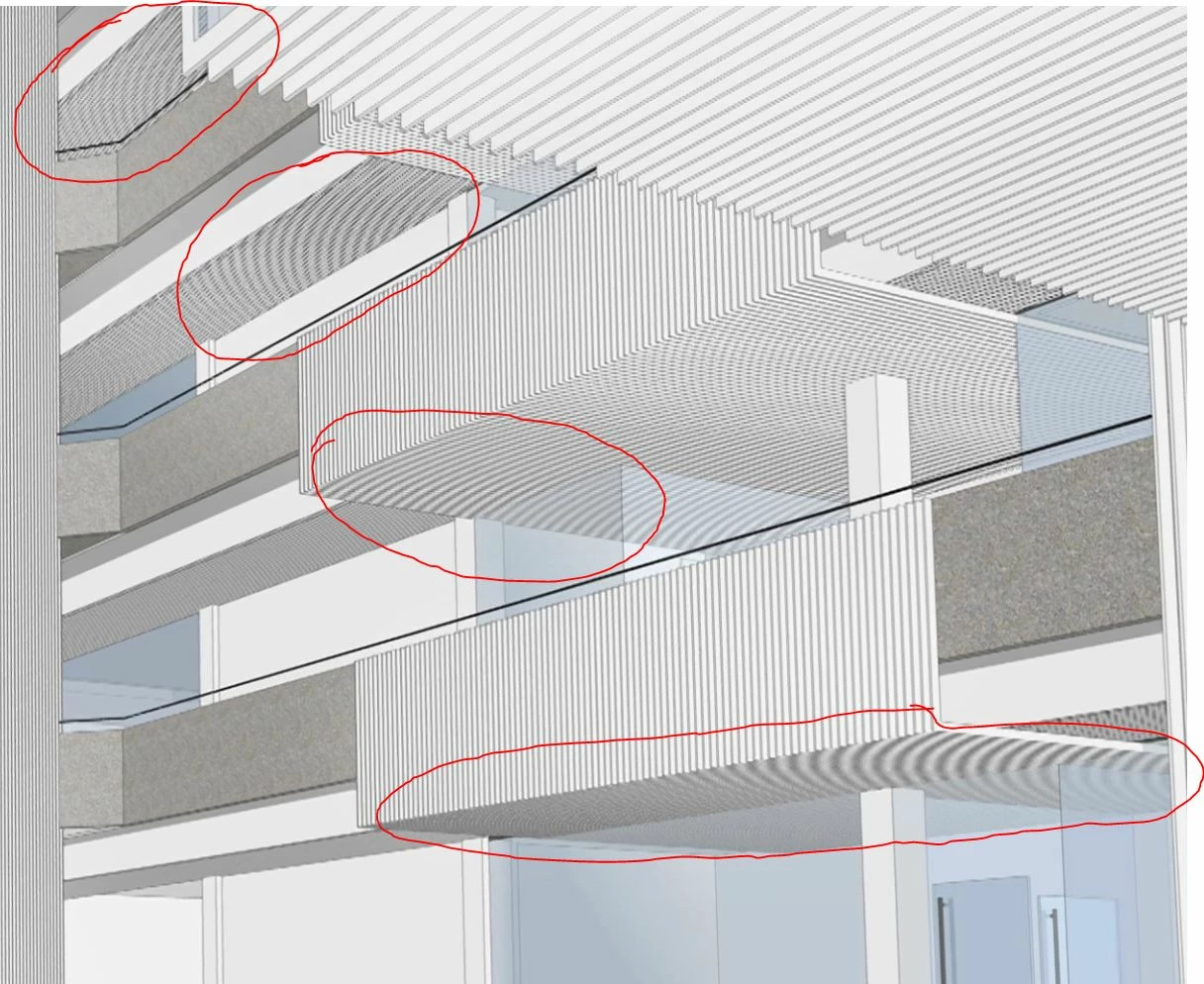
Hello everyone! I have been trying to remove a certain jitter caused by parallel lines in a video for quite some time now and I can't figure it out. I guess it has something to do with anti-aliasing and video compression but I have no success so far. So here am I asking the community for help     thank you guys!

This topic has been closed for replies.
Correct answer Mylenium

Aliasing artifacts cannot be removed with some magic procedure. AE (or any other program for that matter) has no way of sentiently guessing that these lines should be some kind of texture, crosshatching or micro-details. You have to crank up the antialiasing settings in your 3D app or for that matter use a proper 3D renderer in the first place instead of just screen capturing your stuff in shoddy mode from your CAD program.

Mylenium

2 replies

Mylenium
MyleniumCorrect answer
Legend
October 4, 2017

Aliasing artifacts cannot be removed with some magic procedure. AE (or any other program for that matter) has no way of sentiently guessing that these lines should be some kind of texture, crosshatching or micro-details. You have to crank up the antialiasing settings in your 3D app or for that matter use a proper 3D renderer in the first place instead of just screen capturing your stuff in shoddy mode from your CAD program.

Mylenium

Vishu_Aggarwal
Participating Frequently
October 4, 2017

Can share the video with us. This video is created using After Effects or some other software? What are the format & codec settings.

Vishu AggarwalAdobe Certified Instructor, Professional and Expert