Answered
How Does One Attach/Re-Attach a Panel from Window?
Accidently Undocked my Timeline Panel.
How Does One Attach it Back onto the Workspace?
Accidently Undocked my Timeline Panel.
How Does One Attach it Back onto the Workspace?
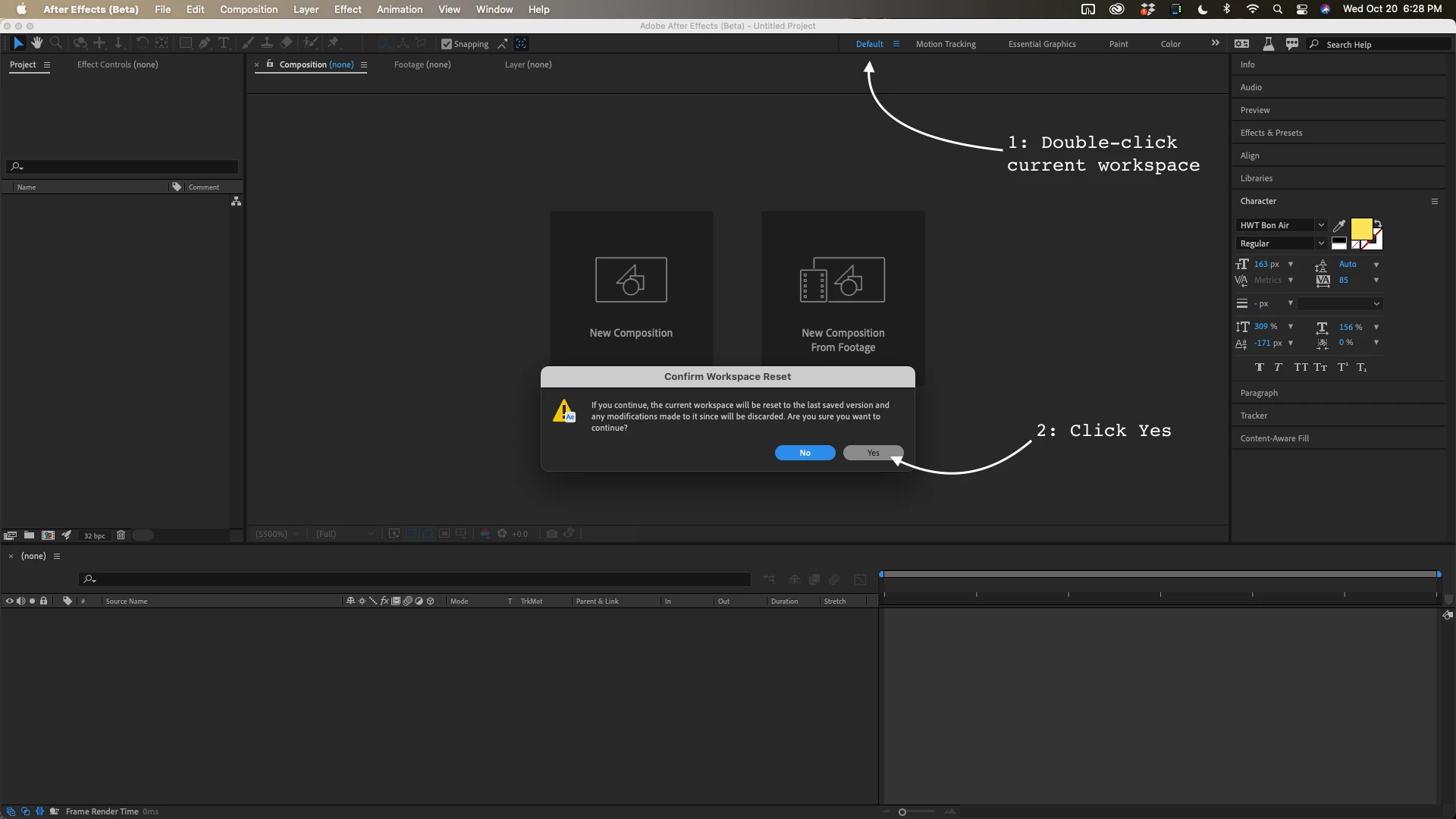
If your workspace is selected in the toolbar all you have to do is double click the workspace and then choose to reset it to the default settings. If the workspace you are working in is not visible in the toolbar, go to Window/Workspace/Reset "Your workspace" to saved layout.
You can also go into the toolbar and drill down and edit your workspaces so the most common ones you use are arranged for the way you work. Using the right workspace will save you a lot of time. Here's my layout being reset:
Already have an account? Login
Enter your E-mail address. We'll send you an e-mail with instructions to reset your password.
 AdChoices