
Inspiring
June 25, 2018
Question

How does the parent rotation affects the child specifically?

  • June 25, 2018
  • 1 reply
  • 629 views

Hi Everyone.

Recently, I found a little thing in parenting relationship. I'll illustrate my scenario.

I have a little 3d solid and a 3d null. Here are their rotation and orientation value:
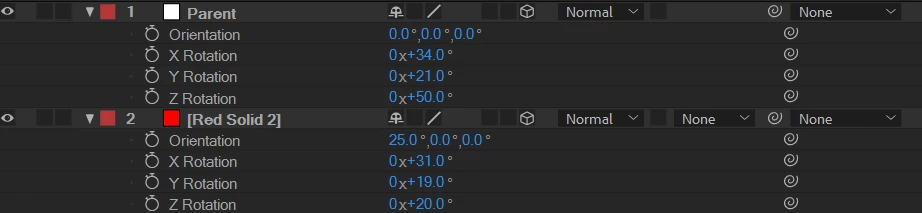
After I parent the solid to the 3d null(named 'Parent'), the child's orientation value changes to keep the original  transform status. That is nothing special.
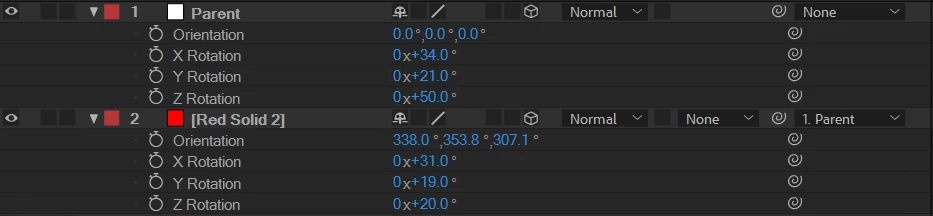
But here comes the question: How can I get the result of [338.0,353.8,307.1] from [25,0,0]? Is there a formula to calculate this? I guess I'm gonna need it in my project.

And here is another interesting thing: the camera won't change its orientation value to keep its original transform after parenting.

Here is the rotation and orientation value before parenting:

And here is the camera in custom view:
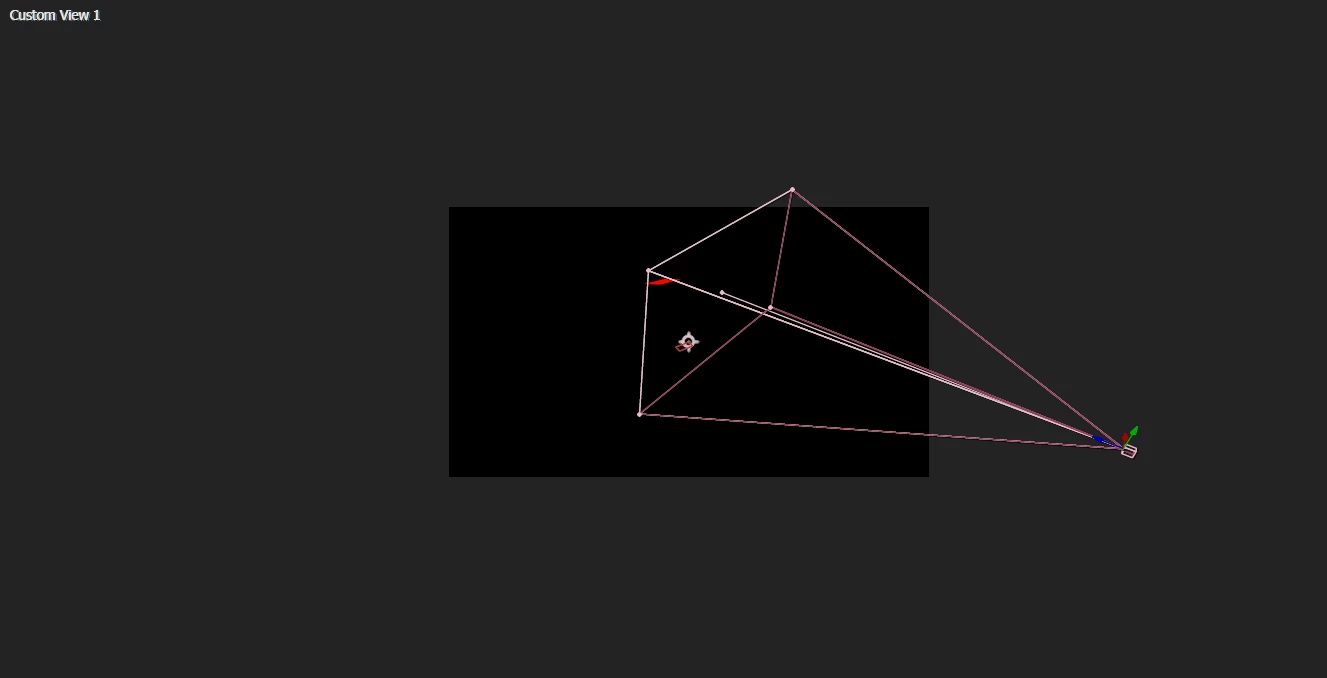
After parenting, the rotation and orientation value didn't change, so it is impossible that the camera will still maintain its original transform. So it jumped a little bit. Like this:

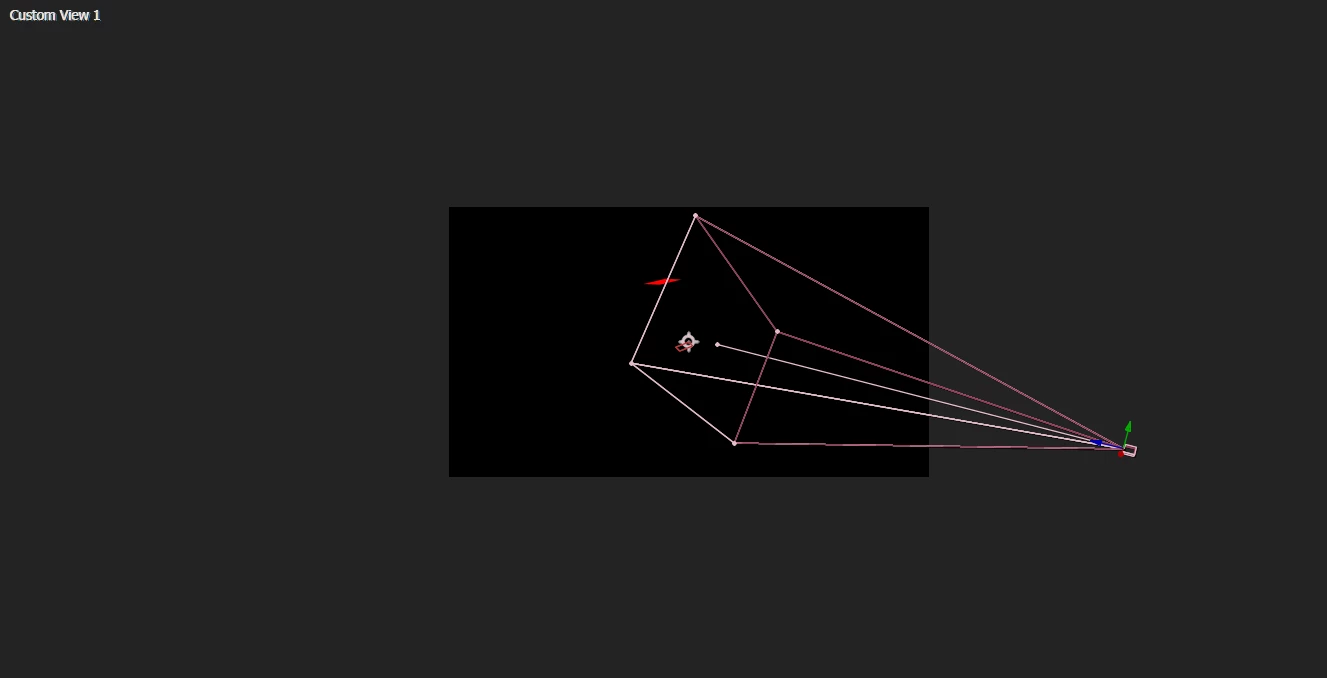
It seems that the same holds true for spot light. I guess it is because they both have point of interest?(Not sure)

So I think if I can make out how the child's orientation value is affected by the parent's rotation, I can make compensation for the jumping issue of camera parenting.

How could I achieve this via expression or scripting?

Any reply will be appreciated.

Aaron

This topic has been closed for replies.

1 reply

Participant
May 13, 2024

1. Orientation: Parent rotation changes the orientation of the child object within the app.

2. Position: The child's position relative to the parent may shift depending on the rotation.

3. Scale: The scale of the child object may appear distorted if the parent is rotated unevenly.

4. Alignment: The alignment of the child object with other elements in the app could be altered.

5. Perspective: Rotation of the parent can affect the perspective from which the child is viewed.

6. Collision Detection: Changes in orientation may impact collision detection between the child and other objects in the app.

7. Animation: Rotation of the parent may affect any animations applied to the child object.

8. User Interaction: The way users interact with the child object may change based on the parent's rotation.

9. Rendering: The rendering of the child object may differ depending on the parent's rotation angle.

10. Physics Simulation: Parent rotation can influence the physics simulation applied to the child object.

11. Constraints: Constraints applied to the child object may behave differently when the parent is rotated.

12. Transformations: Any transformations applied to the child object may be compounded by the parent's rotation.

13. Z-Order: The z-order of the child object in relation to other elements in the app may be affected by the parent's rotation.

14. Shadows and Lighting: Changes in the parent's rotation can alter the appearance of shadows and lighting on the child object.

15. Performance: Excessive parent rotation may impact the app's performance, especially if complex child objects are involved.