joon heek36882761
Participant
July 6, 2017
Answered

How to 3D rotate an object at a 45 degree angle

  • July 6, 2017
  • 2 replies
  • 5426 views

Hello!

I was wondering if there is a way to 3D rotate an object at a 45 degree angle?

And what I mean by that is... instead of rotating on the X,Y, or Z axis.. can I dictate my own axis for the object to rotate on?
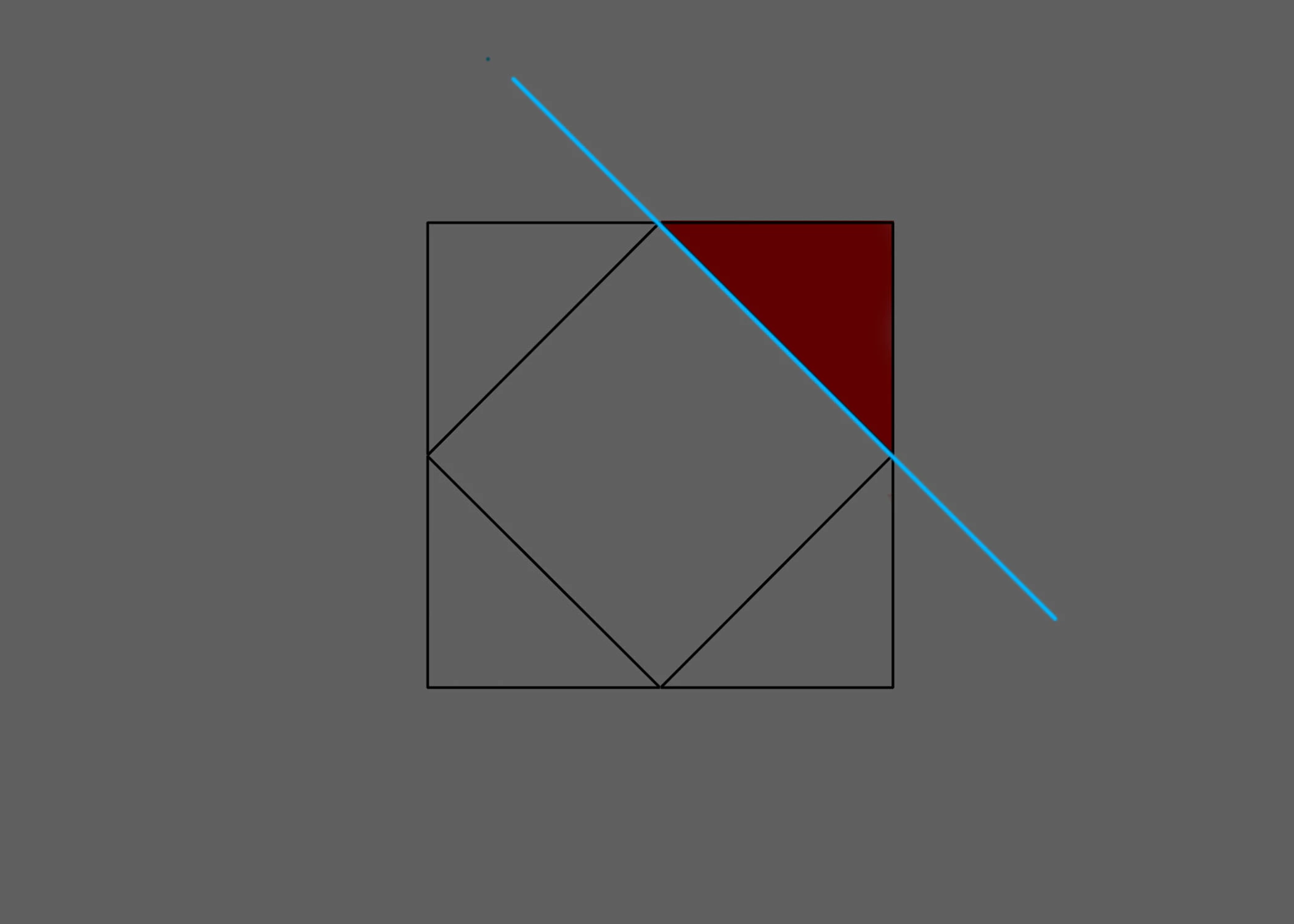
The red object is the object that I'm trying to 3D rotate. Blue is the axis I want to rotate on.
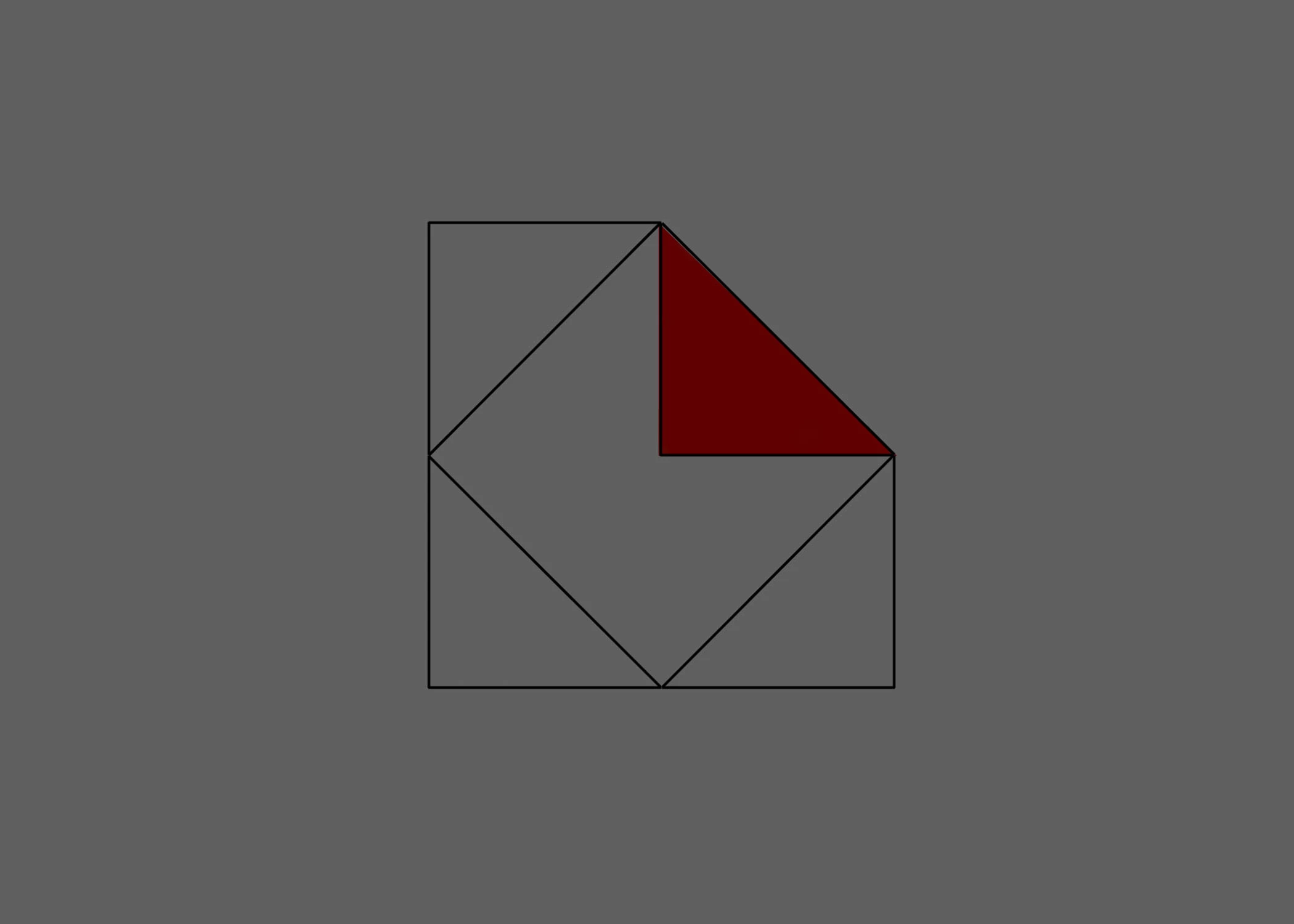
The final result looking like this.. like folding a piece of paper.

Please helppppp

    This topic has been closed for replies.
    Correct answer Mike_Abbott

    Yes - probably the most flexible way is to use a null as a parent.

    I'm assuming here that the triangle shown in the top image is NOT already rotated... but has been created 'as shown'.

    1. Create yourself a null object, make it 3D and position the top left corner of the null over the edge you want to rotate.

    2. set the orientation of the null to: 0.0, 0.0, 45  (45 degrees on the Z axis).

    3. parent the shape to the null.

    4. animate the X rotation value of the null

    2 replies

    Mike_Abbott
    Mike_AbbottCorrect answer
    Legend
    July 7, 2017

    Yes - probably the most flexible way is to use a null as a parent.

    I'm assuming here that the triangle shown in the top image is NOT already rotated... but has been created 'as shown'.

    1. Create yourself a null object, make it 3D and position the top left corner of the null over the edge you want to rotate.

    2. set the orientation of the null to: 0.0, 0.0, 45  (45 degrees on the Z axis).

    3. parent the shape to the null.

    4. animate the X rotation value of the null

    Community Expert
    July 7, 2017

    As Mike Abbott said, parenting is the solution. Orient the parent first, then parent, then rotate the parent. If the triangle is a shape layer you can turn on Snapping or hold down the shift key as you drag the null around so that it snaps to the line. This is easier to do if both layers are 3D when you are lining up the edges.

    Dave_LaRonde
    Inspiring
    July 7, 2017

    Move the anchor point to any edge you want.