If you want to try and manipulate position and speed in the graph editor you want the graph to look something like this:
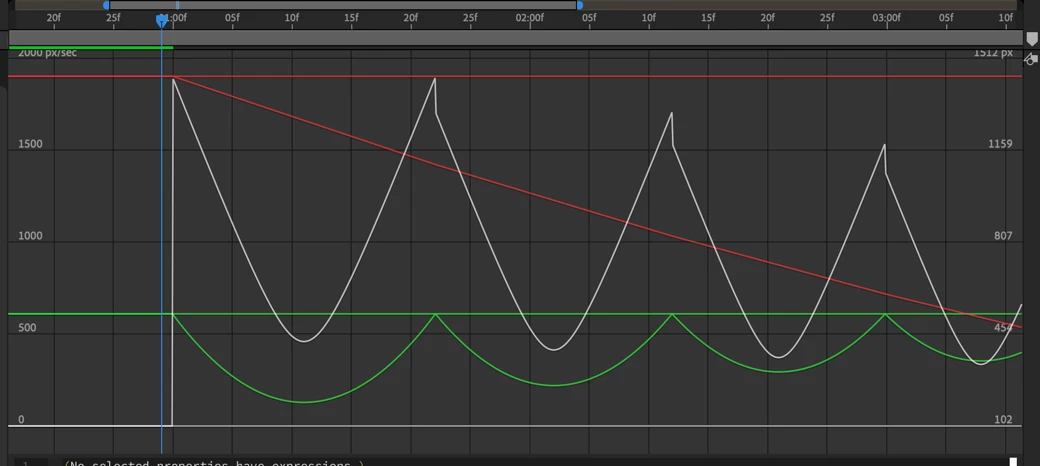
It's almost impossible to do by hand.
If this was my project I would start with about 6 layers. The bottom would be a clean plate, then the shot of the kid throwing the ball but masked so that the ball disappeared as soon as it hit the first can, then the ball replacement layer with an expression to make it bounce straight up and down, then a null to move the ball layer toward the net using parenting, then another masked shot with the ball going through the net to match cut to the action.
If you head over to Dan Ebberts website and look for realistic bounce you'll find this expression (which I slightly modified)
elev = degreesToRadians(90);// to make it bounce straight up and down
v = 1900;
e = .9; // closer to a basket ball's elasticity
f = .85; // closer to the friction I would expect
g = 5000;
nMax = 4; // maximum number of bounces
tLaunch = 1; // time in seconds when the ball launches
vy = v*Math.sin(elev);
vx = v*Math.cos(elev);
if (time >= tLaunch){
t = time - tLaunch;
tCur = 0;
segDur = 2*vy/g;
tNext = segDur;
d = 0; // x distance traveled
nb = 0; // number of bounces
while (tNext < t && nb <= nMax){
d += vx*segDur;
vy *= e;
vx *= f;
segDur *= e;
tCur = tNext;
tNext += segDur;
nb++
}
if(nb <= nMax){
delta = t - tCur;
x = d + delta*vx;
y = delta*(vy - g*delta/2);
}else{
x = d;
y = 0;
}
value + [x,-y]
}else
value
The basic comp would look like this:
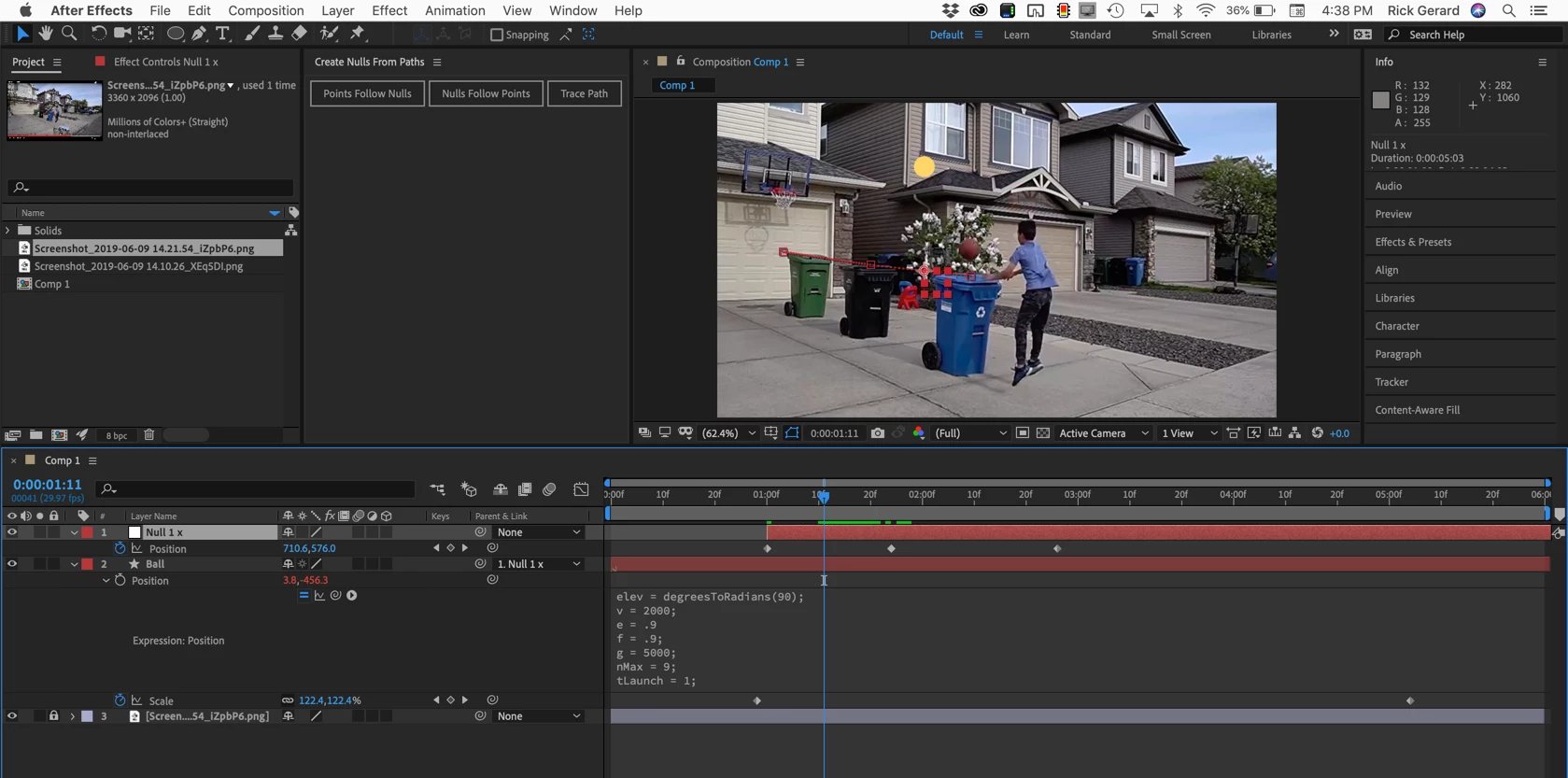
Because the tops of the cans are not level the easiest way to get the ball to bounce exactly on top of each one is to animate the position of a null, then just adjust the timing. It took me less than 5 minutes to set this up. If I tried to manually adjust the graph editor like you are doing I could easily fiddle with the timing and the curves for a couple of hours.

 AdChoices