Question
How to change iconbutton highlight color?
Hi everyone
I have a iconbutton in my script right now. The icon image has alpha channel, as is shown below:

When I mouse over on it, the highlight color shows, which is not really looking good.

The thing is, I want to change this highlight color to a darker one, like KBar.

This looks really nice!
I have been looking for ways to do this. Messing up with graphics object, brush Object a lot, but didn't succeed. It seems that we cannot change the background color of a button with some function like this:
function setBackgroundColor(uiElement, color) {
        var g = uiElement.graphics;
        var brush = g.newBrush(g.BrushType.SOLID_COLOR, color, 1);
        g.backgroundColor = brush;
    }
When it comes to buttons, code above only gives you error saying that we cannot do this.
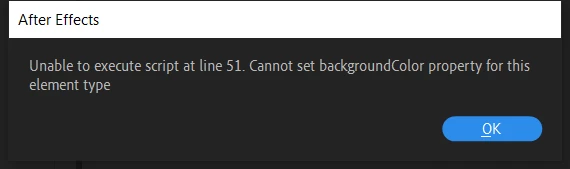
So, can we change it via ExtendScript? What can I do to this highlight color?
If not, how can I achieve such an effect using some other methods?
Aaron
 AdChoices