
Answered
How to change scale
I am following a tutorial. In that tutorial scale is in second in my work scale in frame. How to change it?
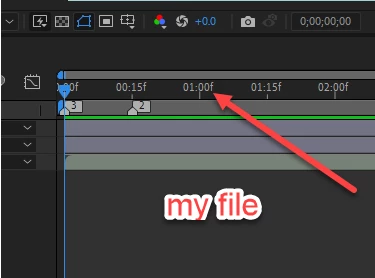

I am following a tutorial. In that tutorial scale is in second in my work scale in frame. How to change it?
Hi. You appear to be zoomed in on the timeline. Look at the bottom of your screen and you should see a slider with mountain like triangles at either end, drag the slider towards the smaller mountains.
Already have an account? Login
No account yet? Create an account
Enter your E-mail address. We'll send you an e-mail with instructions to reset your password.


 AdChoices