
Inspiring
January 30, 2023
Answered

How to change size of timeline / layers panel

  • January 30, 2023
  • 1 reply
  • 822 views

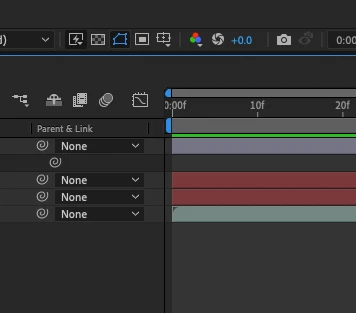
I'd like to extend the layers panel by dragging the middle bit further to the right... and make the timeline shorter as a result, as the layers panel is too narrow


I hover my mouse around the middle point in between the layers panel and the timeline but there appears to be no way of resizing anything?
 

This topic has been closed for replies.
Correct answer Mylenium

You have to resize the individual columns on the left by dragging the separators between the headers.


Mylenium

1 reply

Mylenium
MyleniumCorrect answer
Legend
January 30, 2023

You have to resize the individual columns on the left by dragging the separators between the headers.


Mylenium