
Gholamreza Rezaei
Participant
May 2, 2021
Question

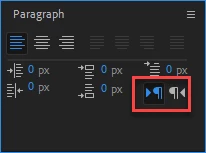
how to change text direction in ae script?

  • May 2, 2021
  • 1 reply
  • 734 views

how to change text direction of text layer in ae script?
 

This topic has been closed for replies.

1 reply

Inspiring
May 2, 2021

There doesn't appear to be a way to do this with scripting currently. You haven't said why you want to do this but in my experience it's been more important what Text > Text Engine preference is set when a text layer is created. i.e. you need it set to Middle Eastern if you want Arabic text added to a text layer to display correctly.


Unfortunately while that pref can be changed through scripting, it doesn't seem to honour the result when set through scripting, which is an issue we discussed here:

https://community.adobe.com/t5/after-effects/app-project-reload-not-working-when-changing-quot-type-quot/td-p/11982887


In that case, the only solution I can think of is to save a project with some text layers already created using each of the difference text engines, then import that project and copyToComp to get the required layer type into your comp.


There is a lot of stuff regarding text support in scripting that could do with improvement so I'd encourage you to file feature requests:

https://adobe-video.uservoice.com/forums/911311-after-effects


Gholamreza Rezaei
Participant
May 2, 2021

Thank you for your answer
