S_ A
Inspiring
November 25, 2023
Answered

how to change trim path value

  • November 25, 2023
  • 1 reply
  • 1493 views

Hello,

I want to animate a digit with a circle. I want the digit to go from 0 to 20 and simultaneously complete the full trim path circular animation from 0 to 20.

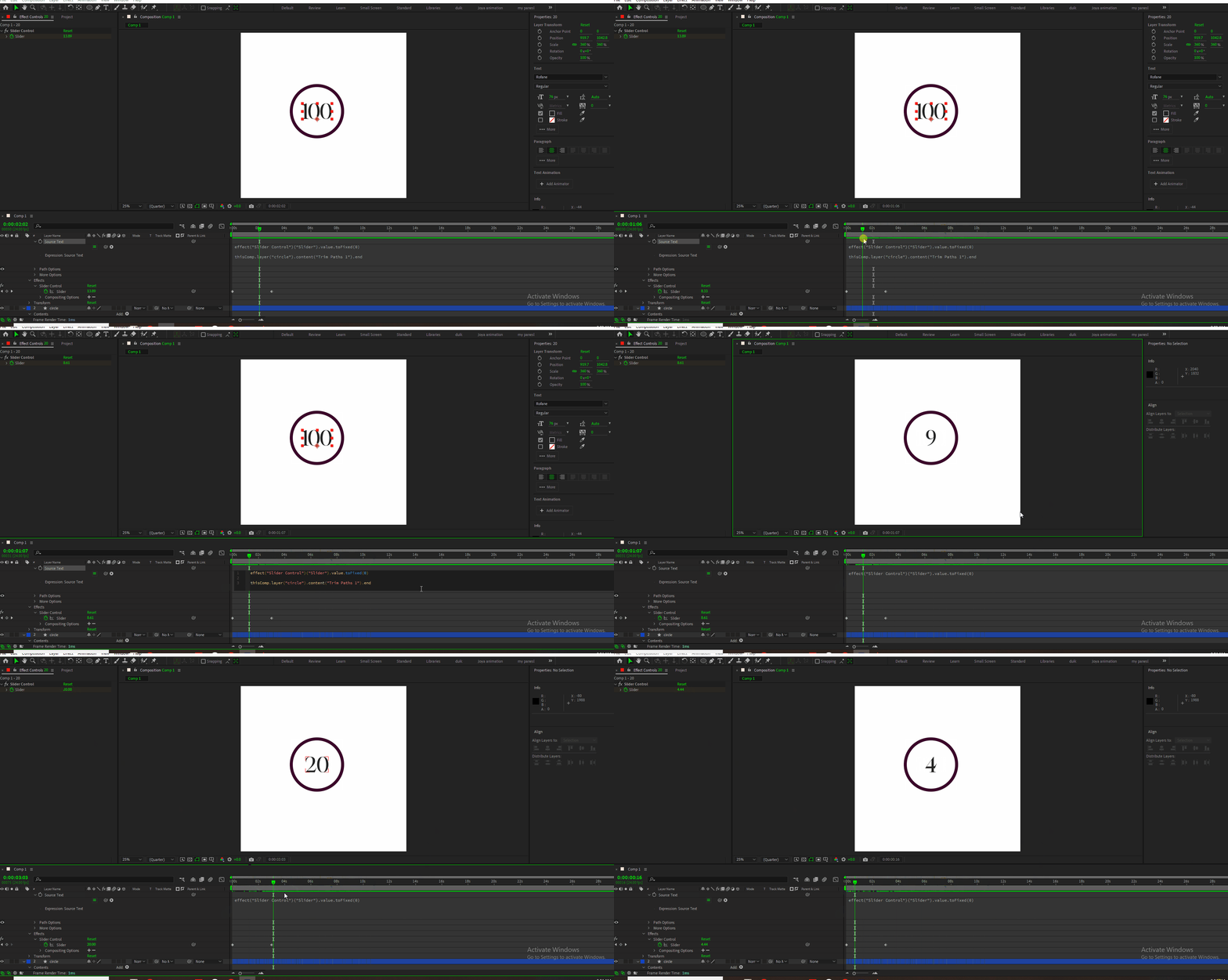
I animated the digit animation with slider control.

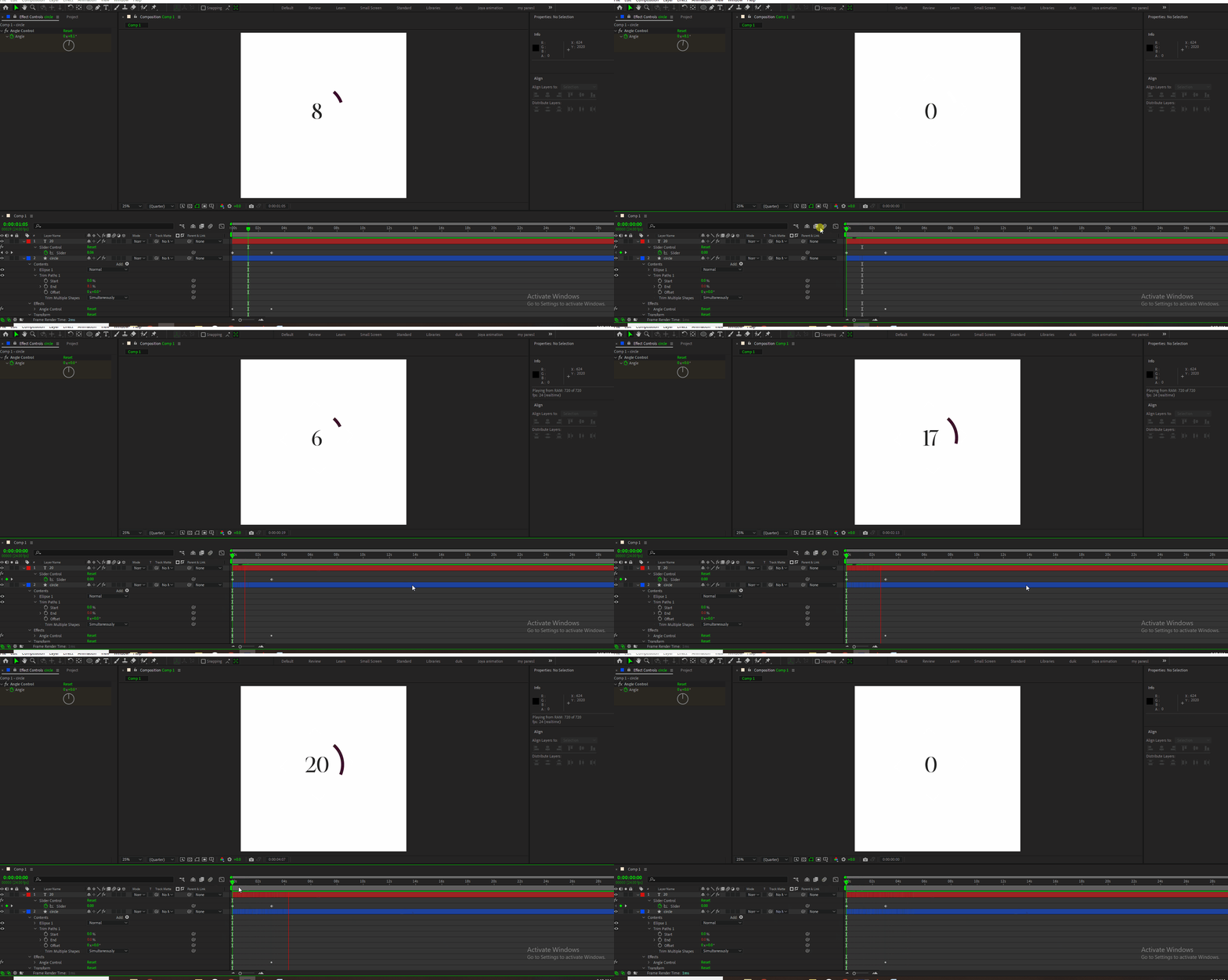
I applied trim path to the stroke and also applied angle control to the circle.. and whipped trim path ‘end’ to the angle control so that I can animate it from 0-20 and want circle complete it’s trim path animation from 0-20. (0 first keyframe, last keyframe is 20 in angle control)

but it’s not happening.

At 20 (last key frame) the trim path animation stops.

I understand that trim path value is 100. So to make it a full rotation I must do something so that after effects can make that 100 into ‘20’ .

What is that ‘something’ I can’t figure out.. Google has nothing to offer. Please help. I am so sad.


Correct answer Rick Gerard

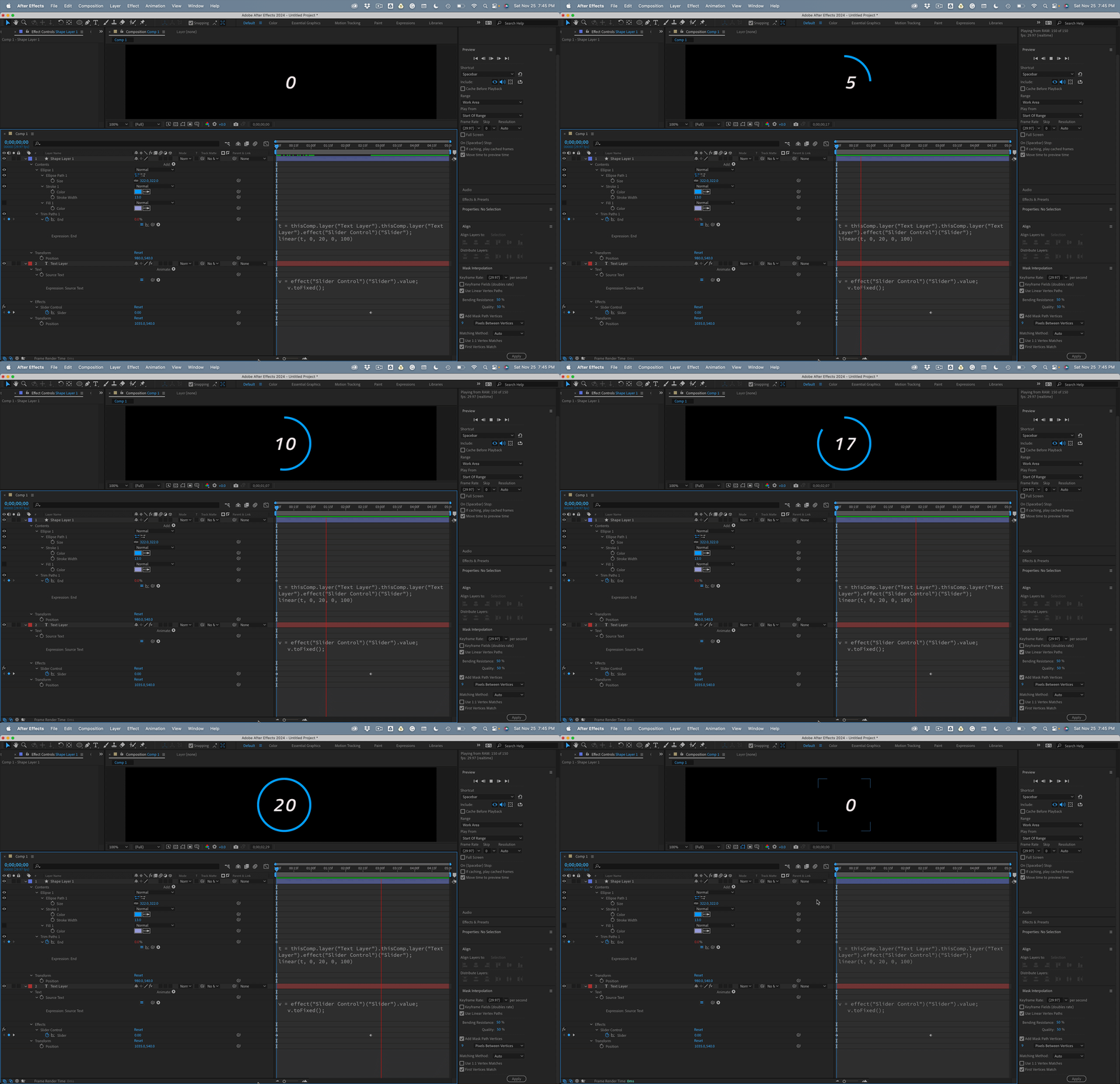
Add an Expression Control to your text layer. Add an expression to the source text that ties the value of the slider to the text and use toFixes() to limit the number of decimal places. Set some keyframes for the slider with the first zero and the last 20.  Add another expression to the end value that ties the completion to a slider and add linear interpolation to link the start and end values to toe completion of trim paths.

//Text Layer/Source Text
v = effect("Slider Control")("Slider").value;
v.toFixed();

//Shape Layer/Trim Paths/End
t = thisComp.layer("Text Layer").thisComp.layer("Text Layer").effect("Slider Control")("Slider");
linear(t, 0, 20, 0, 100)


1 reply

Rick GerardCommunity ExpertCorrect answer
Community Expert
November 26, 2023

Add an Expression Control to your text layer. Add an expression to the source text that ties the value of the slider to the text and use toFixes() to limit the number of decimal places. Set some keyframes for the slider with the first zero and the last 20.  Add another expression to the end value that ties the completion to a slider and add linear interpolation to link the start and end values to toe completion of trim paths.

//Text Layer/Source Text
v = effect("Slider Control")("Slider").value;
v.toFixed();

//Shape Layer/Trim Paths/End
t = thisComp.layer("Text Layer").thisComp.layer("Text Layer").effect("Slider Control")("Slider");
linear(t, 0, 20, 0, 100)


S_ A
S_ AAuthor
Inspiring
November 26, 2023

Hi Rick,


I have never been so happy. Thank you so much. I am sooo happy. Thank you. been struggling with this for hours...

Community Expert
November 27, 2023

I'm glad I could help.