
Participant
August 17, 2023
Question

How to copy a compositions

  • August 17, 2023
  • 4 replies
  • 497 views

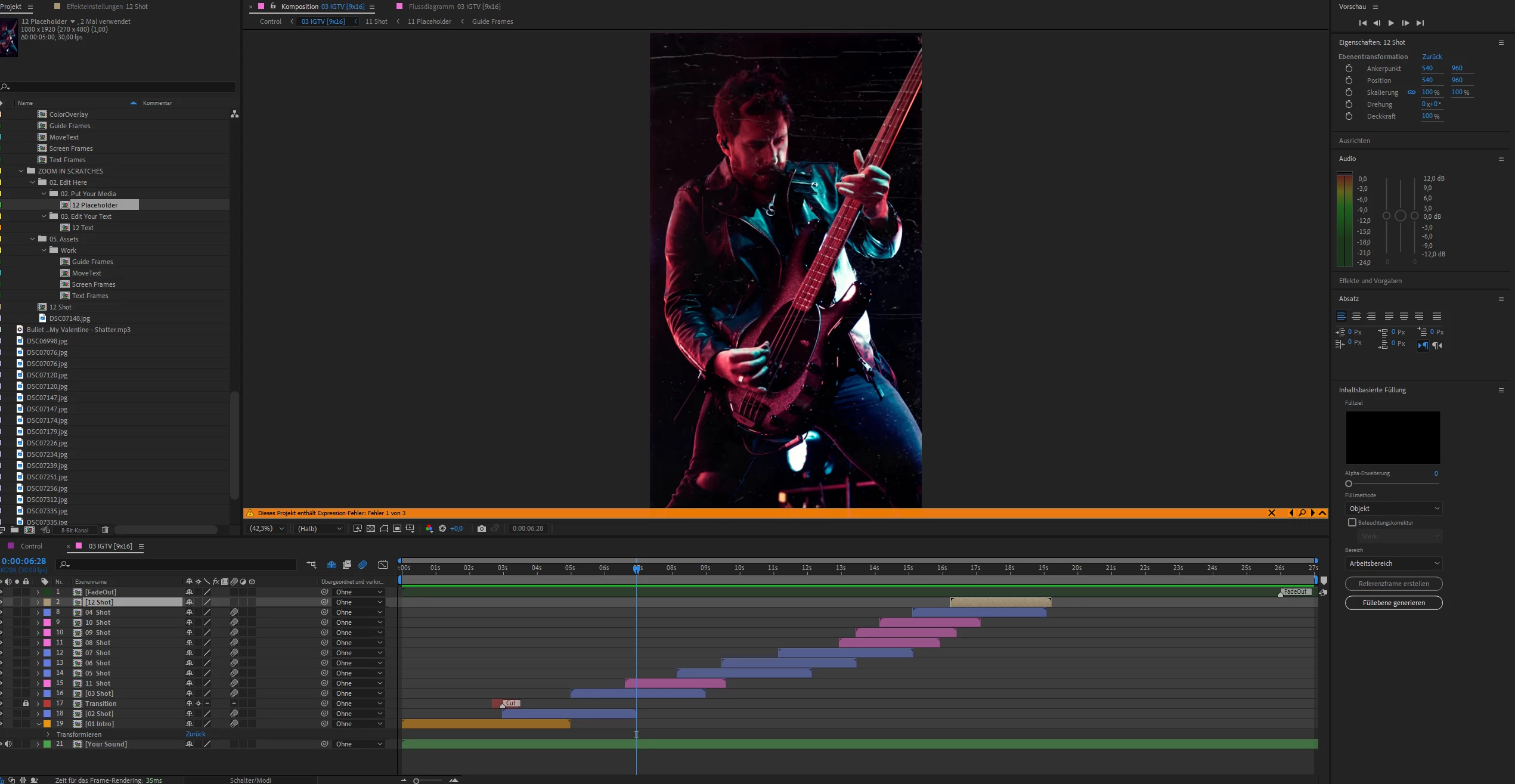
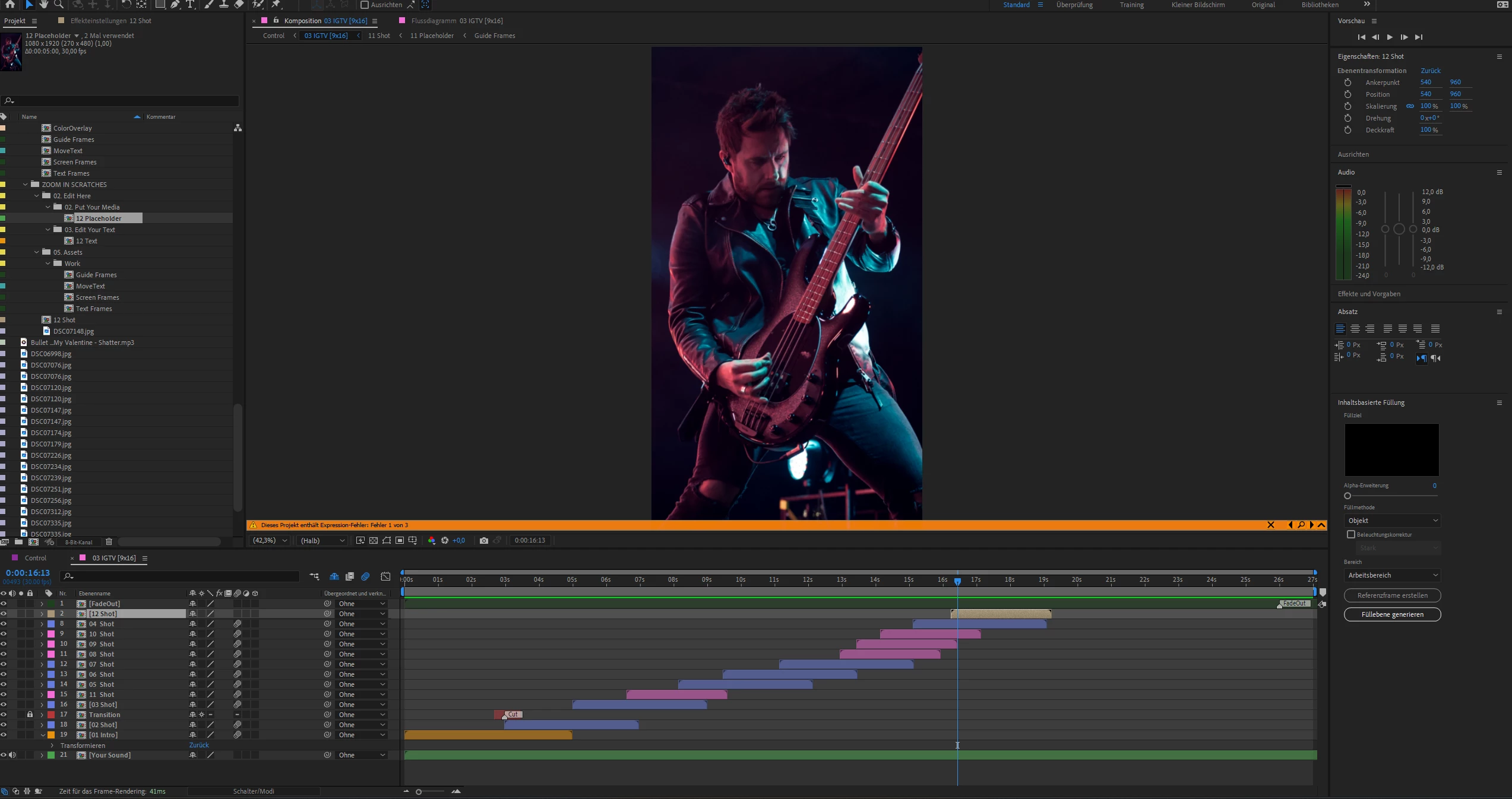
I used True Comp Duplicator Script to duplicate my comps. It works great, but the effects or what it's called are not there. First photo is the original from a preset i downloaded. I copied the timeline element and like u see in photo 2, the scratches arn't there and the color also not
 

This topic has been closed for replies.

4 replies

Inspiring
August 20, 2023

There is a warning banner indicating three expression errors in the screenshots. Could this account for the difference? Did those errors exist before you ran the duplication script?

Warren Heaton
Community Expert
Community Expert
August 19, 2023

If the True Comp Duplicator script does not work as expected, try importing the project into itself.  This duplicates everything in a folder with the name of the project.  Carefully remove anything not used with the duplicate Comp and revise the duplicate Comp names with something helpful to distinguish between the originals and the duplicates (a renaming script can help).

If the current project would have a lot to clean up, use File > Save As to be working in a different project.  Save next to the original project and change the name to same name as the Comp being duplicated when you do Save As.  In the Save As project select the Comp being duplicated and choose File > Dependencies > Reduce Project.  This leaves only what is used in the Comp in the Save As project.  Save that change, reopened the original project, and then import the Save As project.  When the original project is open and has been saved, the Save As project can be deleted from the Finder or Explorer. 


Ishan Y
Inspiring
August 19, 2023

Hey Alexander,

Please check if any effects are applied to the composition by selecting it and going to the Effect Controls panel. It could be that the script did not duplicate the effects along with the composition.


Thanks,

Ishan

Mathias Moehl
Community Expert
Community Expert
August 17, 2023

The first screenshot shows the timeline at a different time than the second one. Do the comps really look different also if you preview the same frame in both of them?

Mathias Möhl - Developer of tools like BeatEdit and Automation Blocks for Premiere Pro and After Effects
Participant
August 17, 2023

yes, because the first one shoes the copy of the second one, i put it to the end where it should be. And yeah, they look different. the copy doesnt have the scratches and color grading