

mushanga75
Known Participant
November 29, 2018
Question

How to create a video log screen?

  • November 29, 2018
  • 4 replies
  • 662 views

Goodmorning everyone,

I tried to find the answer in the forum discussions but I was not very lucky.

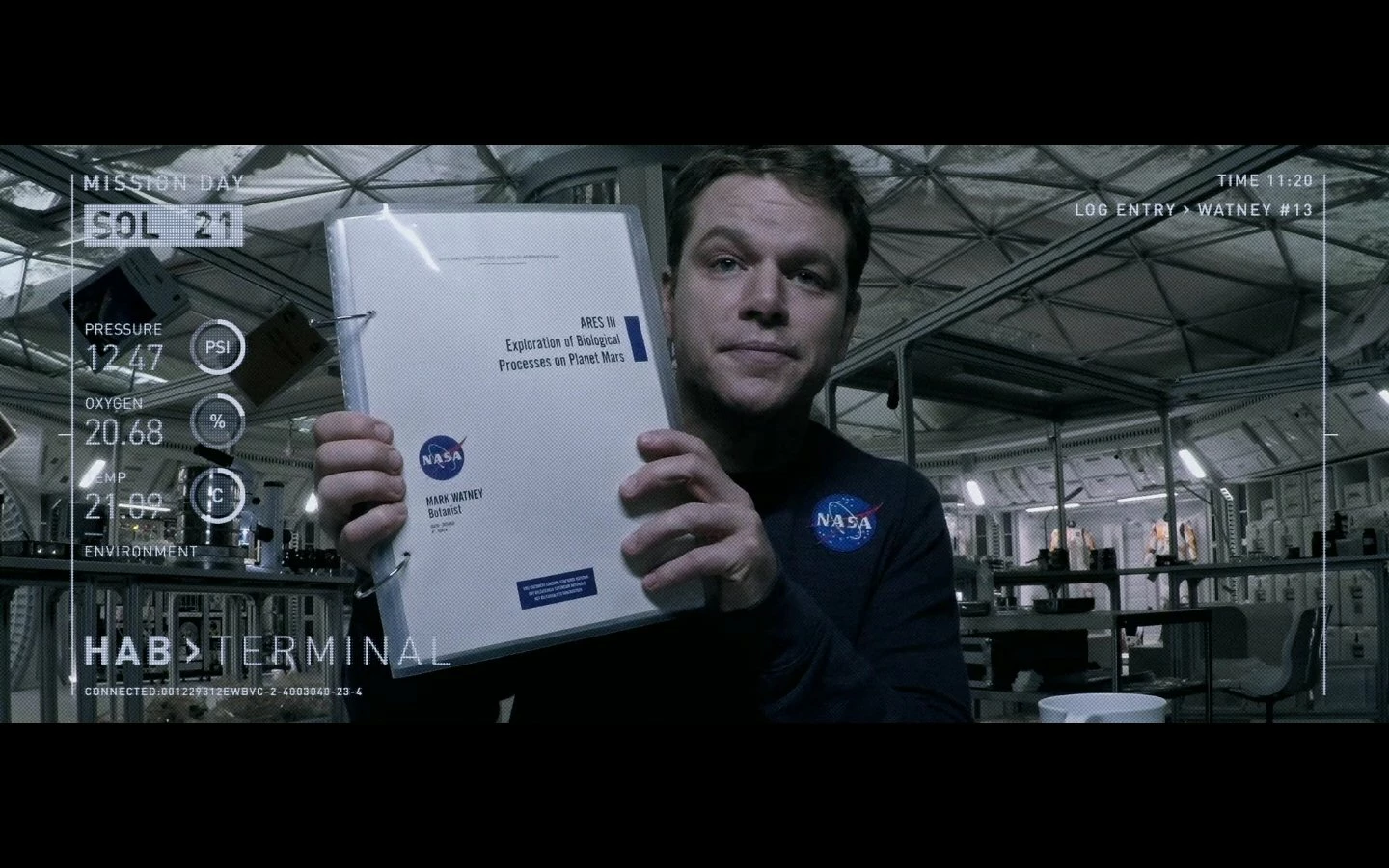
As a title, I would like to make the screen for a video log, possibly dynamic, that can be used to record a real daily video log. In the attached photo there is an example of what I would like to create, but it is only a starting idea. Anyone can tell me please if there are tutorial about this? My level of knowledge of AF is beginner.

Thank you all,

bye
This topic has been closed for replies.

4 replies

Mo Moolla
Legend
November 29, 2018

You seem to want to create a HUD type effect for your Video Log screen.

Its actually not that difficult if you understand the basics and with a little imagination you can go a long way.

Try this for a starter project:

Draw a circle or 2 or as many as u like:

Set a stroke

Set the opacity to something like 40%

Add Trim Paths to this circle

Keyframe the start / end values

Repeat keyframes

Draw the rectangle frame

Add lines

Add trim paths

Keyframe

Add text. Add typewriter effect.

Repeat keyframes (change space between keyframes to randomize speed)

This is the start of your HUD

Best of luck

Mo

mushanga75
Known Participant
November 29, 2018

Yes, it's what i'm trying to create!

thnx for tips...

Mo Moolla
Legend
November 29, 2018

Its a pleasure. Plz post a small vid of your work as u go along.

Would be interesting to see what you do

Mo

Legend
November 29, 2018

It's just a bunch of text and shape layers - as basic a concept as you can get in After Effects. Nobody can tell you how exactly to do it because nobody knows what you want it to look like.

mushanga75
Known Participant
November 29, 2018

I already have the basics of AF and I have attended basic and advanced AF courses but I do not define myself as an expert. Let's say that maybe I'm more at an intermediate level. I defined myself as a beginner because I do not use AF every day, thanks to everyone

imeilfx
Inspiring
November 29, 2018

If you are AE beginner you should start from learning some basics of designing and basics of animating those graphic designs. For AE basics start here:

Adobe After Effects Learn & Support

After knowing some basics you should be able to do almost anything you wish. You will not find any exact step by step tutorial of how to make lower thirds or on screen graphics that will be exactly what you wish to make because different designs, different graphics will and should be animated in different way.
So for start:
- take some paper, pencil and make a drawing of how your video interface/lower third and on screen graphics should look like
- then go to photoshop or illustrator and based on your drawing prepare those graphics
- and after that import those graphics to AE and animate

You can also just design your graphics in AE without any preparation but for that you need to:
a) know what you wish to accomplish
b) know AE basics

mushanga75
Known Participant
November 29, 2018

Thnx for the suggestion!