There does not seem to be any glow or blur to the stroke effect so here's what I would do:
- Create a rounded rectangle with a stroke only
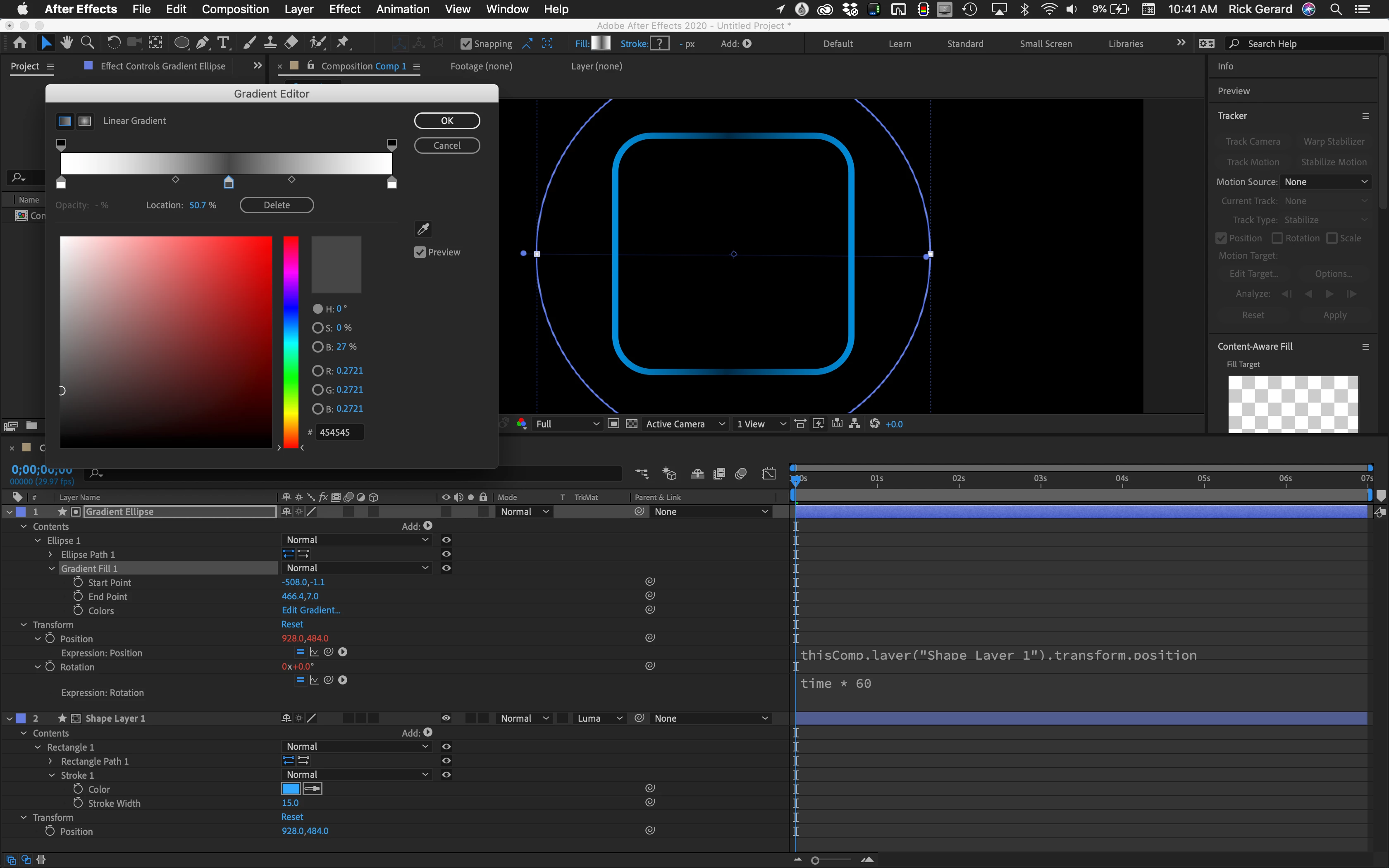
- On a new shape layer round Ellipse big enough to cover the rounded rectangle filled with a white to gray to white linear gradient
- Set the Round Ellipse shape layer as a luma track matte for the rounded rectangle and animate rotation to give you constantly changing opacity on part of the rectangle
Or:
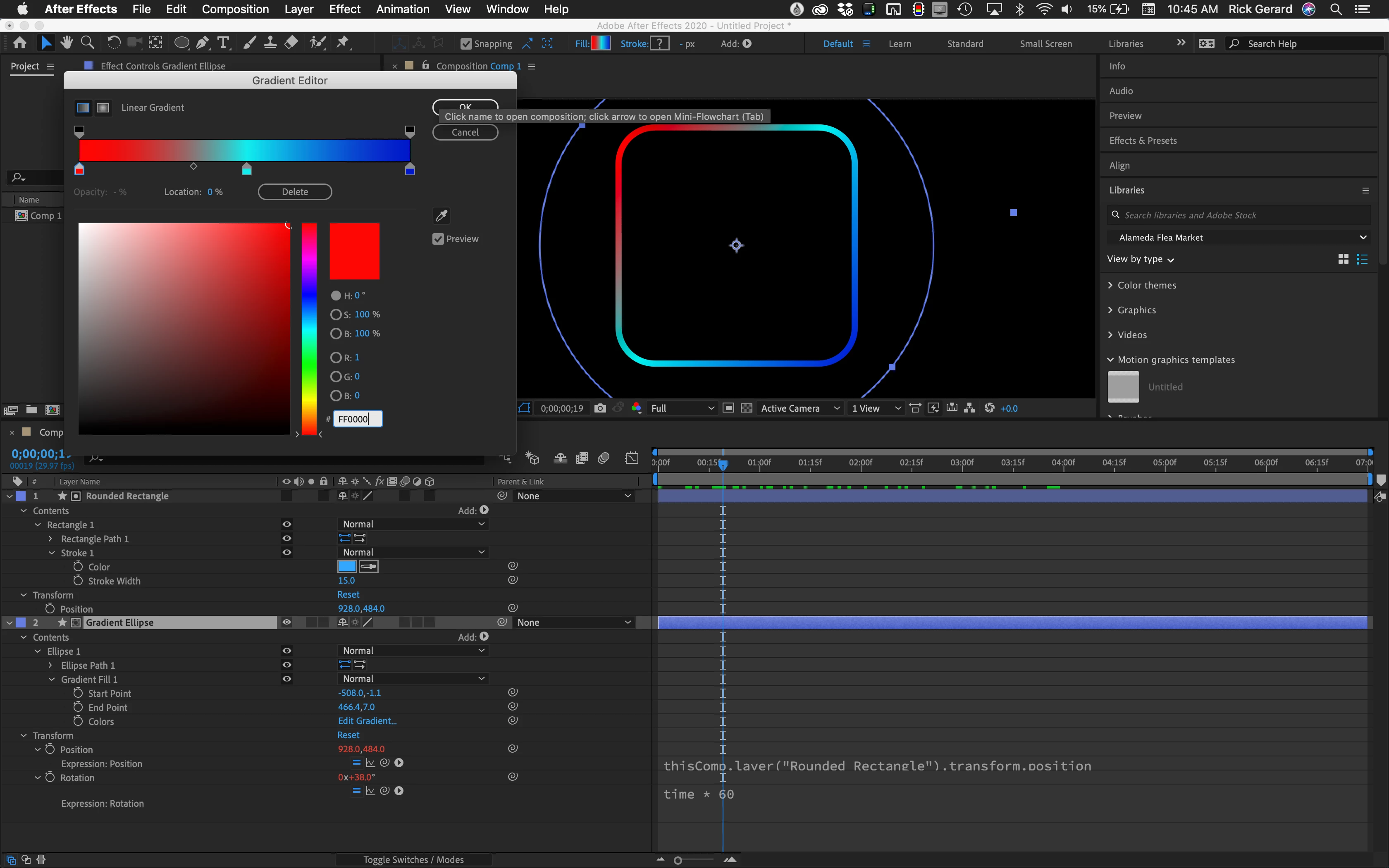
- Create a round Ellipse with a linear gradient fill using the colors you want and animate rotation
- Add a new Rounded Rectangle shape layer with a stroke only
- Set the Rounded Rectangle layer as an Alpha Track Matte for the rotating ellipse
Or, if you want something even fancier:
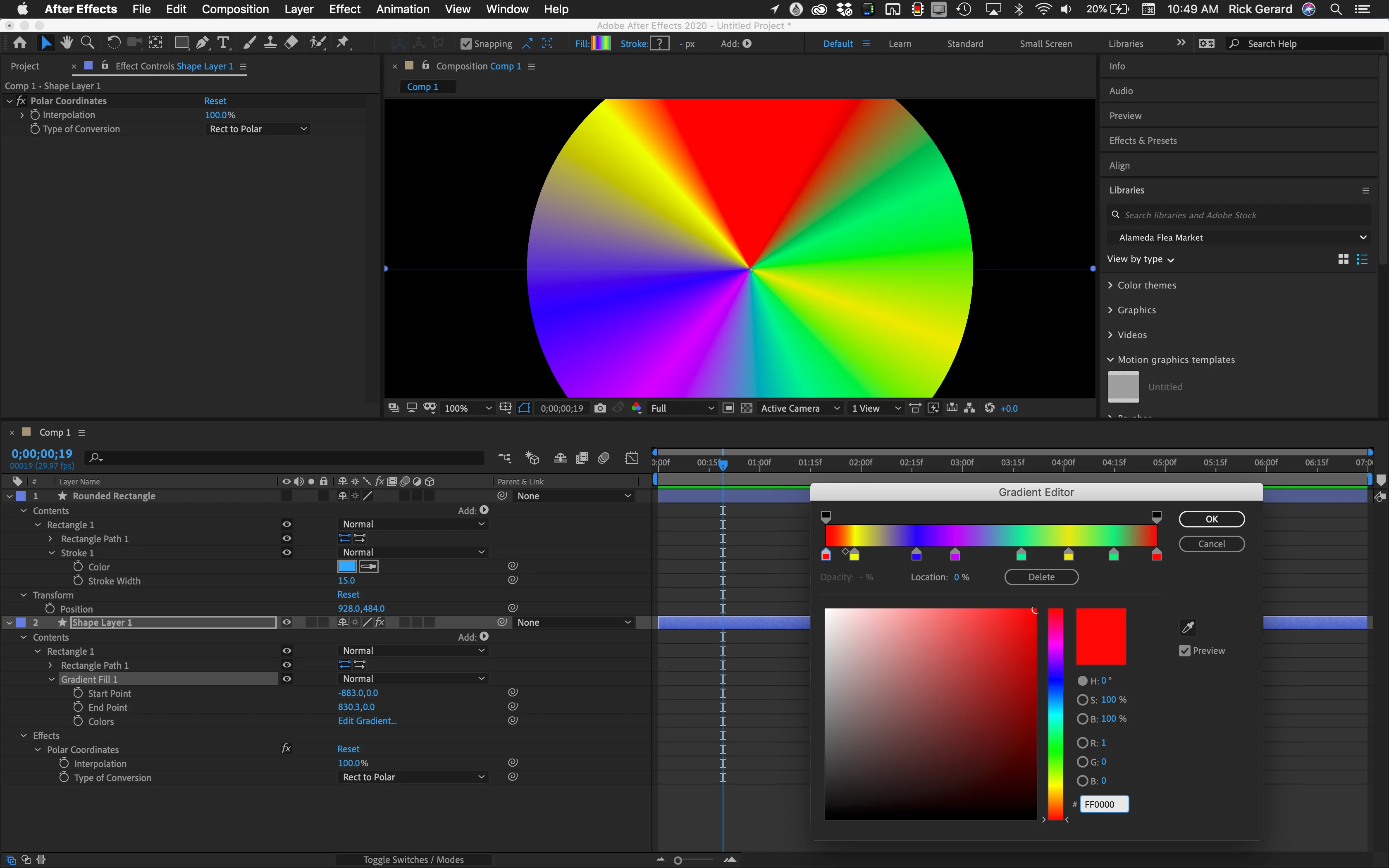
- Create a comp sized rectangle by double-clicking the Rectangle tool, add a multi-colored linear gradient and Apply Polar Coordinates 100%, Rectangular to Polar to create a color wheel
- Pre-compose
- Add a rounded rectangle shape layer and set it as a track matte for the pre-comp
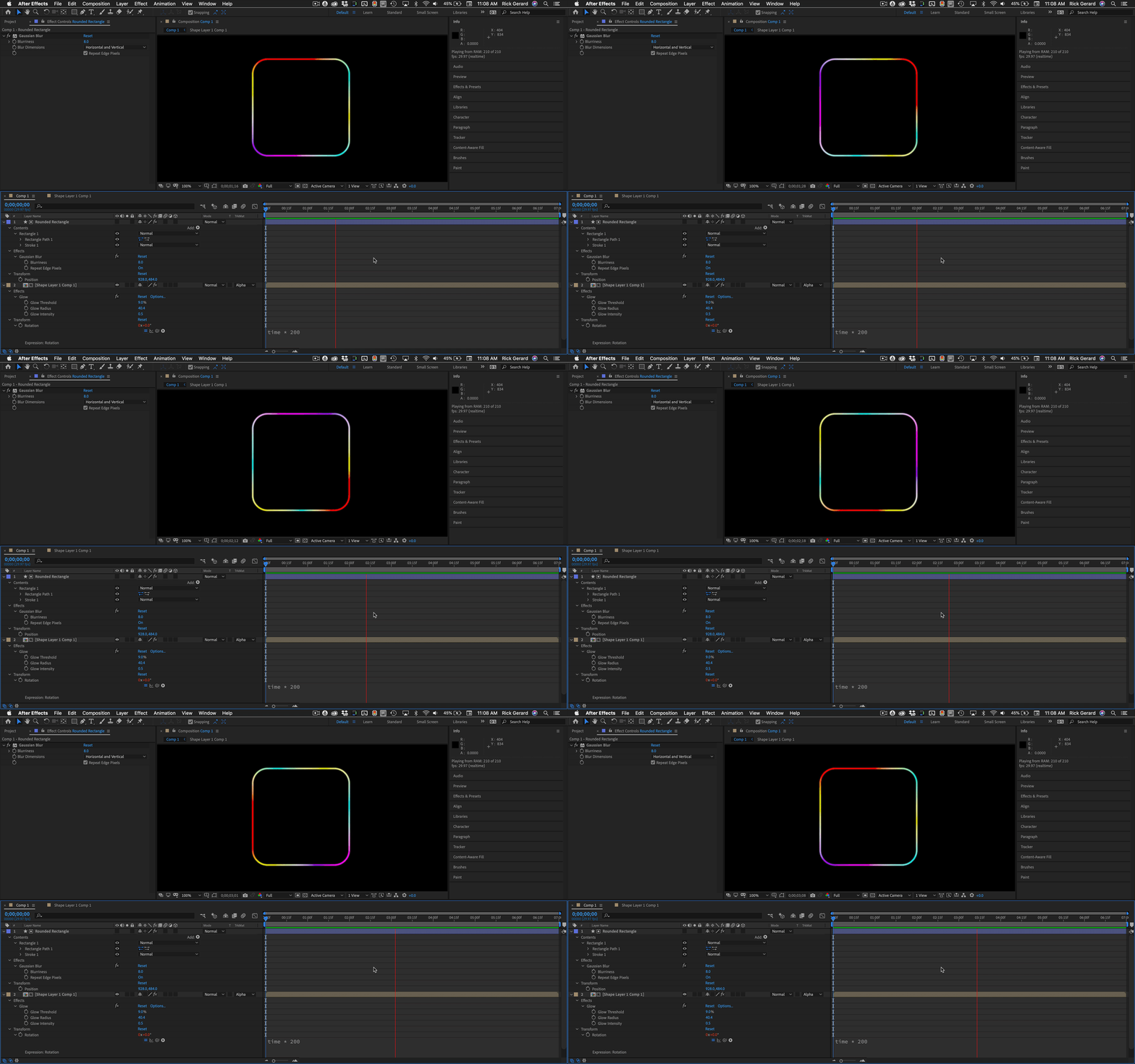
- Animate rotation of the pre-comp
Here are the screenshots of all three techniques fancied up a bit with expressions to tie the layer position together and simplify tine tuning the project. I would probably add just a touch of glow.
 AdChoices