
Question
How to do a Lockdown Pan Brushstroke Path Animation?
Hi, I am new to Adobe After Effects, having finished the tutorials offered by AE.
The idea I want to make is a ink / calligraphy animation that starts off with an ink droplet splashing and dispersing onto the composition, then a downward brush stroke emerges from the ink blot. Which draws downwards continuously.
Visual Diagram: 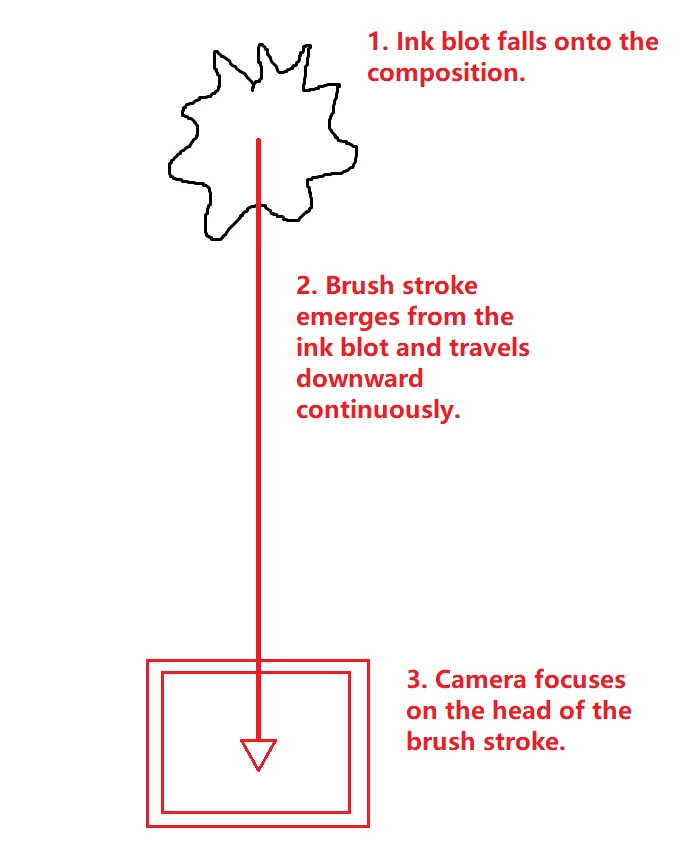
I want the brush stroke to continuously flow down and the camera locks on and follows the travelling end of the brush stroke.
-
I have the brush and ink blot set up already.
-
The problem I am facing is:
I have no idea how to lock the camera onto the head brush stroke,
The continuous brush stroke goes past the composition boundary, and would get cut off.


 AdChoices