
sourabhd50498953
Participating Frequently
February 4, 2019
Answered

HOW TO DO THIS STROKE GRADIENT LOOP ANIMATION?

  • February 4, 2019
  • 1 reply
  • 3126 views

So, this is the logo and in after effects i want to animate the stroke gradient that goes in a loop, i tried re-positioning the gradient with keyframes but that's not working. i've no clue how to do this. i want this stroke gradient to run in loop. please let me know how can i do this. this is so complicating. thanks.
This topic has been closed for replies.
Correct answer Rick Gerard

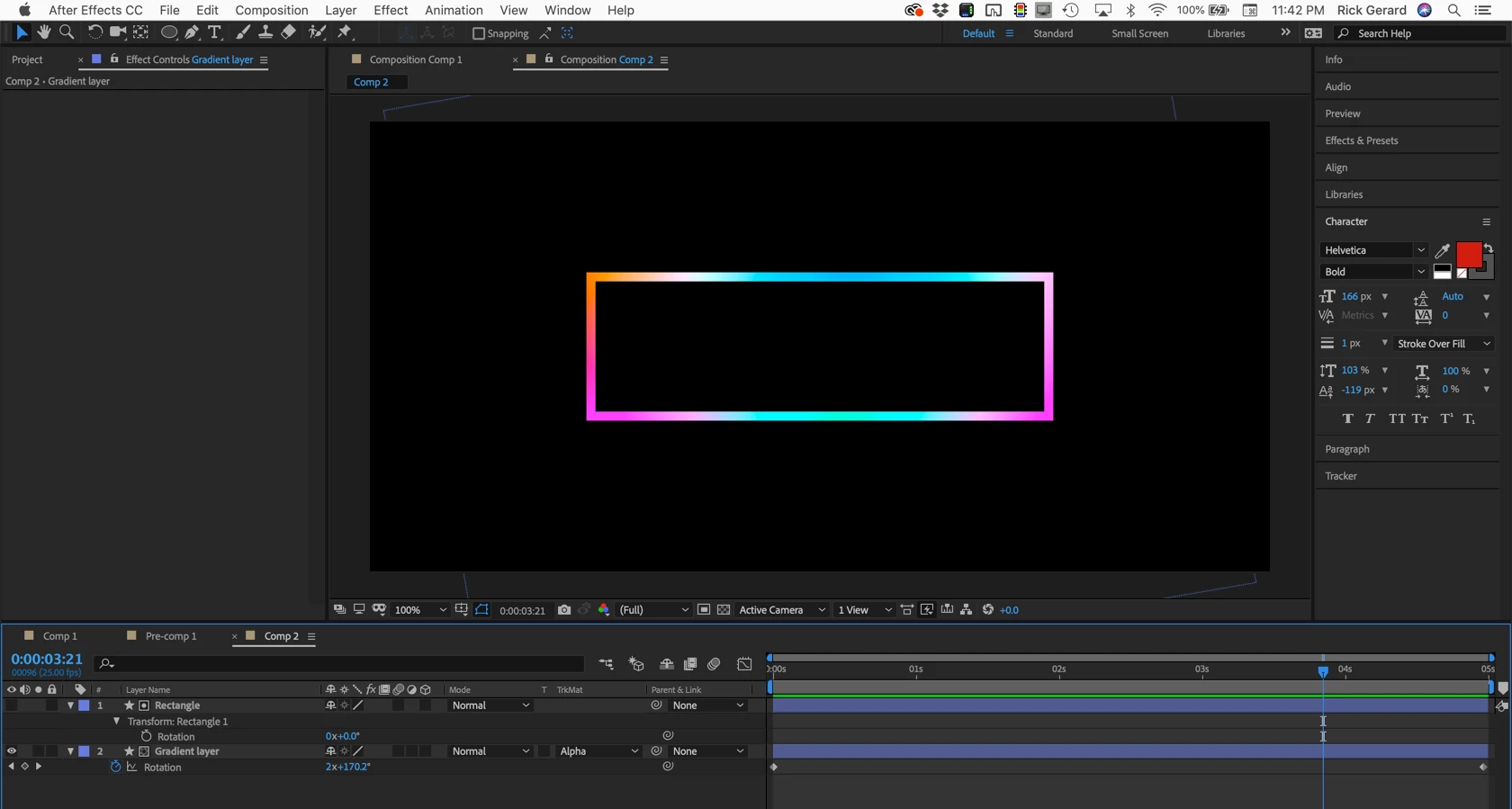
Create a comp sized gradient on a layer below the rectangle, use the rectangle as a track matte, rotate the gradient layer:

I just used a shape layer for the gradient and duplicated the gradients and used blend modes to get a radial pattern in the colors. There are more options in Illustrator for creating different kinds of gradient fills if your colors are critical. This is by far the easiest solution that I can think of.

1 reply

Rick GerardCommunity ExpertCorrect answer
Community Expert
February 4, 2019

Create a comp sized gradient on a layer below the rectangle, use the rectangle as a track matte, rotate the gradient layer:

I just used a shape layer for the gradient and duplicated the gradients and used blend modes to get a radial pattern in the colors. There are more options in Illustrator for creating different kinds of gradient fills if your colors are critical. This is by far the easiest solution that I can think of.

sourabhd50498953
Participating Frequently
February 4, 2019

THANKS RICHARD FOR YOU INSTANT REPLY. IT WORKED! YOU JUST MADE MY DAY