Participant
June 5, 2024
Answered

how to drag 3d layer in curve

  • June 5, 2024
  • 1 reply
  • 239 views

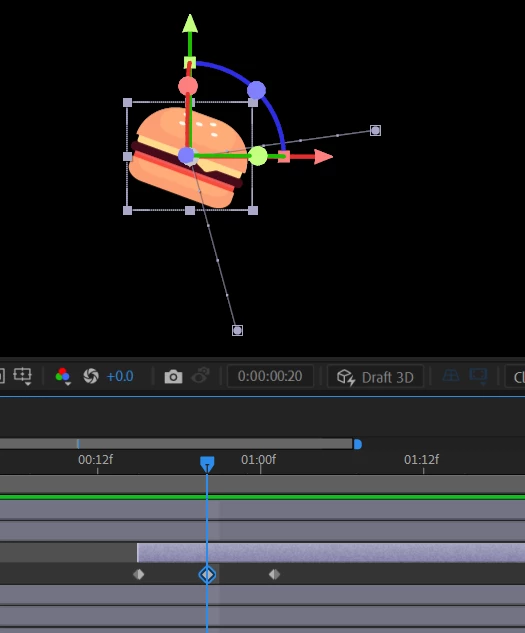
I want to move the object in curve. It seems If I drag this 3d layer it creates straite line instead of curve.

This topic has been closed for replies.
Correct answer Rick Gerard

Move the CTI (Current time indicator) between keyframes, press the 'g' key to bring up the pen tool, hold down the Alt/Option tool to change the pen tool to the Convert Vertex tool (inverted V pointer), then click on the middle keyframe and drag out bezier handles. 


Maybe this tutorial I created will help you adjust the motion path.

If you want to accurately manipulate a path in 3D space, you should enable multiple views to adjust the motion path using the top, left, and front views.

1 reply

Rick GerardCommunity ExpertCorrect answer
Community Expert
June 5, 2024

Move the CTI (Current time indicator) between keyframes, press the 'g' key to bring up the pen tool, hold down the Alt/Option tool to change the pen tool to the Convert Vertex tool (inverted V pointer), then click on the middle keyframe and drag out bezier handles. 


Maybe this tutorial I created will help you adjust the motion path.

If you want to accurately manipulate a path in 3D space, you should enable multiple views to adjust the motion path using the top, left, and front views.