
How to export DNxHD36 Rec709 for Avid for a VFX Pipeline
This question applies to a VFX workflow for a TV series shot on Arri Alexa
Our camera originals are EXR file sequences.
Offline editing receives dailies as DNxHD36 files from the dailies facility
When sending a shot out to our VFX vendor our workflow goes like this:
- Vendor receives source for shot as an EXR file sequence.
- Vendor applies a show LUT and per-shot CDL
- Vendor then sends our VFX editor a "Version 0" -- i.e. a DNxHD36 file with no VFX work done -- just a check to make sure the work they are doing will exactly match the framing, content, and color of the offline.
All the DNxHD36 files are Rec709.
When Avid import these files with the proper import settings (i.e. DNxHD36 + "Do not modify, treat as legal range") these DNxHD36/Rec709 will import at an excellerated speed with the message "Fast Import of video from QT for [NameOfFile].mov"
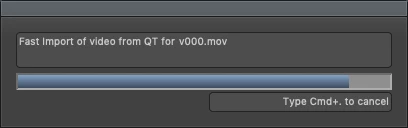
One of our VFX vendors, working in Nuke, sends us DNxHD36 files that achieve this perfectly. Their exports import at the excellerated rate, and their Version 0s exactly match the offline DNxHD36 imports.
But another vendor, working After Effects, is having trouble getting the same results.
The DNxHD36 files import, but more slowly + the result is illegible digital noise.
My goal here is to help the After Effects artist export the EXR sequences to Rec709 DNxHD36 files with perfect color matching, same as the vendor using Nuke.
For reference here's an ffprobe look at the metadata for the Nuke & AE exports respectively:
Differences in BOLD
From Nuke: Stream #0:0: Video: dnxhd (DNXHD) (AVdn / 0x6E645641), yuv422p(tv, bt709), 1920x1080, 36175 kb/s, SAR 1:1 DAR 16:9, 24 fps, 24 tbr, 2400 tbn, 2400 tbc (default)
From After Effects: Stream #0:0(eng): Video: dnxhd (DNXHD) (AVdn / 0x6E645641), yuv422p(bt709/unknown/unknown, progressive), 1920x1080, 36175 kb/s, SAR 1:1 DAR 16:9, 24 fps, 24 tbr, 24 tbn, 24 tbc (default)
 AdChoices