
How to export live text templates in AE 2018?
Hey all,
So I've been working on a bunch of titles & text-based compositions in After Effects and I was delighted to find out that it's possible to export the compositions as templates to use in Premiere. The first resource I found on Adobe's website was outdated considering that the instructions were listing steps that don't even exist in the current version of premiere that I have installed: "In the Advanced tab of the Composition Settings dialog box, select Template (Unlocked Text Layers Editable In Premiere Pro)."
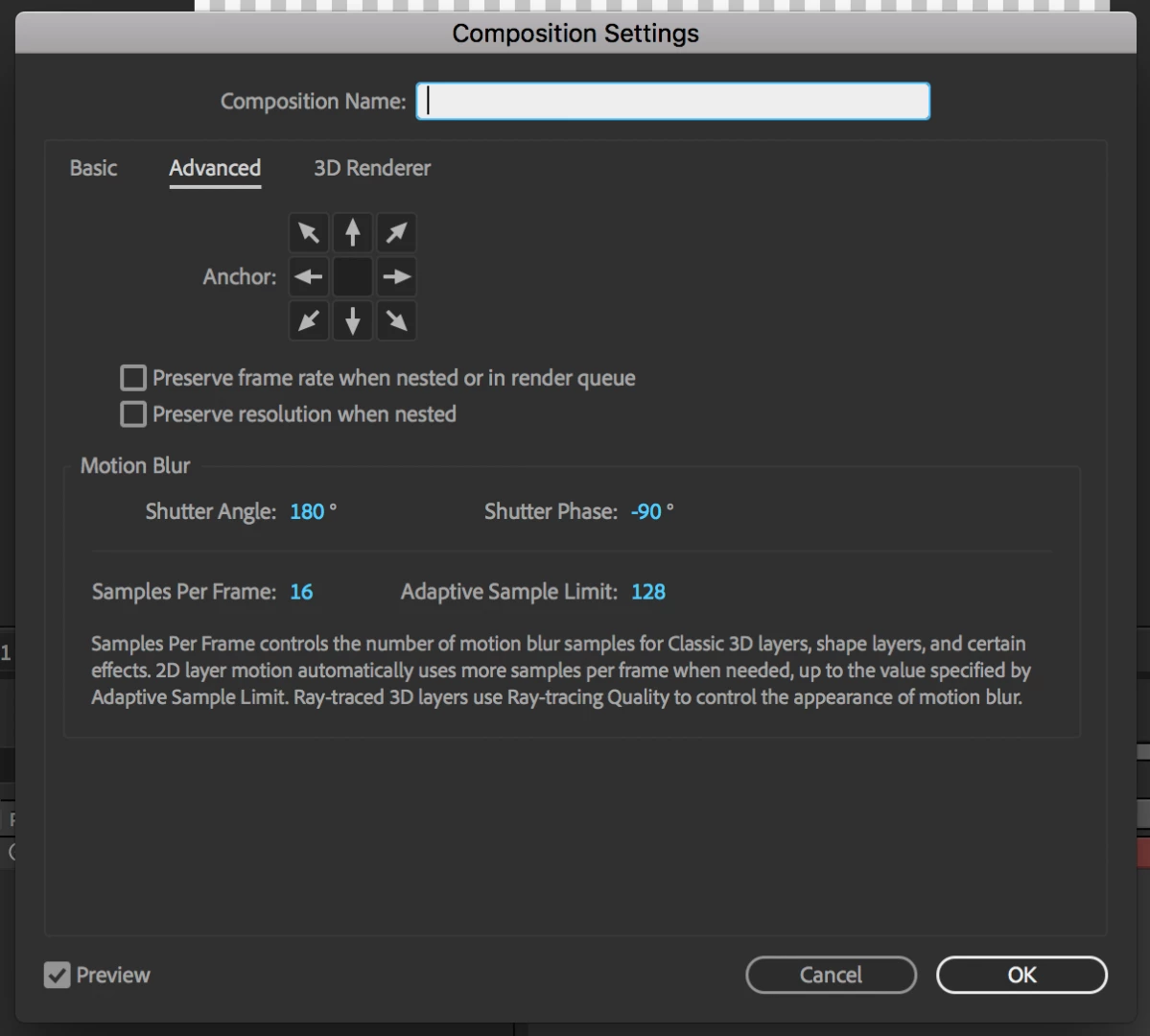
So I went and found some videos on youtube which explained that you go to File>Export> "Composition as Text Template". Turns out, that option is not available either.
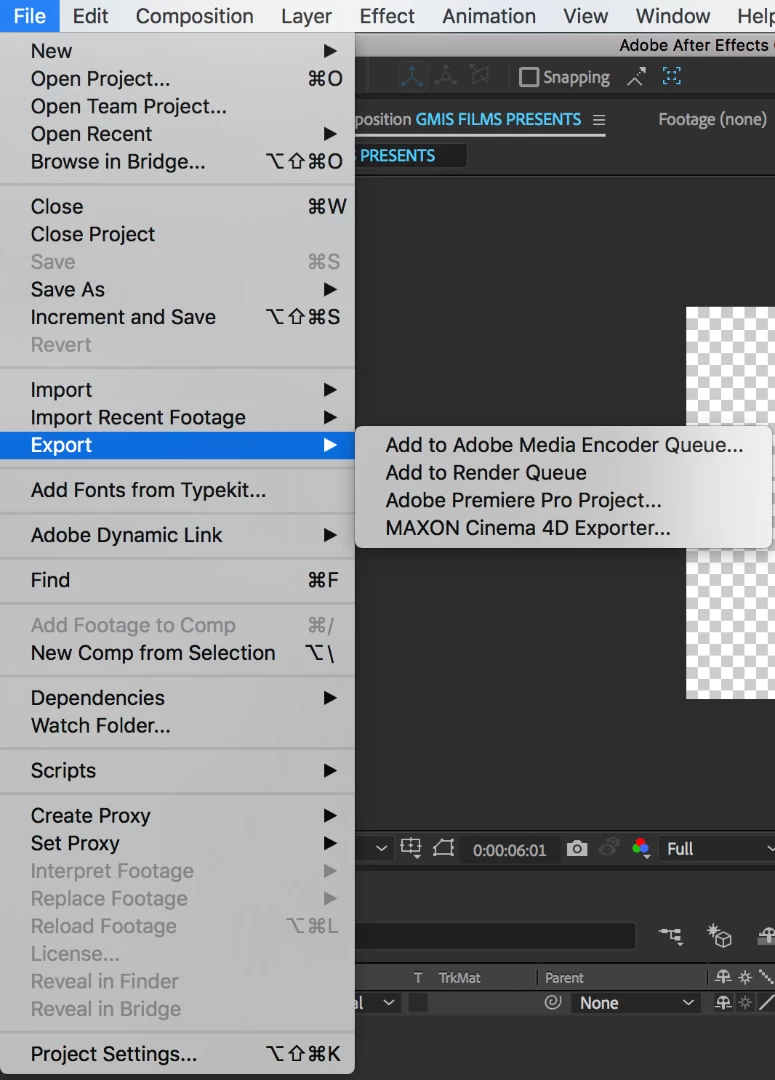
It seems like the latest update of After Effects must have changed something considering there is nothing (so far) online that addresses this.
Could someone please advise, I love the fact that these templates can be used within Premiere and I don't think Adobe would have just gotten rid of the feature (why would they) so I'm hoping someone could shed some light on how to do this in the new 2018 updat
 AdChoices