Participant
June 20, 2023
Question

How to find the photoshop pass through in after effects?

  • June 20, 2023
  • 3 replies
  • 4817 views


When I'm in photoshop, the Pass Through option works like this attached image
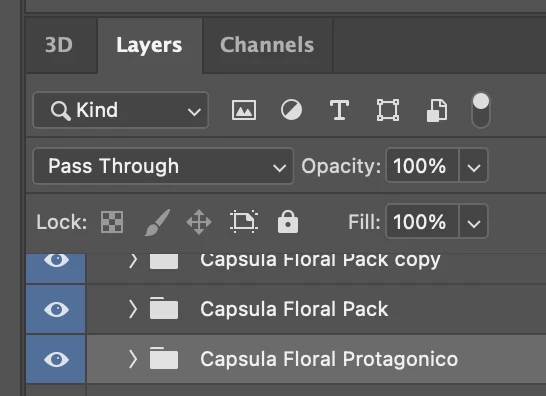
 

The problem is, when I want to import this file into After Effects, After Effects doesn't read the Photoshop Pass Through effect and it ends up looking bad and complicating my life. I've been trying to solve this for years but I can't find a way. Please, if anyone knows and can you help me I would appreciate it very much.


This is how it looks in after effects, after importing the psd

(image)
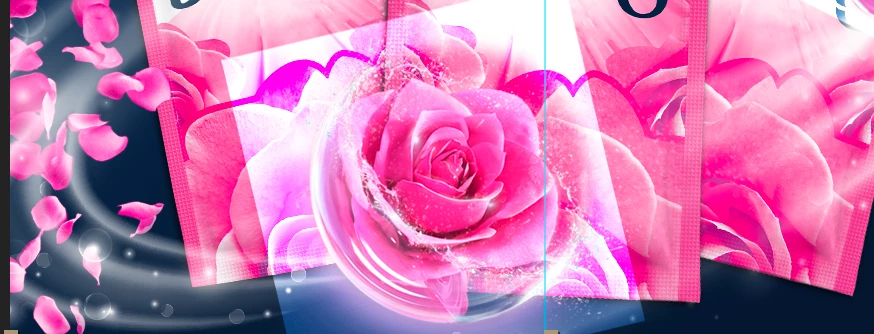
 

Generally, I always end up solving it but it's complex because, ''I can't use the Pass Through option in photoshop; This is sometimes very complex for me, because it is necessary to use it sometimes, so I would like to be able to find a better solution, anyone here with a good solution?


This topic has been closed for replies.

3 replies

Participant
July 28, 2023

I have tried and succeeded,

good luck 


ShiveringCactus
Community Expert
Community Expert
June 23, 2023

I think that Collapse Transformations would handle this for you in much the same way as pass through.

Ishan Y
Community Manager
Community Manager
June 22, 2023

Hey Adonis,

Welcome to the community. Pass Through is the default blending mode of a layer group, which means that the group has no blending properties of its own (See this article for more info). Could you check if you have any filters or color effects added to your layers in Photoshop? I recommend deactivating them and using similar effects in After Effects to get the same result.


Thanks,

Ishan