Participant
April 20, 2023
Question

How to fix colors getting messed up on GIFs.

  • April 20, 2023
  • 2 replies
  • 1572 views

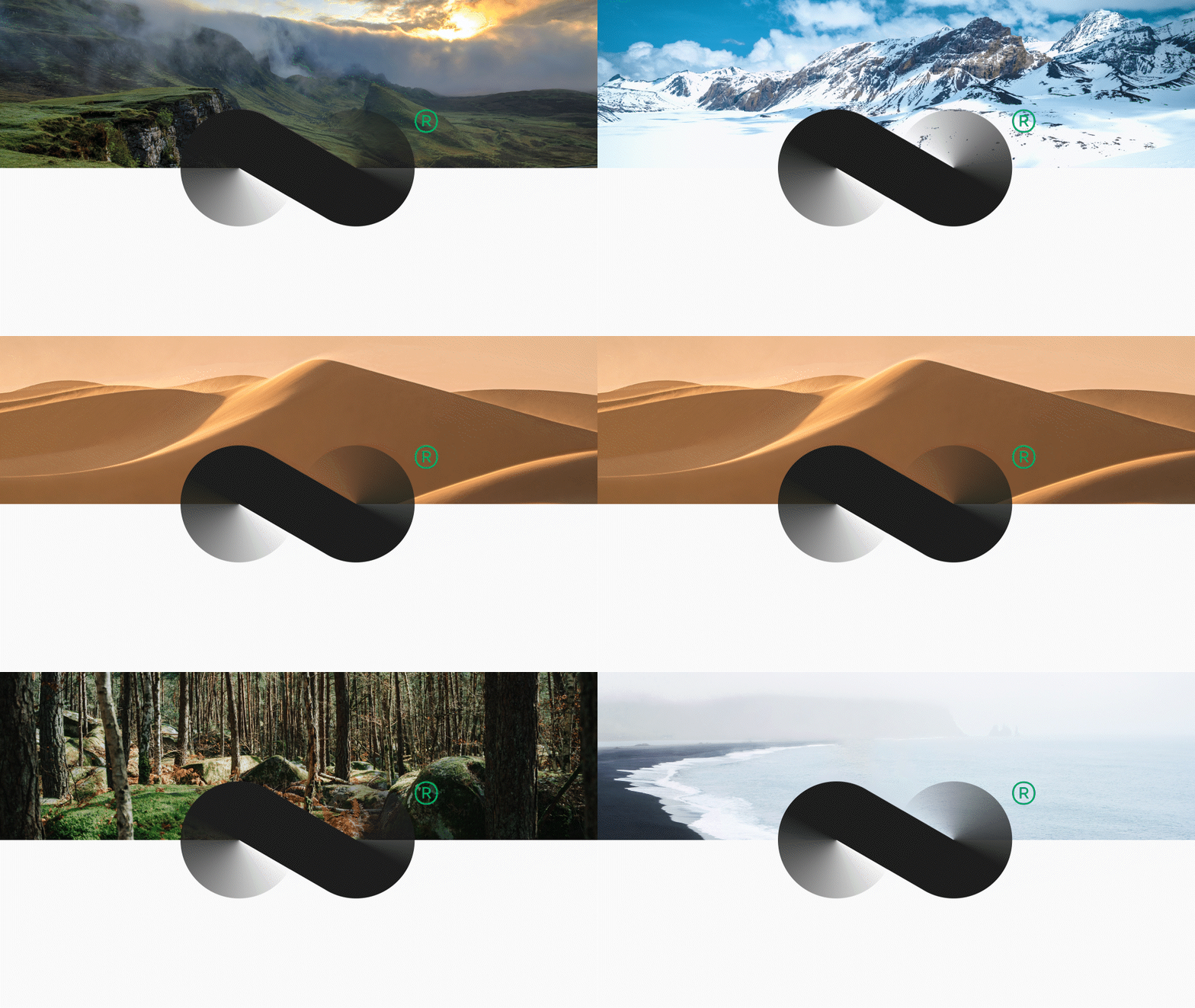
Trying to export this GIF so the registered symbol looks good. Any recommendation is welcome. 

Thanks in advance.
 

This topic has been closed for replies.

2 replies

Mylenium
Legend
April 21, 2023

This makes absolutely no sense. As Rick explained, the limited color palette will always be problematic and a web slideshow can be created much better using CSS and JavaScript.


Mylenium 

Participant
April 21, 2023

Thanks! Trying to export this to a Bēhance project though, that's the big problem. Going to fix it based on Rick's answer. 

Community Expert
April 20, 2023

A Gif is limited to 256 total colors. An 8-bit file like a JPG has 256 shades per channel for a total of Millions of colors. You have to design the original artwork with the limitations of the total available colors in mind. Your black-to-transparent gradient on the logo is going to cause problems when it is over all of the other color-reduced images. My first suggestion would be to put a white background behind the logo or make it a white to black to white gradient so that it does not blend with the background images. You might also want to try adding a stroke or bevel to the edge. 

Participant
April 21, 2023

Thank you! I greatly appreciate that.
