jneydew14040192
Participating Frequently
December 17, 2019
Answered

How to fix pixelated svg in After Effects?
  • December 17, 2019
  • 2 replies
  • 2718 views

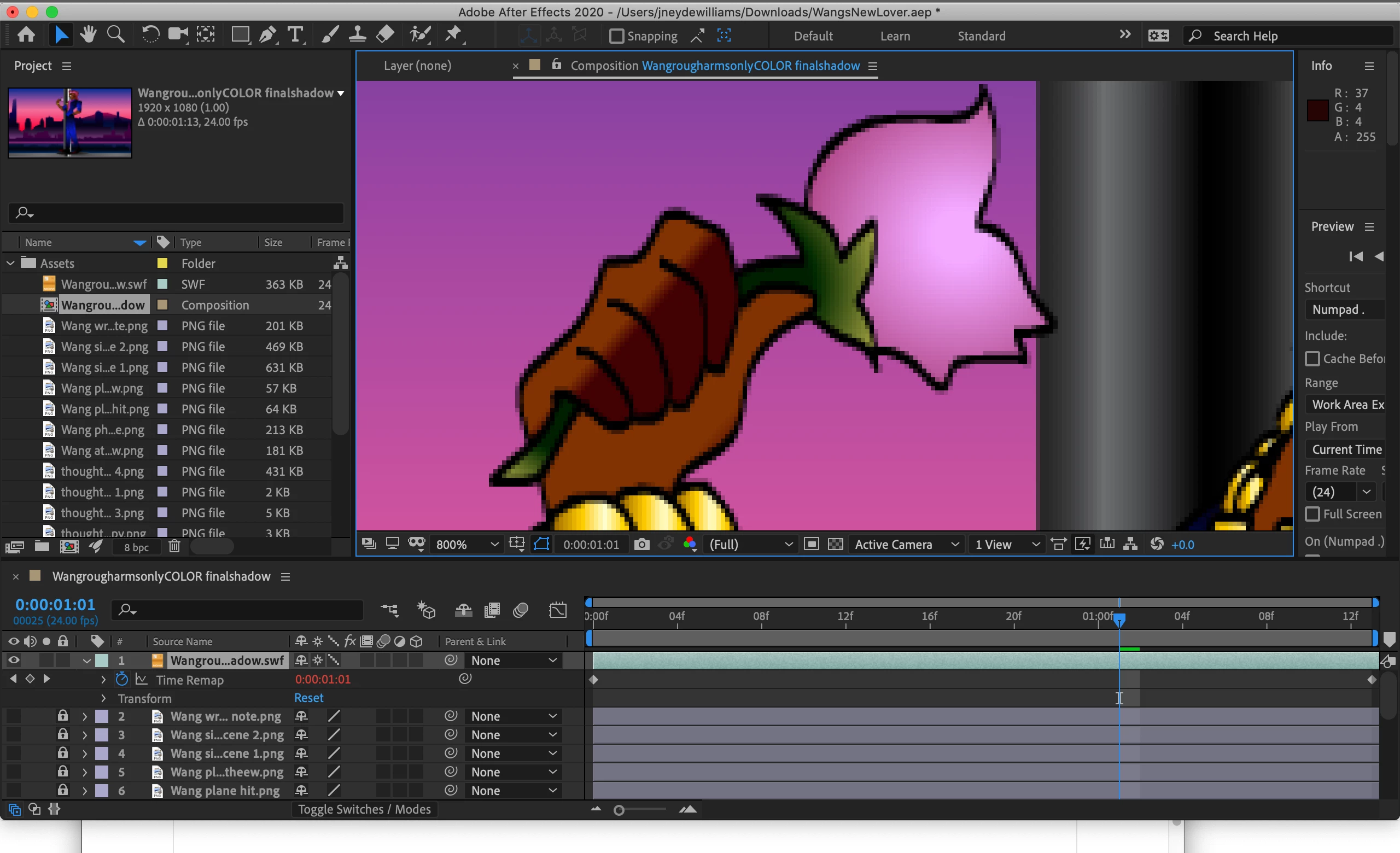
I clicked on the "continously rasterize" but still nothing. It worked before, but now no.. I restarted by placing my assets folder in again and my character is walking, so the animation is perfect. Just the pixelation when I zoom in. I also made it 3D layer for the camera to still if that would help but no.

Correct answer Jose Panadero

This is some basic stuff working with AE. You are not talking about scaling but zooming. Check your zoom, you have it at 800%. AE does not work as Illustrator when zooming, it is a normal behavior to get pixelated graphics using a 800% zoom.

2 replies

P3a4nu7
Participant
January 28, 2025

I just had for the same Problem. I have a big map, saved as .SVG which I wanted to animate. There is a solution by highlighting the SVG layers and clicking the star icon "collapse transformation". This will resize the SVG while increasing or decreasing the scale level of the layers.


Jose Panadero
Community Expert
Jose PanaderoCommunity ExpertCorrect answer
Community Expert
December 17, 2019

This is some basic stuff working with AE. You are not talking about scaling but zooming. Check your zoom, you have it at 800%. AE does not work as Illustrator when zooming, it is a normal behavior to get pixelated graphics using a 800% zoom.