Scout myname
Known Participant
October 16, 2021
Question

How to force a line/edge while using rotoscope

  • October 16, 2021
  • 1 reply
  • 340 views

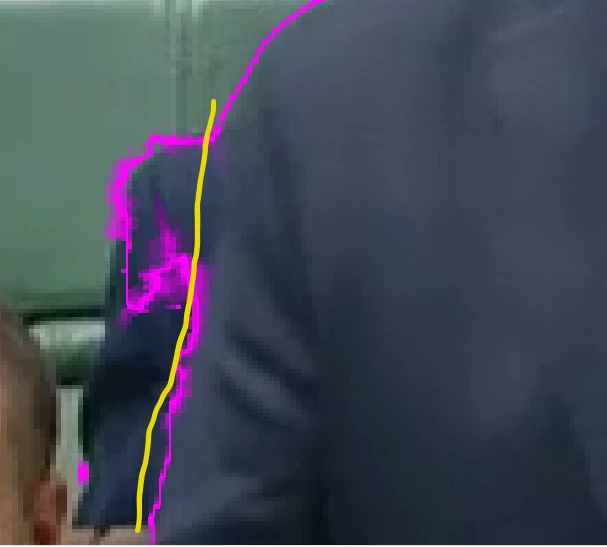
The yellow line I have drawn on my picture shows where the persons arm finishes and the person behind is becoming visible. I have been unable to use the Refine EEdge or Roto Brush tool to fing this edge.

If I try to select any part of the area close to the edge of the arm (where I have marked it with the yellow line) The rotoscope with selects a much larger portion of the front persons jacket in the front.

Is there a way to overcome this problem?
 

This topic has been closed for replies.

1 reply

Mylenium
Legend
October 16, 2021

Start by pre-composing the Rotobrush stuff with extra room left and then refine it in the parent comp using conventional masks. Rotobrush simply isn't always the best tool for everything.


Mylenium

Scout myname
Known Participant
October 17, 2021

While this workaround does work, I am not sure if I should be saying 'correct answer' I am new to this forum and I am unsure what the protocol is

ShiveringCactus
Community Expert
Community Expert
October 17, 2021

I think it's safe to check "correct answer" here, if Mylenium's workaround works, then that's solved your problem and more importantly the next person struggling with this type of shot gets to see an answer they know works.