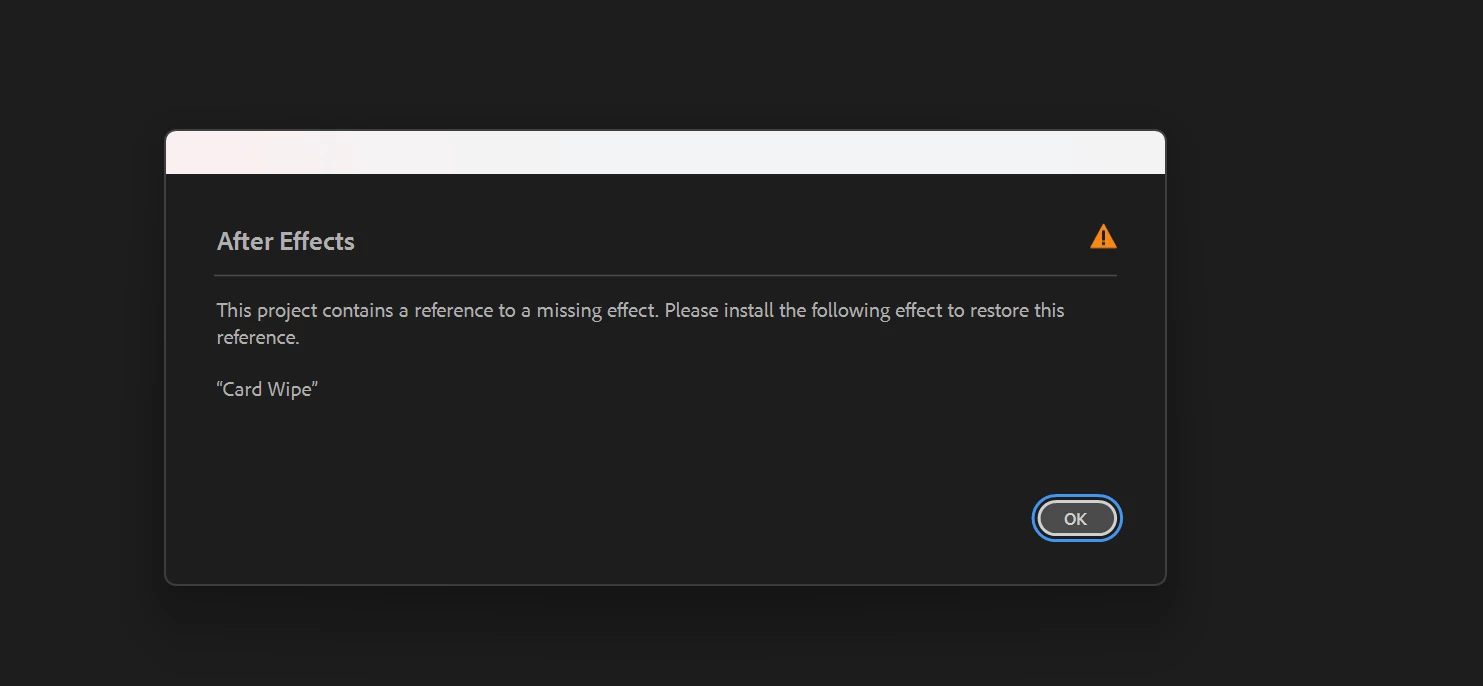
I turned on the effect, but it got worse. Now the program closes with an error. Very strange - this is a standard effect, isn't it? Why is it missing for me after a clean installation? In 24 there is no such error, in 25 some strange things happen again.
Translate
Intel Core i7-14700K 3.4GHz/33MB s1700 BOX MSI MAG Z790 Tomahawk Max Kingston Fury DDR5-6400 65536MB PC5-51200 be quiet! MSI PCI-Ex GeForce RTX 5070 Ti Gaming Trio OC 16GB GDDR7 SSD Samsung 990 Pro 2TB M.2 PCIe 4.0 x4 NVMe 2.0 V-NAND 3bit MLC SSD Samsung 990 Pro 1TB M.2 PCIe 4.0 x4 NVMe 2.0 V-NAND 3bit MLC Toshiba MG Series Enterprise 20TB 7200rpm 512MB MG10ACA20TE 3.5 SATA III Windows 11 Pro 25H2
My guess (and it is a guess) is that there was an issue during installing. Other than trashing your preferences, the only thing I can think of is uninstalling and reinstalling.
Then with no existing project open, create a solid and apply Card Wipe. If that fails, I think reinstall is the only option. If that succeeds, trying applying the effect to a old video you've never had an issue with. If that succeeds, maybe there's something wrong with the project.
I'm sorry, these are just error identifying ideas, but like I say, this is an issue I've never heard of before.
If after you've done all these steps, I think you should raise a ticket with support. They've helped me in the past and are really responsive.
Trying to think of other reasons for AE to crash. In my experience, most crashes have been caused by a conflict with the GPU. Maybe double-check all your drivers are up to date. Check if the project settings are software-only and that in Preferences Hardware Accelerated decoding is turned off.



 AdChoices