Inspiring
August 8, 2019
Answered

How to hide an image on a transparent background?

  • August 8, 2019
  • 1 reply
  • 2506 views

I have an image that I want to have "pop up" out of nowhere on a transparent background. I have searched but I don't think I'm experienced enough with the program to understand what I'm seeing, or if it can be done at all. Is this possible?
    This topic has been closed for replies.
    Correct answer Justin Taylor-Hyper Brew

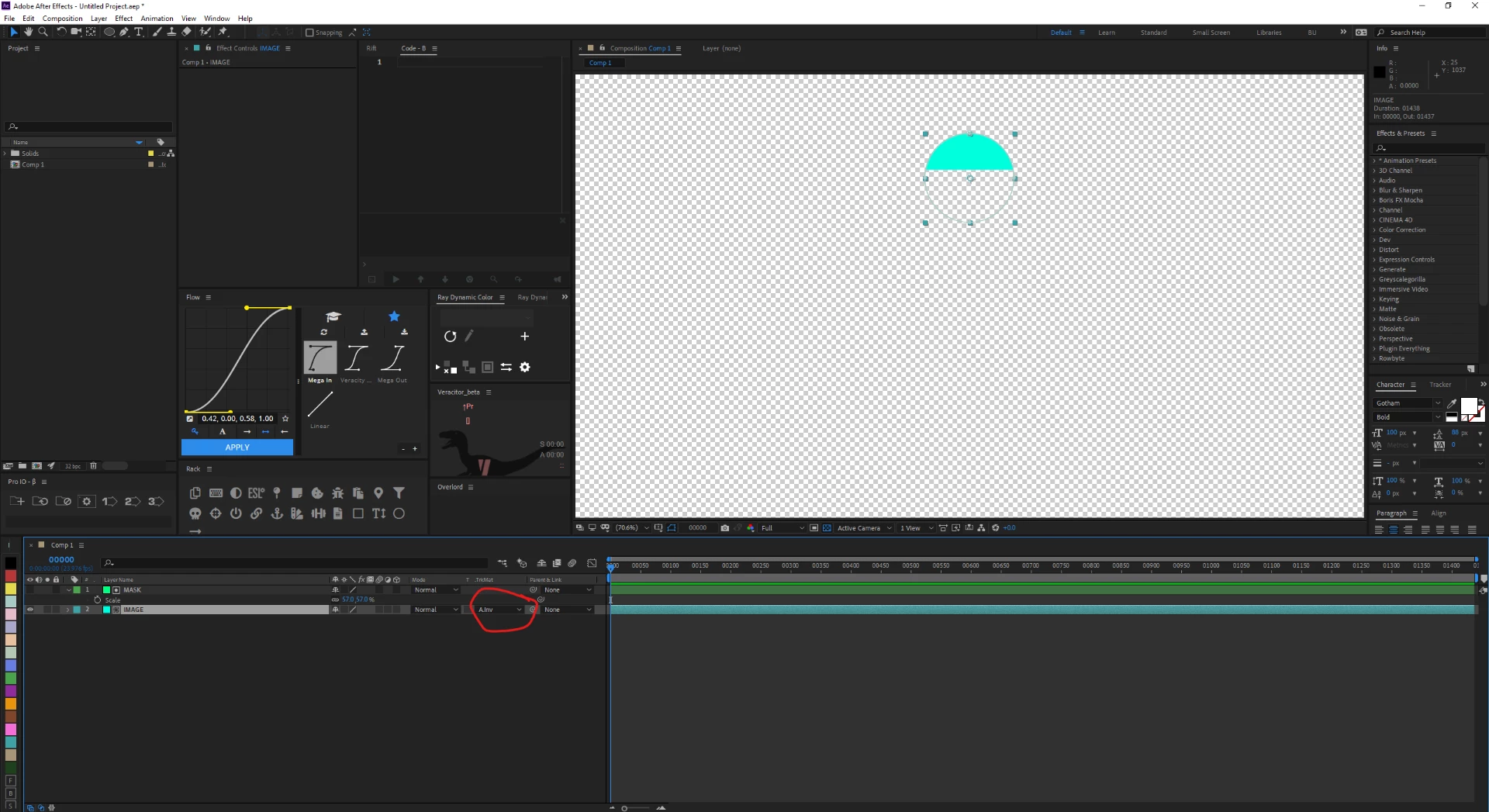
    Then you want a track matte. Create a solid or use a shape that you want to mask your primary layer with, place it above your image layer, set the transfer mode of the image layer to Matte Alpha.

    1 reply

    Justin Taylor-Hyper Brew
    Community Expert
    Community Expert
    August 8, 2019

    Animate the opacity. But better yet, take an After Effects course so you understand the core concepts like this:

    After Effects tutorials | Learn how to use After Effects

    https://www.schoolofmotion.com/after-effects-kickstart

    https://www.pluralsight.com/paths/after-effects-cc

    Inspiring
    August 8, 2019

    Thank you but I am already using opacity for an effect, but it's not the one I want. I want the image to look like it's hiding behind something and then rise into visibility from behind. I want this all to happen on a transparent background if it can be done at all.

    Justin Taylor-Hyper Brew
    Community Expert
    Community Expert
    August 8, 2019

    Then you want a track matte. Create a solid or use a shape that you want to mask your primary layer with, place it above your image layer, set the transfer mode of the image layer to Matte Alpha.