S_ A
Inspiring
December 21, 2022
Answered

How to hide using mask

  • December 21, 2022
  • 1 reply
  • 859 views

Hello,

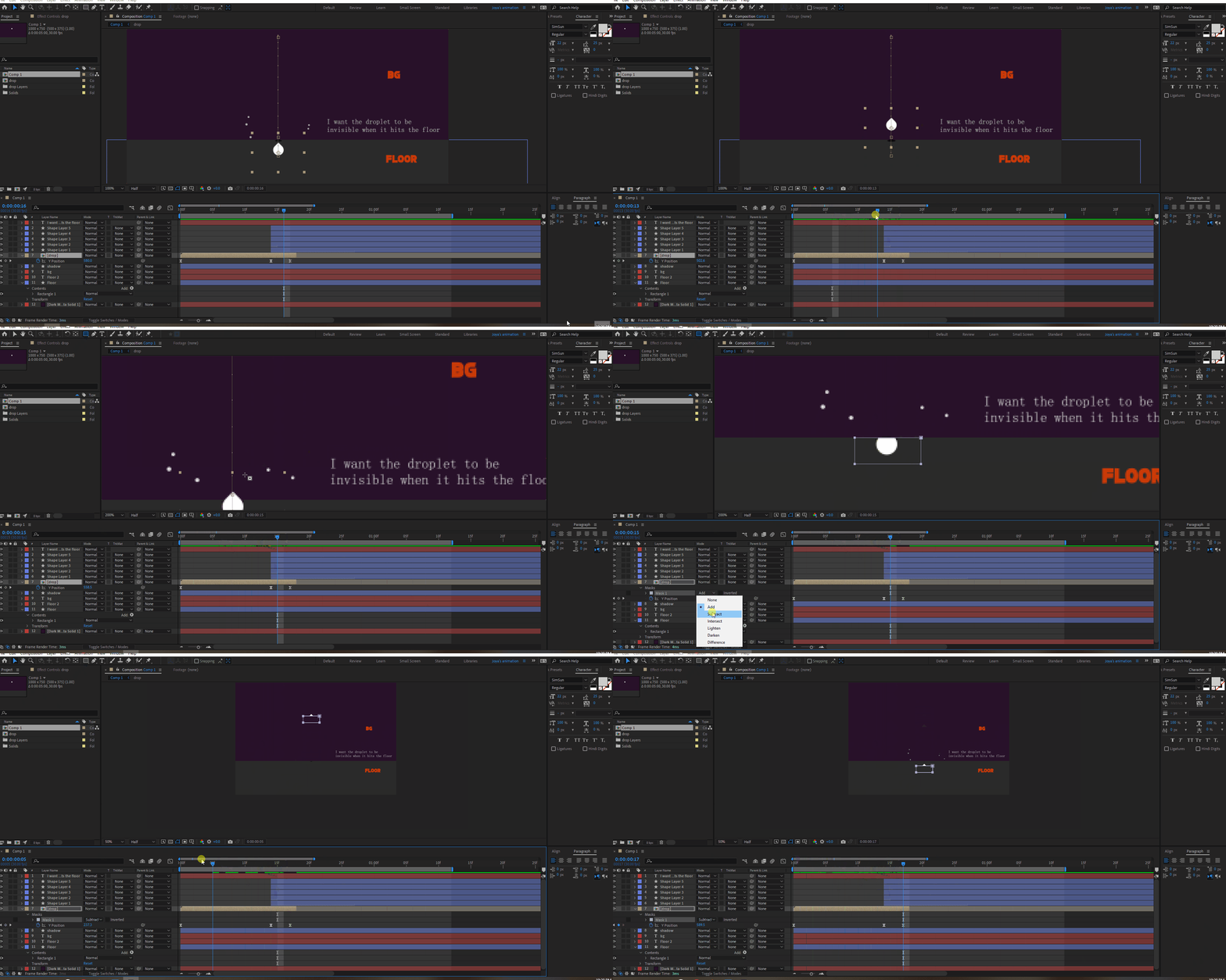
I am very new to After effects. I learned about masking, but when I apply that ' learning knowledge" in my own work nothing happens like I expected.


I learned, if you apply the 'subtract', your mask will disappear the part you applied the mask on. But it's not working. :'(


I saw one animation and try to create the same, The animation am following gives the vibe that a mask was used when the rain droplet hits the floor. I try to do the same, but My masking is not working the way I want. 😞  I must be doing something wrong.  I want the mask only work/Appear when the droplet hits the floor, not before that.  'Substract' should work. what is that am doing wrong?


please help.



This topic has been closed for replies.
Correct answer ShiveringCactus

Don't dispair that you found an answer yourself and don't worry about deleting the question - by posting the solution you'll help others when they get stuck.

For the record, if you had been using a solid and masks you could have used the subtract setting to hide a drop as it fell, but you'd set up shape layers for your raindrops and shape layers cannot have masks directly.  For what it's worth I think shape layers are probably the better solution here as you can duplicate and move them about more easily.

1 reply

S_ A
S_ AAuthor
Inspiring
December 21, 2022

Facepalm. I understood what I have done wrong! I wanted to delete this question, but don't know how to delete it. I have to use Alpha matte inv. 

ShiveringCactus
Community Expert
ShiveringCactusCommunity ExpertCorrect answer
Community Expert
December 22, 2022

Don't dispair that you found an answer yourself and don't worry about deleting the question - by posting the solution you'll help others when they get stuck.

For the record, if you had been using a solid and masks you could have used the subtract setting to hide a drop as it fell, but you'd set up shape layers for your raindrops and shape layers cannot have masks directly.  For what it's worth I think shape layers are probably the better solution here as you can duplicate and move them about more easily.

S_ A
S_ AAuthor
Inspiring
December 22, 2022

Thank you so much for your kindness. And you are absolutely right. That is another way to solve it. I later discovered alpha matte Inverted is exactly what I needed. Thank you.