

S_ A
Inspiring
December 1, 2022
Answered

How to loop a path continuously

  • December 1, 2022
  • 1 reply
  • 508 views

Hello,

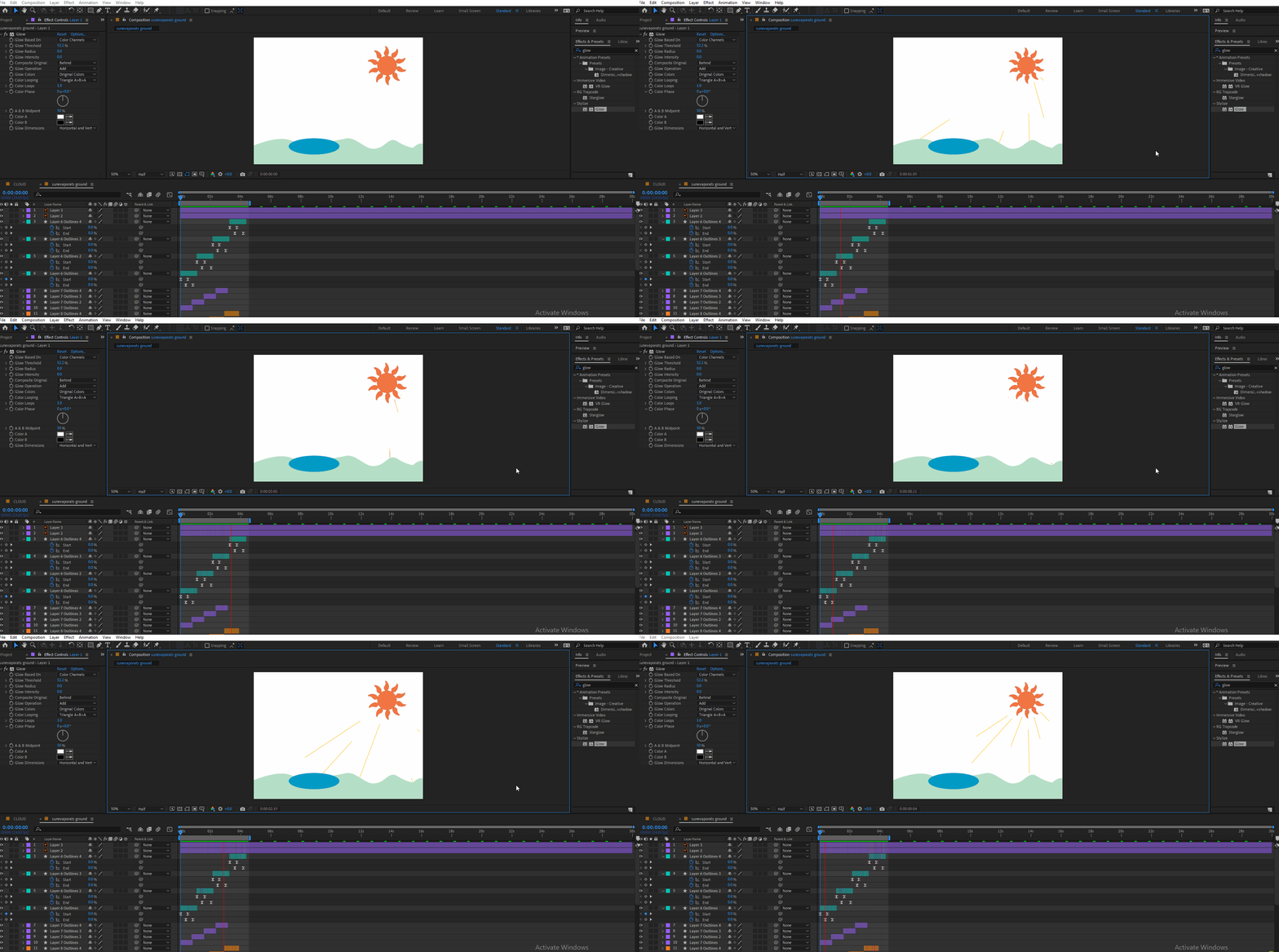
I want to loop a path, on which I applied the trim path option. But I do not understand how would I do that.


The rays will come out from the sun and hit the ground. And the loop will be the same. Every time they will start their journey from the sun ends up hitting the ground. 

As I could not figure out how to loop the path while maintaining this condition I copied the layer and get the desired result. But still, I want to know if there is any way I can apply loop out() on trim at start and end points, and the loop will be from the sun to the ground. Thank you.


(I applied loopout() on start and end, but it produced an ugly animation. no rythm. it acts robotic, so I delete that. But I am curious if there is any other way).


This topic has been closed for replies.
Correct answer Mylenium

loopOut() should work just fine. This may merely be due to your staggering the timing of the different rays which could cause odd overlaps on certain loop cyles. There's two options to fix that. First, add more keyframes and extend the layers so they have an even duration and loop that. Alternatively you could try to pre-compose all the rays and loop them in the parent comp by enabling time-remapping with a loopOut() expression applied.


Mylenium

1 reply

Mylenium
MyleniumCorrect answer
Legend
December 1, 2022

loopOut() should work just fine. This may merely be due to your staggering the timing of the different rays which could cause odd overlaps on certain loop cyles. There's two options to fix that. First, add more keyframes and extend the layers so they have an even duration and loop that. Alternatively you could try to pre-compose all the rays and loop them in the parent comp by enabling time-remapping with a loopOut() expression applied.


Mylenium

S_ A
S_ AAuthor
Inspiring
December 1, 2022

Thank you so much.