
Participating Frequently
September 3, 2018
Answered

How to make a logo "fly" torwards the camera and stop?
  • September 3, 2018
  • 2 replies
  • 2425 views

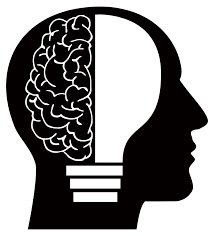
So I am still trying to make this into a logo  and come to life, the next effect I think would be cool is to have just the silloute of the head "fly in"  or is it called zoom in or "---------" so I think I would have to first get   image broken down into a layer with just the head, then one with just  the lightbulb, then one with the brain so i think I can figure that out...

What I am for sure unsure of Is there a preset for making a image fly into the camera or should I call it something different? I basically think I want it to start with a blank screen then have the head look like it is coming "forward" from nothing to "zoomed in "  and stop and then I would add that same " effect" to the brain and lightbulb possibly so that this becomes whole again.

Thanks....

    This topic has been closed for replies.
    Correct answer Rick Gerard

    Start here: Basic AE

    The animation you are describing is nothing more than animating position of layers in 3D space or even animating the scale and position using only 2D layers. You owe it to yourself to study the basics. After Effects is not friendly to casual users that just want to click a button and generate video magic.

    2 replies

    Warren Heaton
    Community Expert
    Community Expert
    September 5, 2018

    Do you have a vector version of the logo?  If so, that'll provide greater flexibility when it comes to animating it.

    Quick rundown:

    • Break the logo into layers in Photoshop and save it as a PSD.
    • Import the resulting PSD as a Composition.
    • Animate Transform and or Effects as desired.

    Since you're just learning AE, you might find some of the Animation Presets helpful.  Under "Transitions - Movement" there's Zoom - 2D Spin, Zoom - 3D tumble, Zoom - bubble, Zoom - spiral, and Zoom - wobbling.

    -Warren

    Participating Frequently
    September 15, 2018

    Hi!!!, I don't about Vector but I will look that up!! Thanks for the new information!

    Thank You!

    I will for sure do as you have said! I have just now started to do all kids of different strokes, I am probably doing it the wrong, and a long way but I have gotten something   but now with the help you have given I might just get something even better!

    Rick GerardCommunity ExpertCorrect answer
    Community Expert
    September 3, 2018

    Start here: Basic AE

    The animation you are describing is nothing more than animating position of layers in 3D space or even animating the scale and position using only 2D layers. You owe it to yourself to study the basics. After Effects is not friendly to casual users that just want to click a button and generate video magic.

    Participating Frequently
    September 3, 2018

    Okay, thanks again...okay I will see if that is in the link you provided...I guess if it is then I will be better off and if not at least I can say I have learned all that is there 

    I see, okay I just see so many presets or effects presets so I would have thought this could possibly be a preset if it's so basic...

    Community Expert
    September 3, 2018

    Presets apply a specific set of keyframes and/or expressions to a layer to make it do something but you still have to know the basics to make those presets do what you want them to do. To become competent with After Effects will require about 200 hours of serious targeted study. You can find a couple of tutorials that will help you do specific things, but more than any other app I have ever used, most tutorials are by amateurs that don't have good workflows and often present dead-end workflows that do nothing but waste your time. Vet your trainers, make sure you do some studying so you understand the UI and the principals, then learn the fundamentals of animation, motion, color and video formats. Then you will be on your way to making things that turn out and don't just waste your time.