Maybe I’m missing something about the requirements since this hasn’t been suggested yet, but isn’t the easiest way to click the Contents / Add button to simply add another Stroke to the Shape Layer? It wouldn’t even require adding a Layer Style because adding more strokes is already built into shape layer Contents.
In the picture below, Stroke 2 is the 19pt red path, and Stroke 1 is the 55pt white path behind Stroke 2, both applied to the same path within one shape layer.
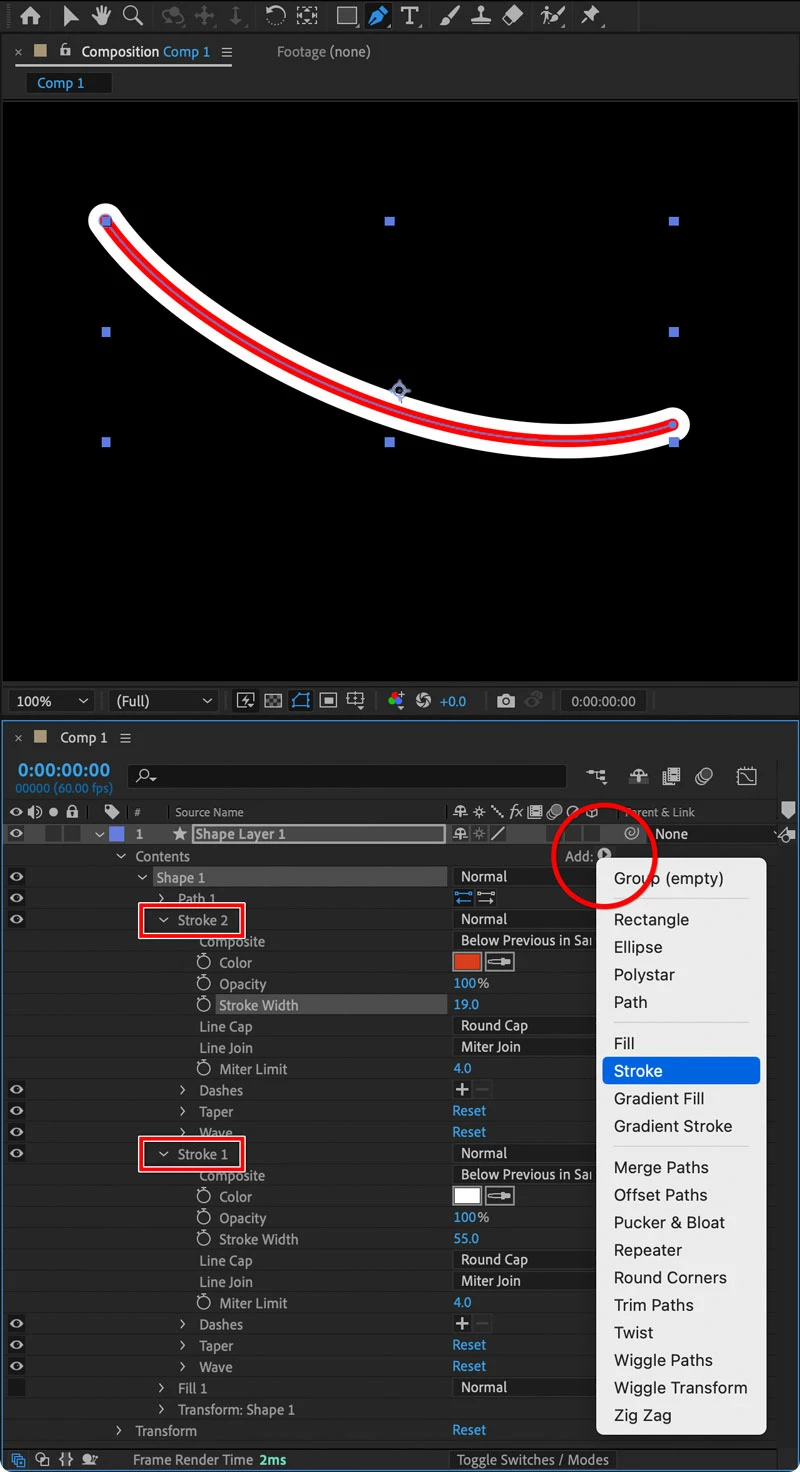
A major problem with duplicating the layer is that if you want to edit the path, now you have to make sure the duplicate is edited to match. Or duplicate it again and then have to replicate the differences in formatting, plus copy any keyframes. It seems better to do it all within the same shape layer, either by adding a Stroke or with Layer Styles.




 AdChoices