
Answered
how to make particle path smoother
Hi! I've been trying to manipulate a particle path by dragging the red circle on the video preview to edit the position value of the particle to make a smooth motion path. However, it makes very jagged lines and doesn't get that smooth transition between two positions. Instead, it makes a hard angle and two straight lines. Does anyone know how to make these smoother? Is it something to do with Bezier? Anything helps, thanks!
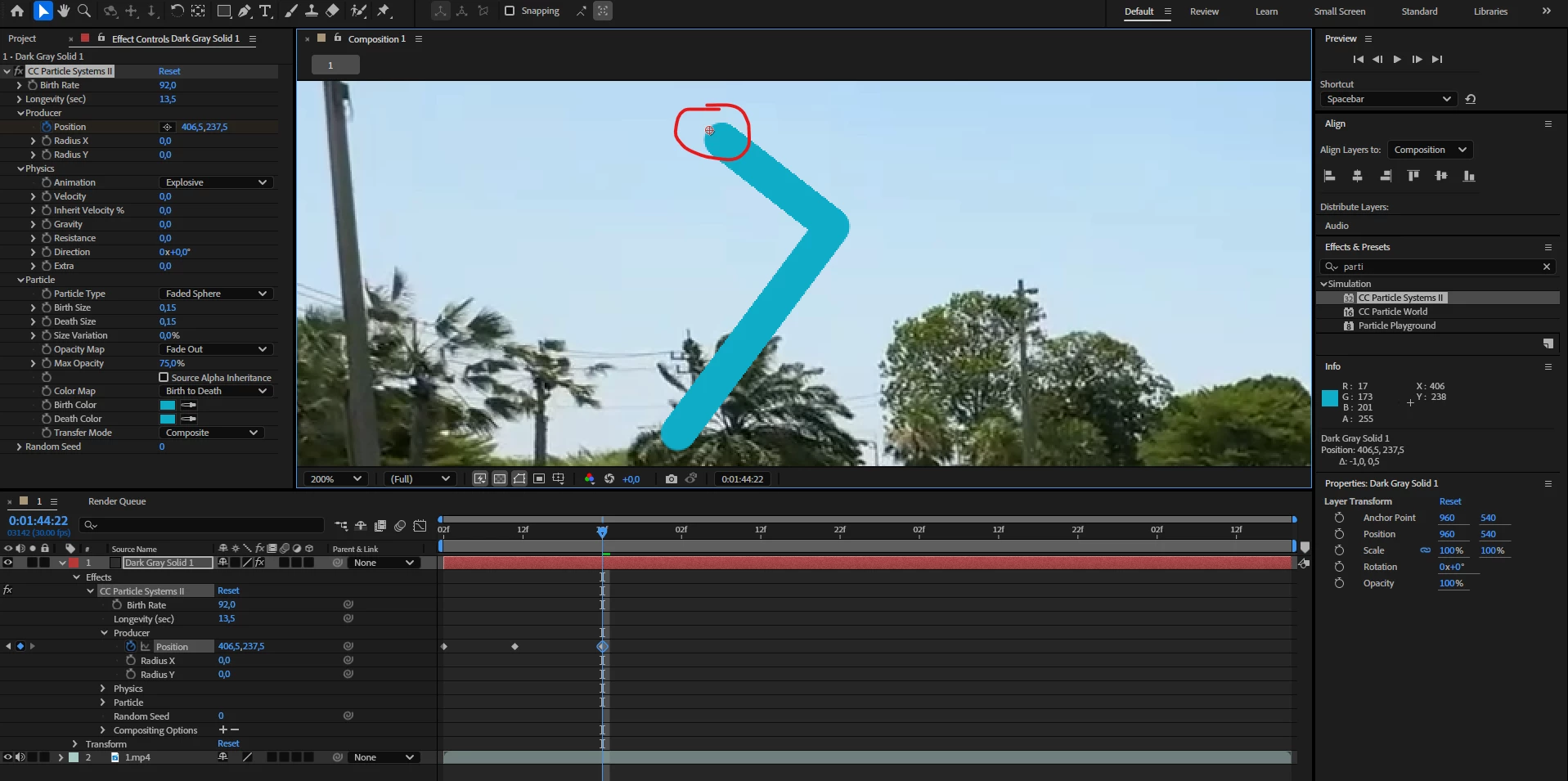
It's this red thing I'm moving and making the path with but it doesn't make it smooth. Anybody know why or hot to fix it?


 AdChoices