

S_ A
Inspiring
July 10, 2024
Answered

How to make rescale/modified scale size 100,100

  • July 10, 2024
  • 1 reply
  • 538 views

HI,


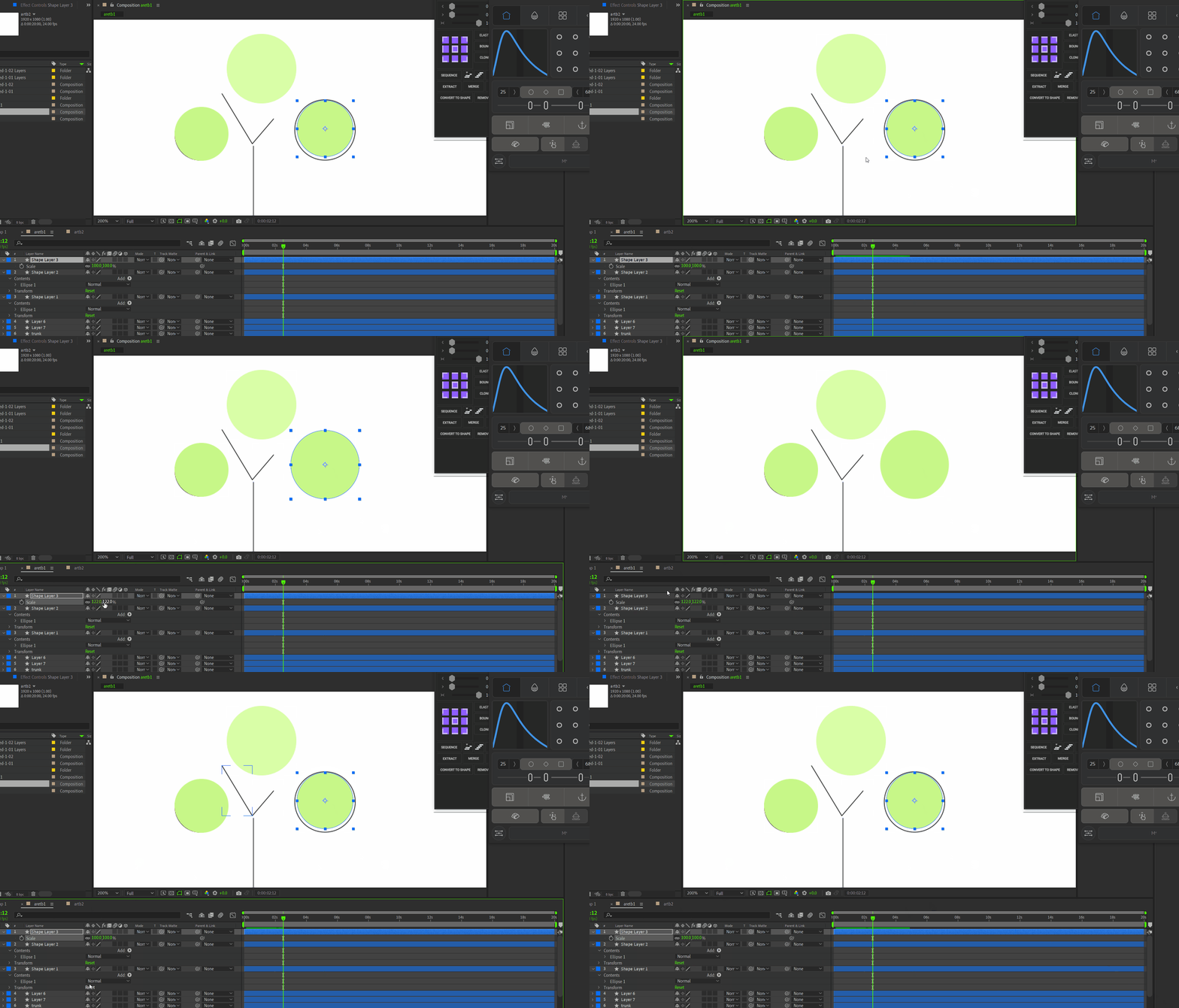
so I was wondering if its possible. I draw something whimsically, after some tweaking when am happy with the shape I wanna make that 100,100 in scale property. Each time I reset the shape it goes back to its first drawn size. is there any way I can make the modified/customized size 100,100 in scale property in Ae?


Thank you.
 

This topic has been closed for replies.
Correct answer David Arbor

Shape Layers have many parts to them; in this case you're adjusting the scale of the layer, not the actual shape itself. This means that if you had multiple shapes inside, you would scale both of them up. Instead, you can twirl the layer open and navigate to the shape's group (like in the layers below that have a group called "Ellipse." You can change that scale, then your layer scale will stay at 100%. Even easier is to use the new Properties panel which will allow you to adjust all these values without having to twirl the layers open.

1 reply

David ArborCorrect answer
Inspiring
July 10, 2024

Shape Layers have many parts to them; in this case you're adjusting the scale of the layer, not the actual shape itself. This means that if you had multiple shapes inside, you would scale both of them up. Instead, you can twirl the layer open and navigate to the shape's group (like in the layers below that have a group called "Ellipse." You can change that scale, then your layer scale will stay at 100%. Even easier is to use the new Properties panel which will allow you to adjust all these values without having to twirl the layers open.

S_ A
S_ AAuthor
Inspiring
July 10, 2024

This is amazing. why havent I thought of it before. 😮 😮 :O.


Thank you so much.

Inspiring
July 10, 2024

You're welcome! Shape layers can be a pain to work with because of all the nested groups, but they are necessary. The Properties panel makes this process much more pleasant.