



S_ A
Inspiring
October 9, 2023
Answered

How to make shapes move slowly between two keyframes

  • October 9, 2023
  • 1 reply
  • 386 views

Hello,


I dont know if this is normal/okay to even think/imagine like this given the fact that all moves in  AE between two keyframes.


I was wondering if I can slow the movement between two keyframes, I dont want them to go between two keyframes like they are supposed to be, I want them to be slow, taking double time to cross... you know like an old person taking unusual time to move in the stairs lol...like they are SLOWWWWW..


I want this transition between two keyframes really slow without increasing the duration of the animation. Can I do that? 

Thank you..


This topic has been closed for replies.
Correct answer Rick Gerard

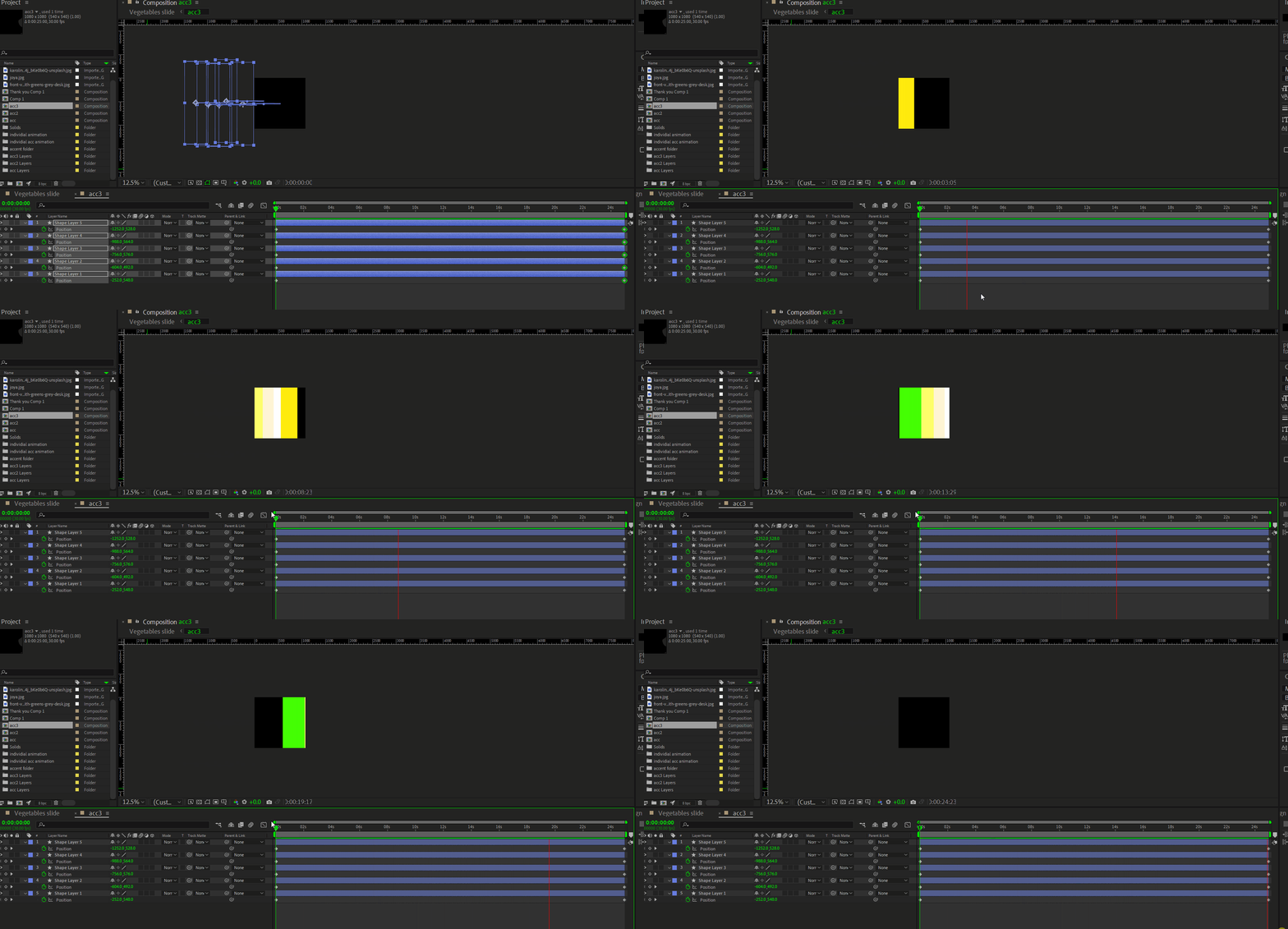
The two keyframes in your screenshot are at 0 and about 24 and a half seconds. If you want to make the animation take twice as long, you will have to open your composition settings, change the composition duration to about 49 seconds, and then move the second keyframe to 49 seconds. That is the only way to slow things down. You have to put more time between the keyframes. 


It sounds like you need to spend some time with the basics. Try the Learn Workspace (Window/Workspaces/Learn) or the User Guide

1 reply

Rick GerardCommunity ExpertCorrect answer
Community Expert
October 10, 2023

The two keyframes in your screenshot are at 0 and about 24 and a half seconds. If you want to make the animation take twice as long, you will have to open your composition settings, change the composition duration to about 49 seconds, and then move the second keyframe to 49 seconds. That is the only way to slow things down. You have to put more time between the keyframes. 


It sounds like you need to spend some time with the basics. Try the Learn Workspace (Window/Workspaces/Learn) or the User Guide

S_ A
S_ AAuthor
Inspiring
October 11, 2023

Thank you so much. I am learning the basics, but cant wait to make things in AE. I just love it too much.