
Participant
May 31, 2021
Question

How to make something not appear on a layer

  • May 31, 2021
  • 2 replies
  • 267 views

Hi!

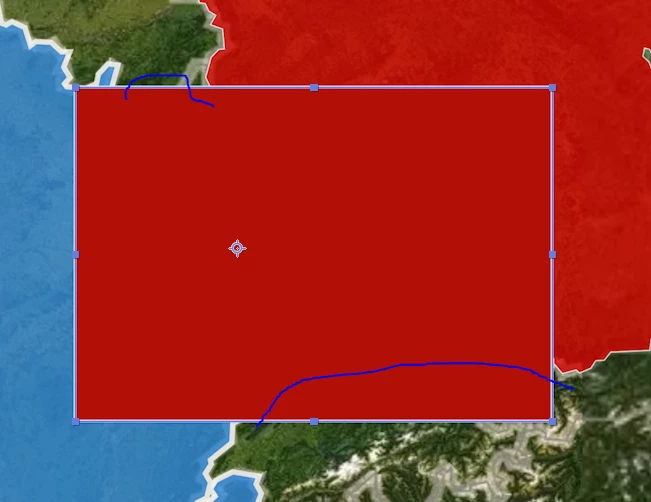
So what I am trying to do is make this shape so it only appears on the blue and other red layer. I do not want it overlapping the green layer as you can see it does.


How can I go about doing that?
 

This topic has been closed for replies.

2 replies

Community Expert
June 1, 2021

Your cropped screenshot doesn't tell us anything about your workflow. If the Blue layer and the Red layer the Land Layer are all on separate layers all you have to do is put the Land layer on top. 


If the Map with Red and Blue segments are all on one layer then you will need to create a mask or a track matte. You could make a copy of the map with the Blue and Red areas, apply Keylight twice, once for the Red and once for the Blue, and then just put that procedural matte above the shape layer. Here's what the matte looks like, except that your screenshot also shows the rec square.

Then this is what the composite looks like if I use a Yellow shape layer.

In the future, please post screenshots with all the modified properties of your layers showing. In the screenshots I shared you can see the exact changes I used in the top layer to create the matte.


Omar.Fathy
Community Expert
Community Expert
May 31, 2021

You can duplicate the shape, Red & Blue Layers.
- Put one of them (Shapes) above the Blue (Duplicated Blue) and the another one above the Red Layer (Duplicated Red).
- Use Alpha Matte from Track Matte.