Inspiring
June 23, 2023
Question

How to make this transition ?

  • June 23, 2023
  • 1 reply
  • 425 views

Hey,

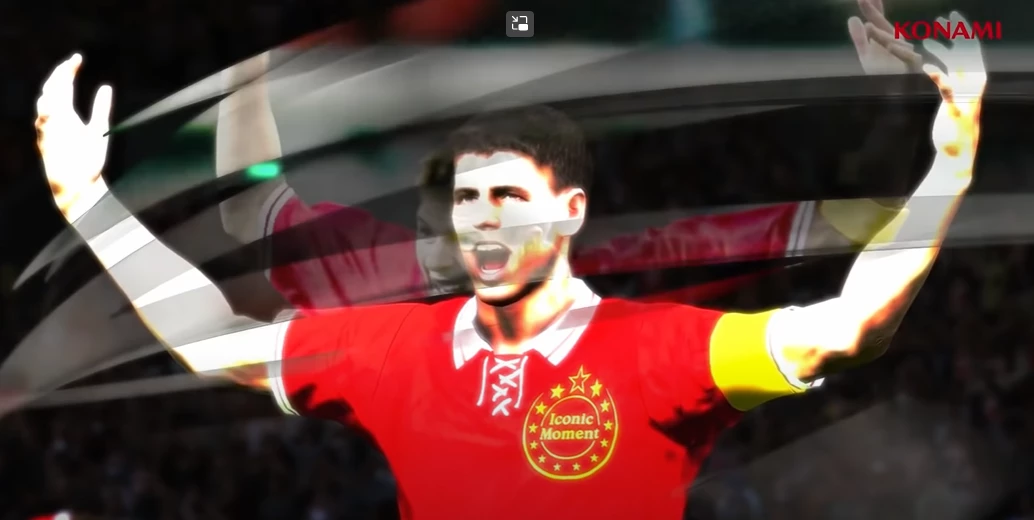
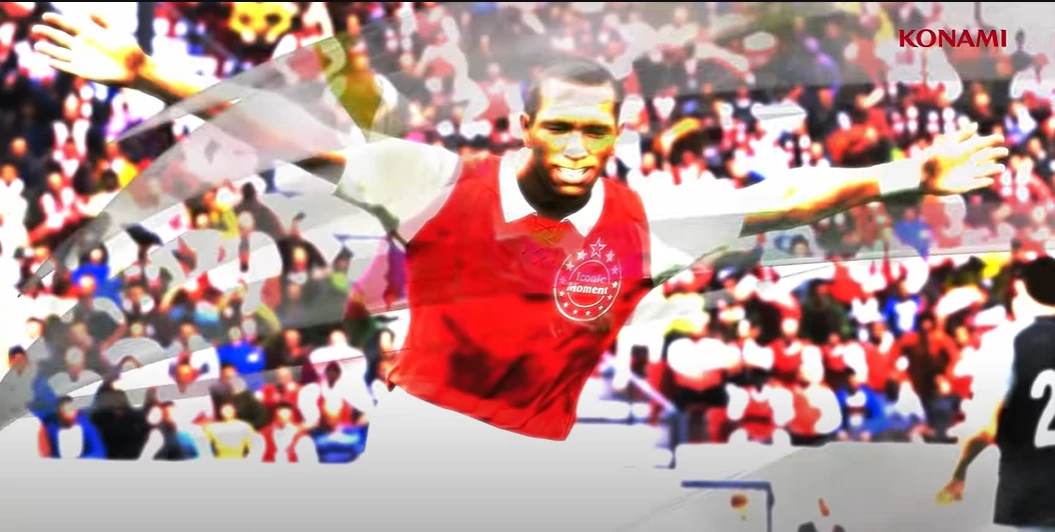
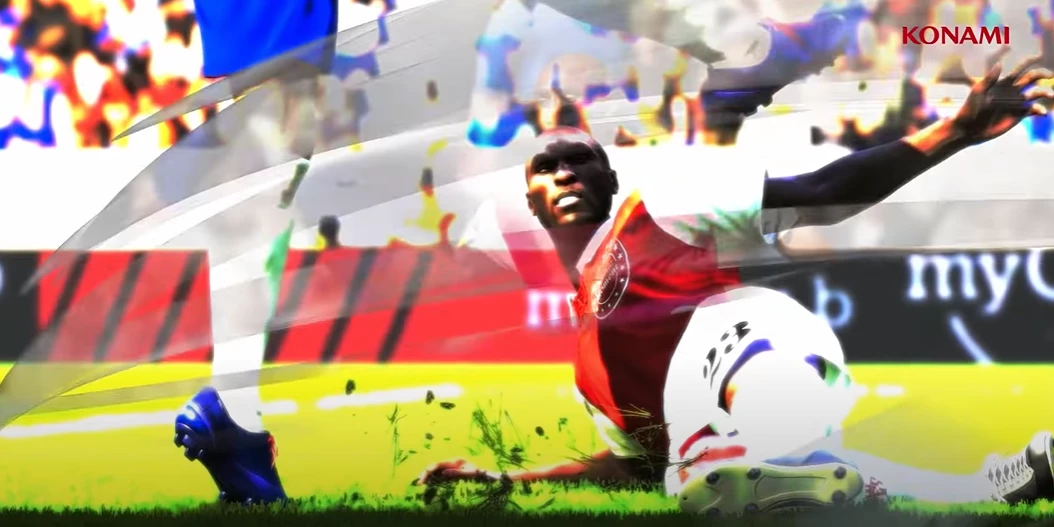
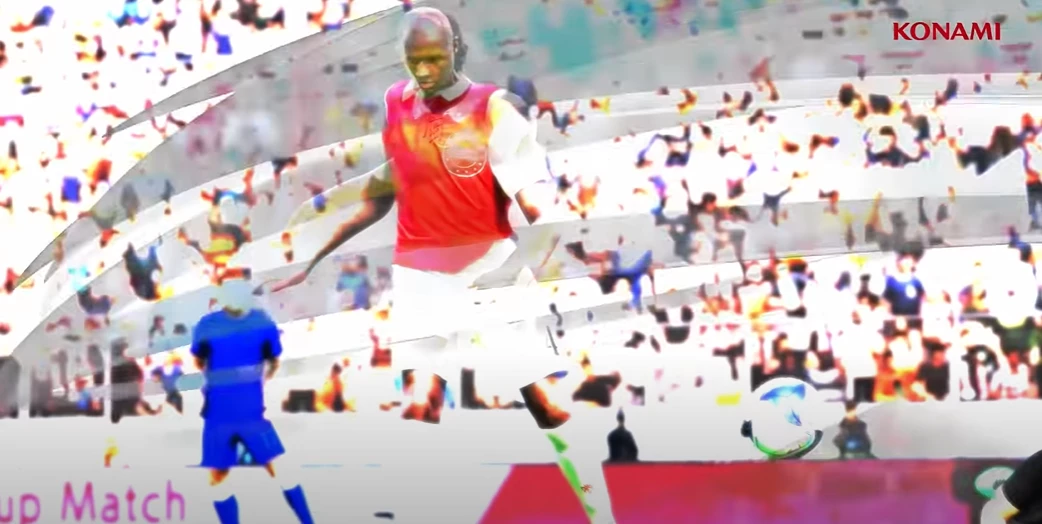
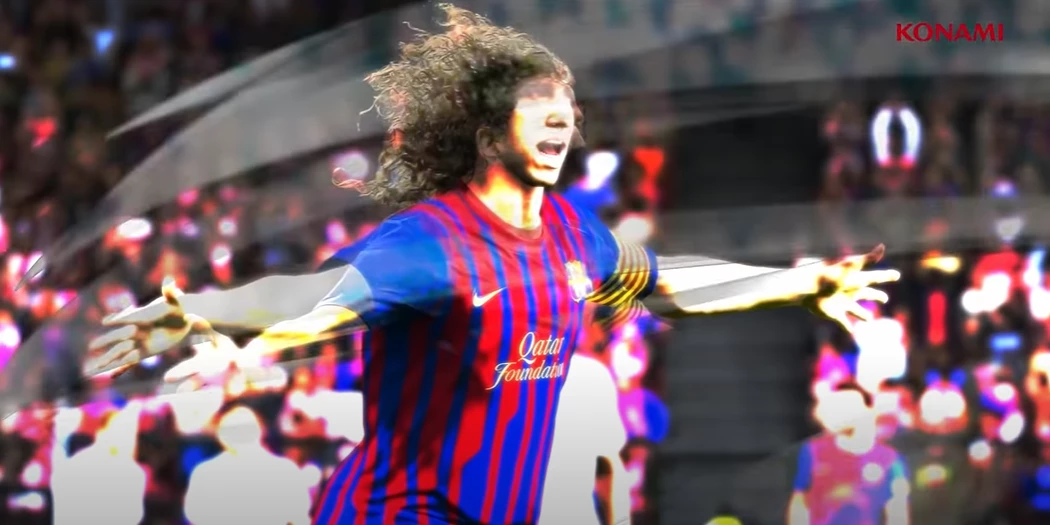
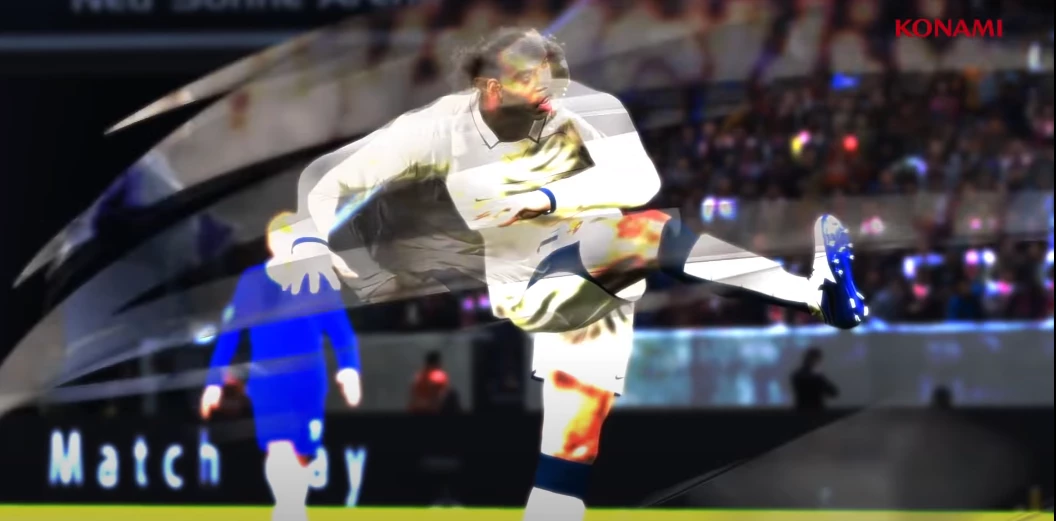
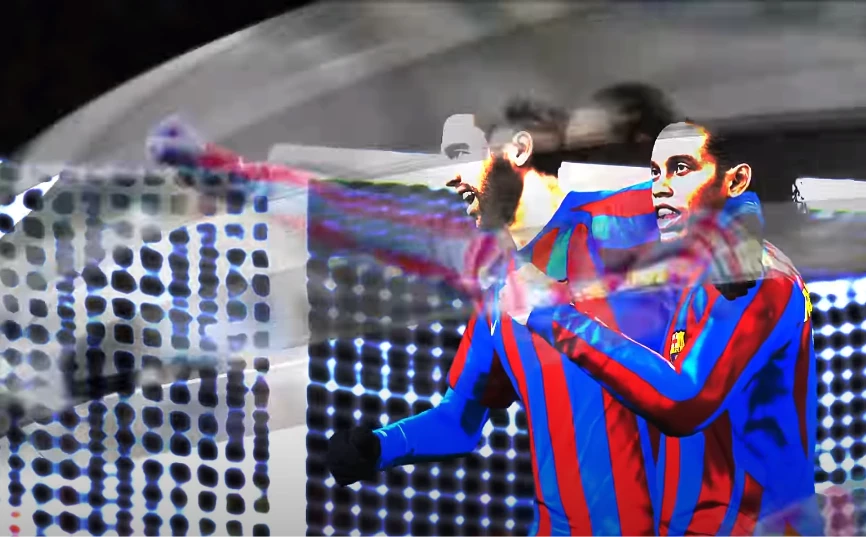
Wanna know how to make a smilar transition using this kinda ribbon like in this photos (frames from a video).


If it has a name or similar transition, what is it ?


Thanks in advance.


This topic has been closed for replies.

1 reply

Community Expert
June 24, 2023

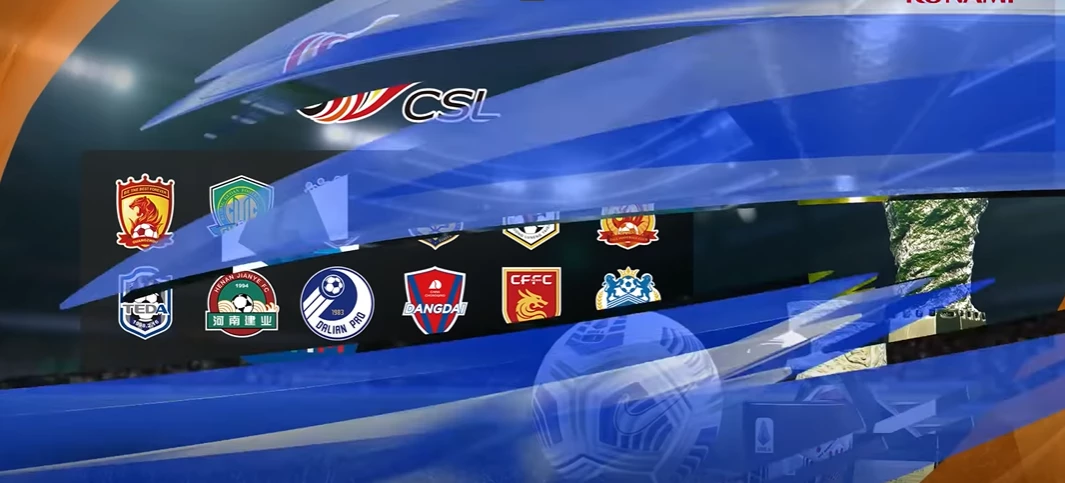
Start by analyzing everything that is going on in the frame. I made a screen capture of one of the transitions and slowed it down. Take a look:

Here's what I see:

  • There is a cut in the middle of the transition to a freeze frame - Step 1, create the Freeze frame.
  • Just before the transition starts, the shot is slowed down - Cut, Pre-compose, and add Time Remapping.
  •  At the cut, there are layers stacked behind and in front of the freeze frame, so duplicate the layer and remove the background from the top copy.
  •  Some extreme color correction is happening on the footage, so add Lumetri or Levels or Curves and Hue and Saturation to the Time Remapped transition start and create the color change you want.
  • When you get the flash to look the way you want it to look, select all of the applied effects in the timeline, then select Edit/Copy With Relative Property Links, paste them to the Freeze Frame layer, then delete the keyframes from the Freeze Frame layers.  This will allow you to edit the color correction on the slowed-down layer and have the animation match on the other layers. You can't use an adjustment layer here because you are going to insert other layers between the Freeze frame and the Freeze frame with the background removed.
  • Start creating the other layers you need to complete the transition with the graphics. The blurred bar that ends up behind the player's hands starts in front of everything, so that layer has to be split and rearranged at the cut. 

That should get you started. When you have everything setup you can save the color correction animation as an animation preset to use on other layers. 


I could create a separate composition for each transition, render the transition, then edit the final video in Premiere Pro. Trying to edit a video longer than a few seconds, all in After Effects, is incredibly inefficient. You'll save a lot of time by just working on the parts of the movie that you cannot create in Premiere Pro. AE is not an NLE; it is a visual effects, motion graphics, and compositing app. This transition is a compositing, visual effects, and motion graphics project, perfect for AE.

H_GuAuthor
Inspiring
June 25, 2023

Thanks for your help.


I just opened this thread to ask about the curved shape that appears quickly at the transition.


Does this transition effect have a name ?