
Participating Frequently
September 1, 2021
Answered

How to make windows after effects file compatible with mac users?

  • September 1, 2021
  • 1 reply
  • 3317 views

Hello!


I am having trouble sharing an after effects file created on a windows computer with a mac user. I have already done the collect files command so that all the links are included with the folder however the mac user on the other end is not able to open the file. I have checked my adobe creative cloud and it says I am using an up to date version of after effects so no updates are needed. This is the message that shows up when the other person tries to open the file. 
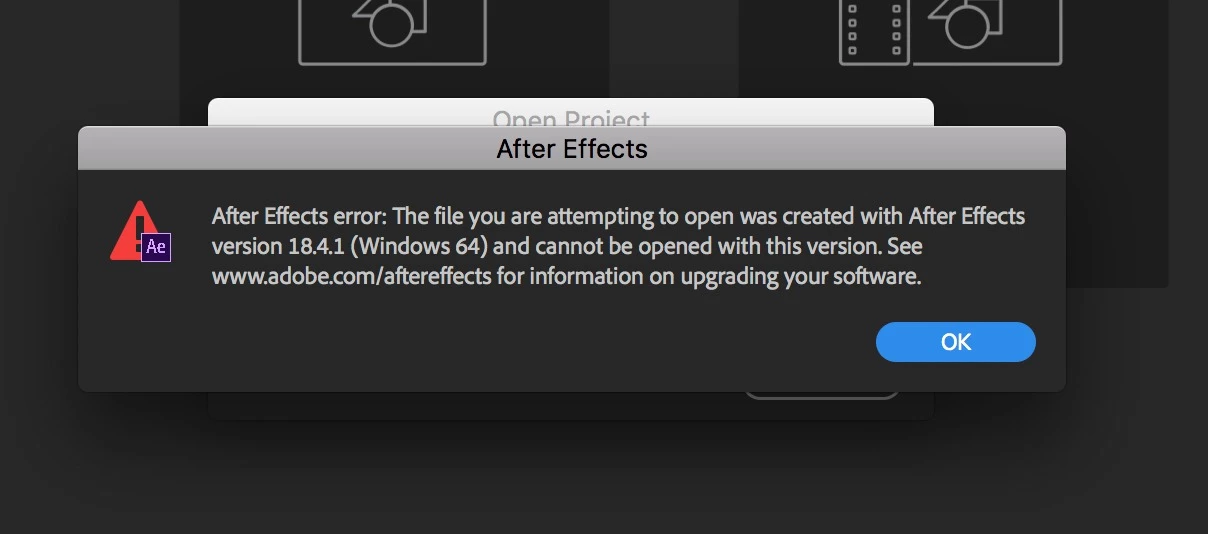


Any help on how to solve this issue would be greatly appreciated! 


Correct answer Rick Gerard

The version of AE used to open this file must be 18 or newer. It has nothing at all to do with Mac vs Windows.


After Effects will not open a project file created in a newer version of After Effects, but it will open a project file created in an older version and convert it to the newer one. You can usually use Save As and roll back two versions. Have the creator of the project do that. 

1 reply

Rick GerardCommunity ExpertCorrect answer
Community Expert
September 1, 2021

The version of AE used to open this file must be 18 or newer. It has nothing at all to do with Mac vs Windows.


After Effects will not open a project file created in a newer version of After Effects, but it will open a project file created in an older version and convert it to the newer one. You can usually use Save As and roll back two versions. Have the creator of the project do that.