slothm57212708
Inspiring
April 17, 2019
Answered

How to mask an effect on a solid layer?

  • April 17, 2019
  • 1 reply
  • 1112 views

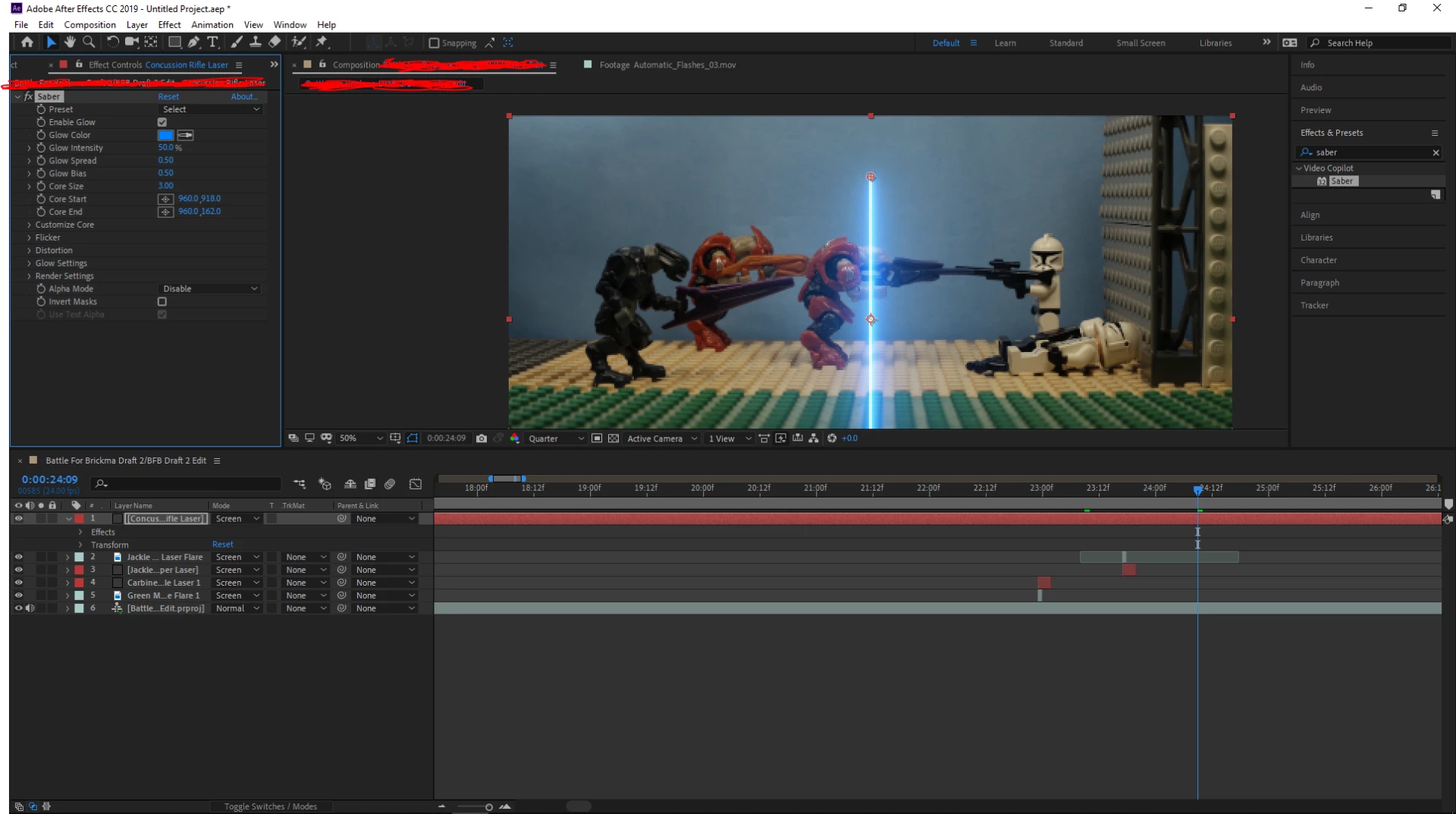
Sorry if my grammar isn't the best, but I am struggling on how I put this.  So I have an effect applied to a solid layer which is set to the screen mode blend.  Now I have to mask the effect behind my main character, and doing a simple mask didn't really do the trick and I haven't found anything on google.  So how do I get this to work? Let me know if you have any questions especially since I am sure I didn't if I word this right.I want the lightsaber to be behind the character in the middle.
This topic has been closed for replies.
Correct answer Michael Bullo

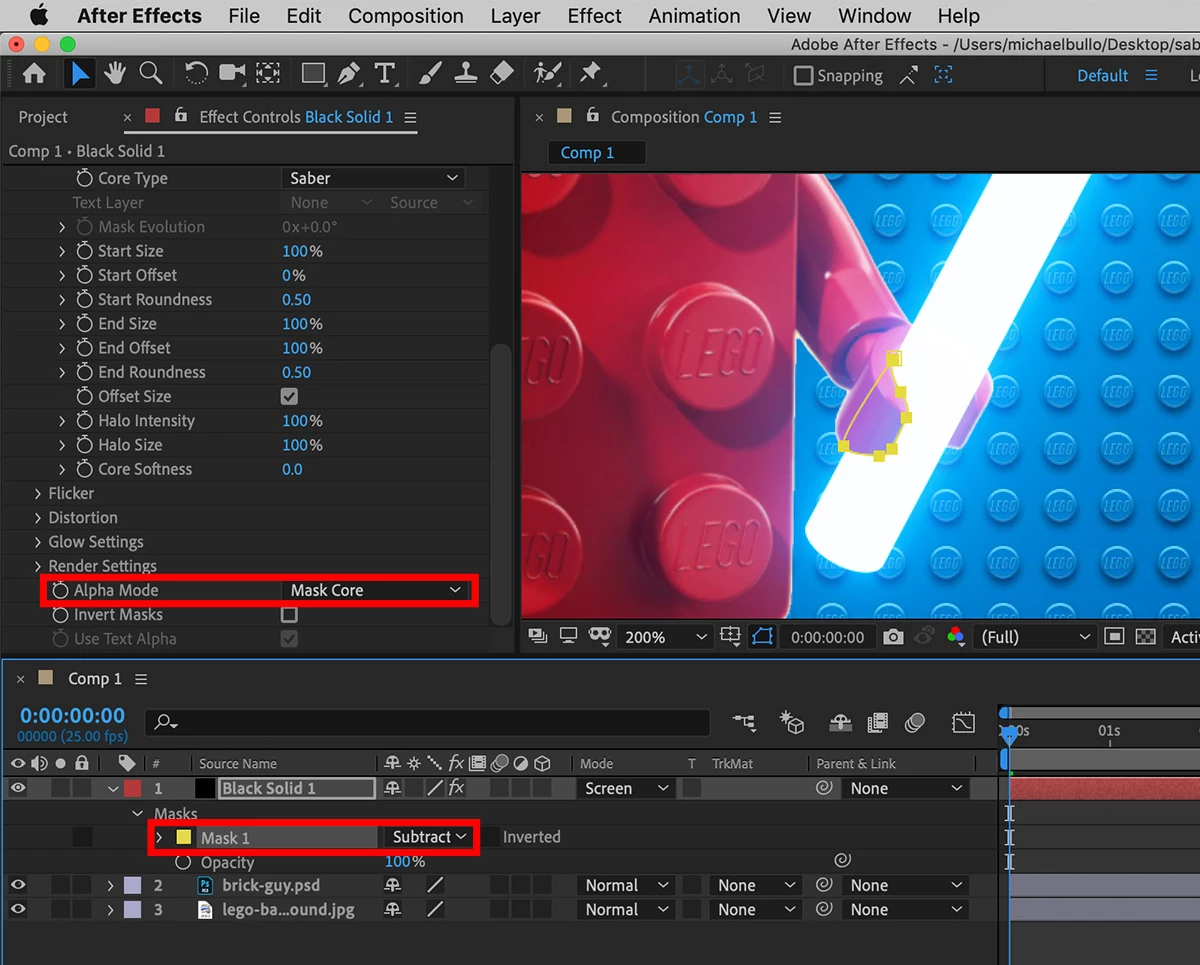
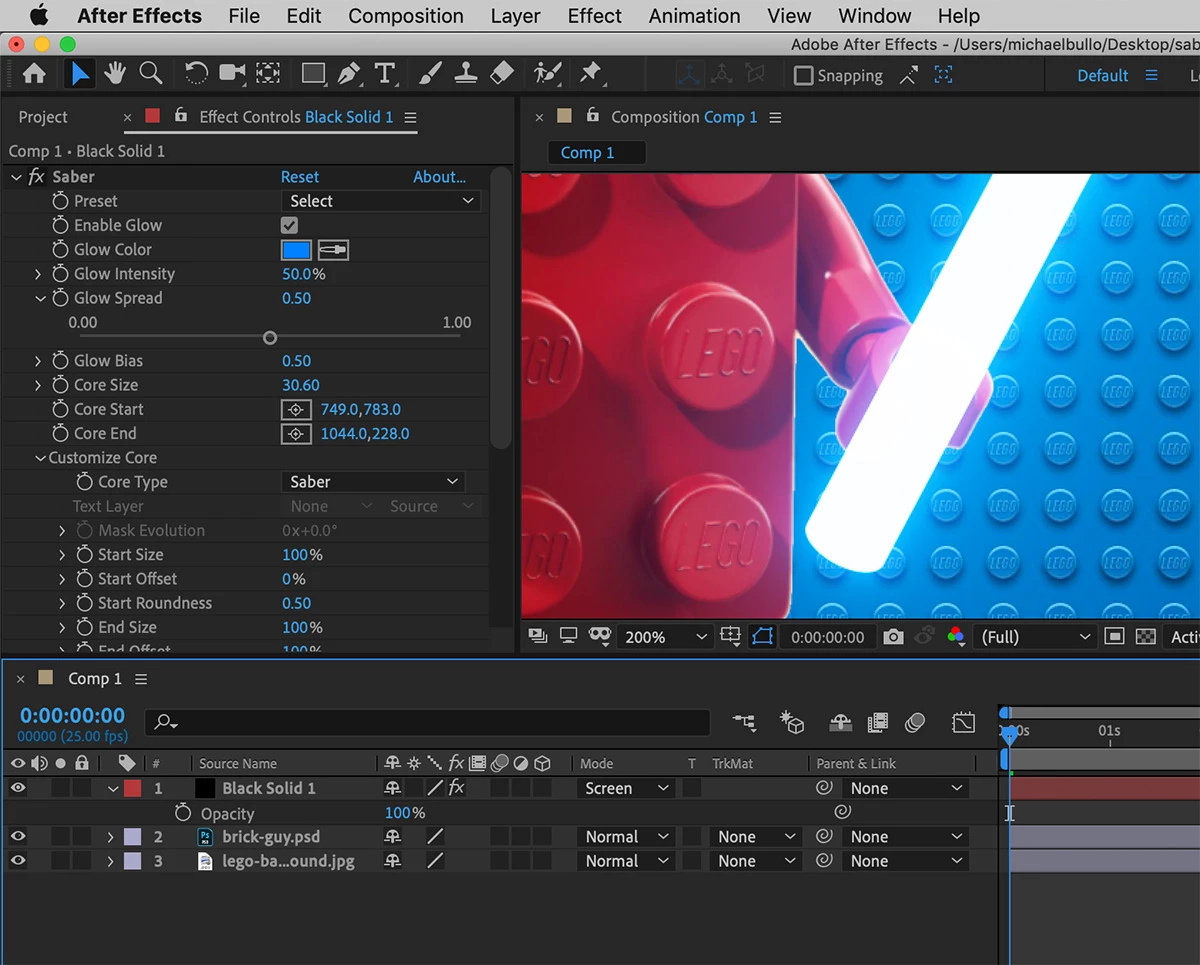
It sounds like you are most of the way there. Like you, I applied the Saber effect to a Solid that has a Screen blend mode. I then applied a mask to the area of the solid that I wanted to hide and set the mask mode to Subtract.

Within the Saber effect it is important to change the Render Settings Alpha Mode to Mask Core. This will hide the beam but still allow the glow to overlap the area that was masked.

1 reply

Michael Bullo
Community Expert
Michael BulloCommunity ExpertCorrect answer
Community Expert
April 18, 2019

It sounds like you are most of the way there. Like you, I applied the Saber effect to a Solid that has a Screen blend mode. I then applied a mask to the area of the solid that I wanted to hide and set the mask mode to Subtract.

Within the Saber effect it is important to change the Render Settings Alpha Mode to Mask Core. This will hide the beam but still allow the glow to overlap the area that was masked.

slothm57212708
Inspiring
April 18, 2019

That worked! Thank you so much!  I can't believe it was that simple all along.  I also really like that photo you have in the after effects project looks good.  Thanks again I really appreciate that!  Have a nice day!

Michael Bullo
Community Expert
Community Expert
April 18, 2019

Great to hear it worked. Thanks for the update.