

S_ A
Inspiring
December 22, 2022
Answered

How to move null

  • December 22, 2022
  • 3 replies
  • 878 views

Hello,


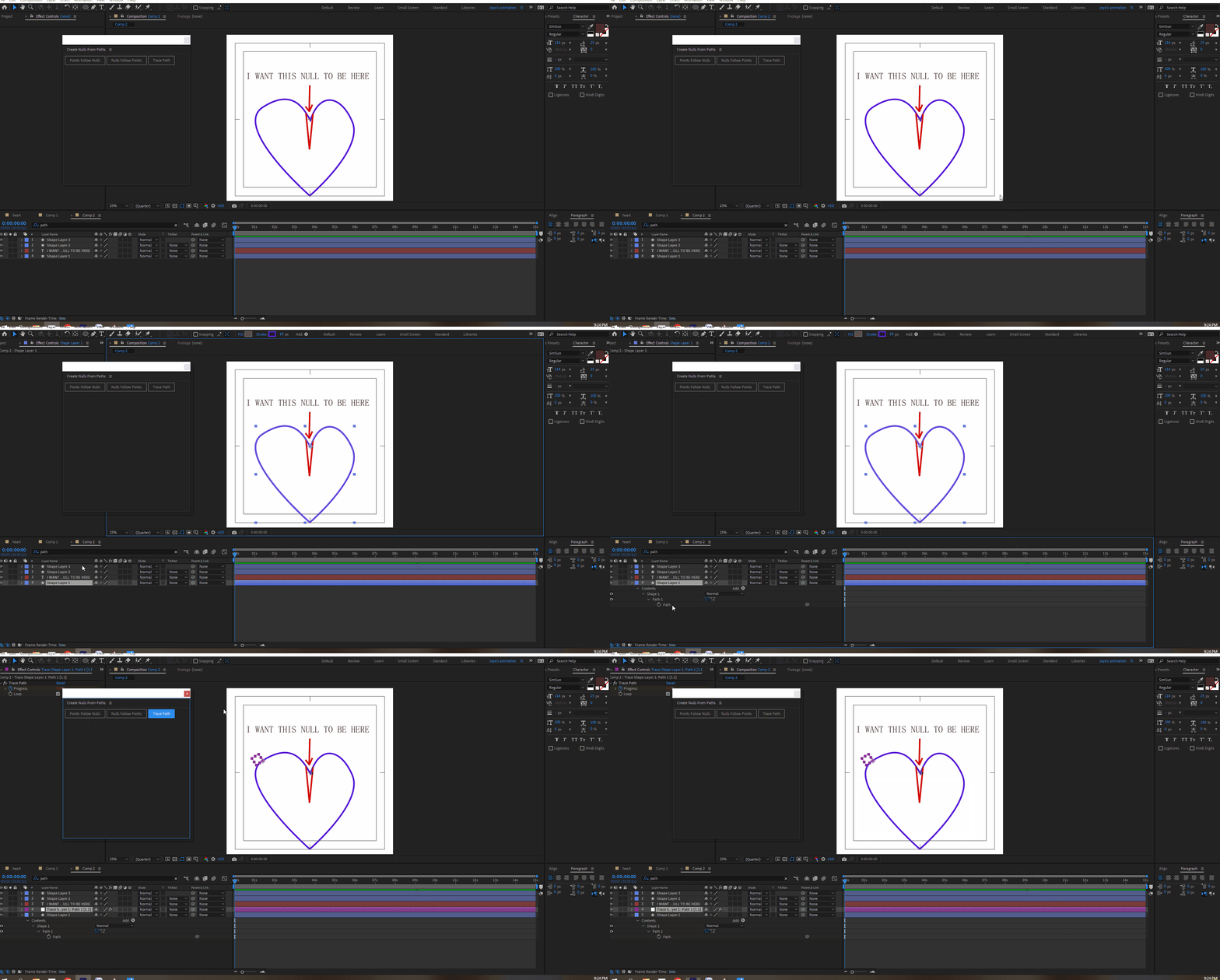
I am trying to move a null from its position but I can't. I have created it from 'create nulls from path -trace path-.


How can I move and place it exactly where I want? I have tried panning behind the tool and also the position of the null. nothing works.


Thank you.
This topic has been closed for replies.
Correct answer Rick Gerard

If you use Create Nulls From Paths/Trace, the null will follow the path. You can set the first vertex to set the starting point. The Progress Slider Control in the Effects Control Panel can also control the position of the null along the path. If you need to change the path, the null will follow.

3 replies

Rick GerardCommunity ExpertCorrect answer
Community Expert
December 22, 2022

If you use Create Nulls From Paths/Trace, the null will follow the path. You can set the first vertex to set the starting point. The Progress Slider Control in the Effects Control Panel can also control the position of the null along the path. If you need to change the path, the null will follow.

Mylenium
Legend
December 22, 2022

It seems you have created two conflicting setups. For the middle Null you may need to duplicate the path so the anchor point can be moved with the Null so it doesn't interfere with the Null following the path. You would then connect the path shape property with a simple pickwhip expression so they update.


Mylenium 

Mylenium
Legend
December 22, 2022

If you created Nulls in the way you did they're controlled by the expressions and the associated effects controls in the effects palette. Check it. It's even in your screenshots.


Mylenium

S_ A
S_ AAuthor
Inspiring
December 22, 2022

Thank you.