S_ A
Inspiring
January 15, 2025
Answered

How to move script into window

  • January 15, 2025
  • 1 reply
  • 830 views

Hi,


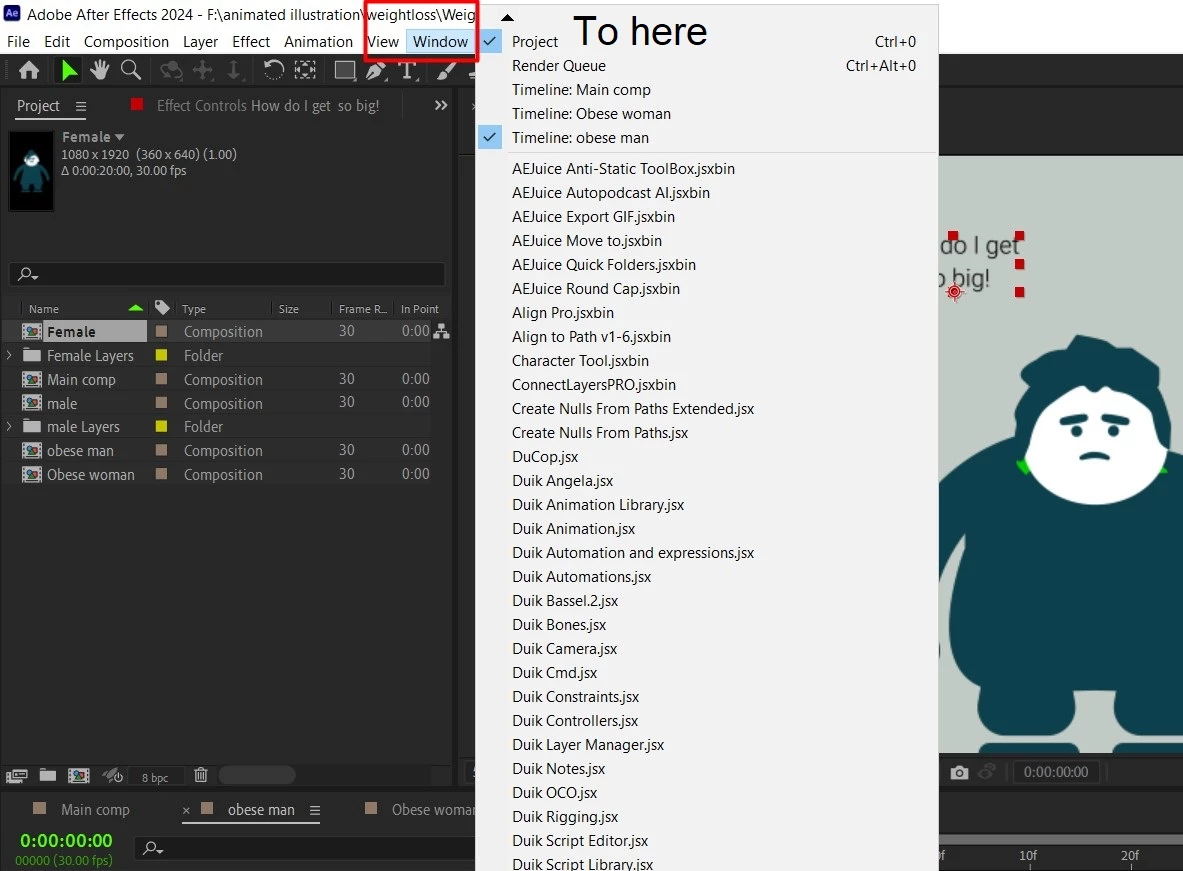
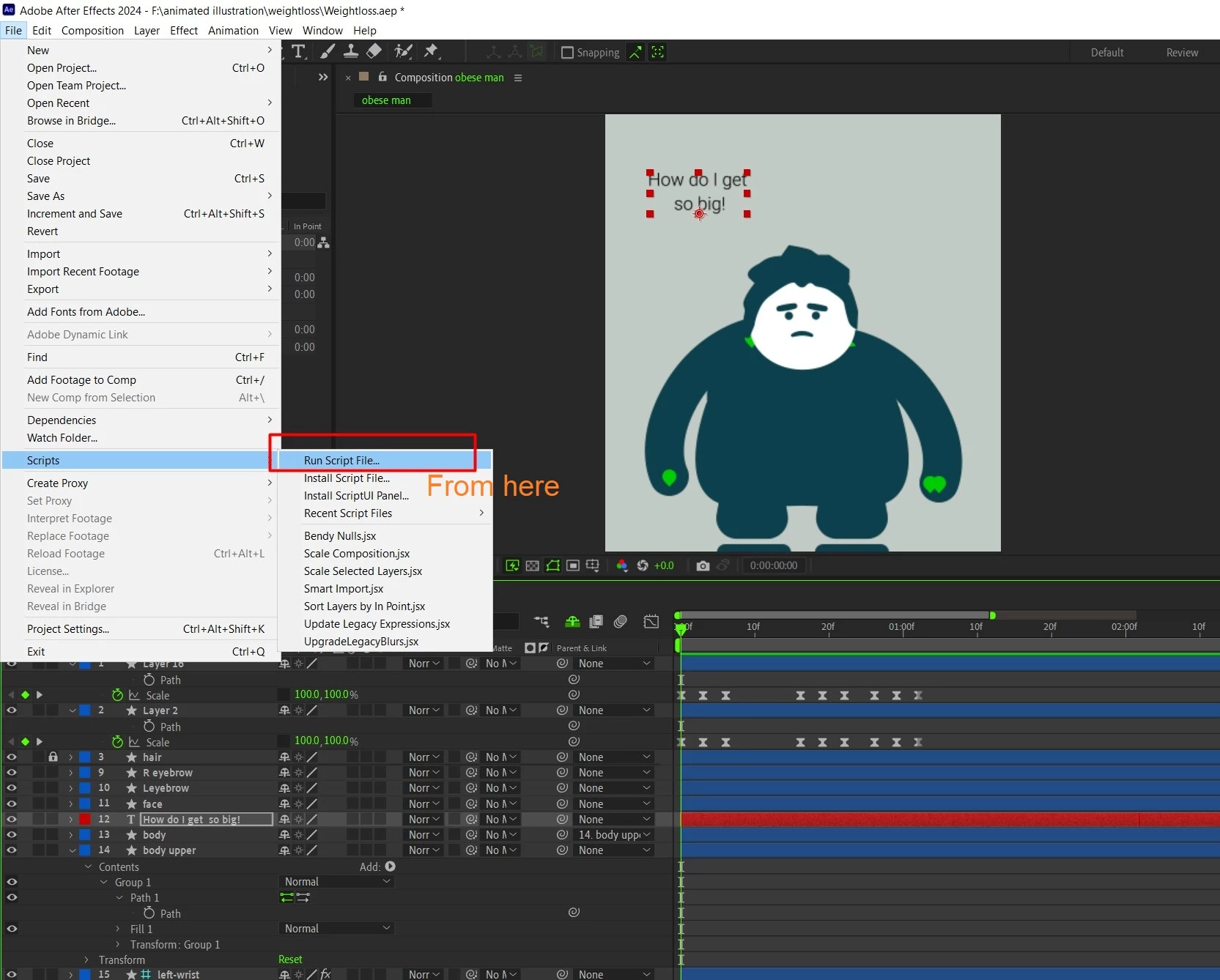
I learnt here ( in adobe community, from an expert) that I can save script in notepad adding ' extension .jsx' . and use that from File- Script- Run script file. Is there any way I can move that into Ae window panel and keep that floating like other tool/plugin in my customize workspace? OR that is possible only for commercial plugins/tool?


Thank you. 
 

Correct answer Dan Ebberts

For scripts to show up in the Window menu, you have to put them in AE's ScriptUI Panels folder, which, for Mac, is at: After Effects/Scripts/ScriptUI Panels and for Windows, is at: After Effects/Support Files/Scripts/ScriptUI Panels.

1 reply

Dan Ebberts
Community Expert
Dan EbbertsCommunity ExpertCorrect answer
Community Expert
January 15, 2025

For scripts to show up in the Window menu, you have to put them in AE's ScriptUI Panels folder, which, for Mac, is at: After Effects/Scripts/ScriptUI Panels and for Windows, is at: After Effects/Support Files/Scripts/ScriptUI Panels.

S_ A
S_ AAuthor
Inspiring
January 15, 2025

Thank you so much.