Participating Frequently
April 24, 2024
Answered

How to parent rotation property to change position of another shape layer?

  • April 24, 2024
  • 1 reply
  • 1124 views

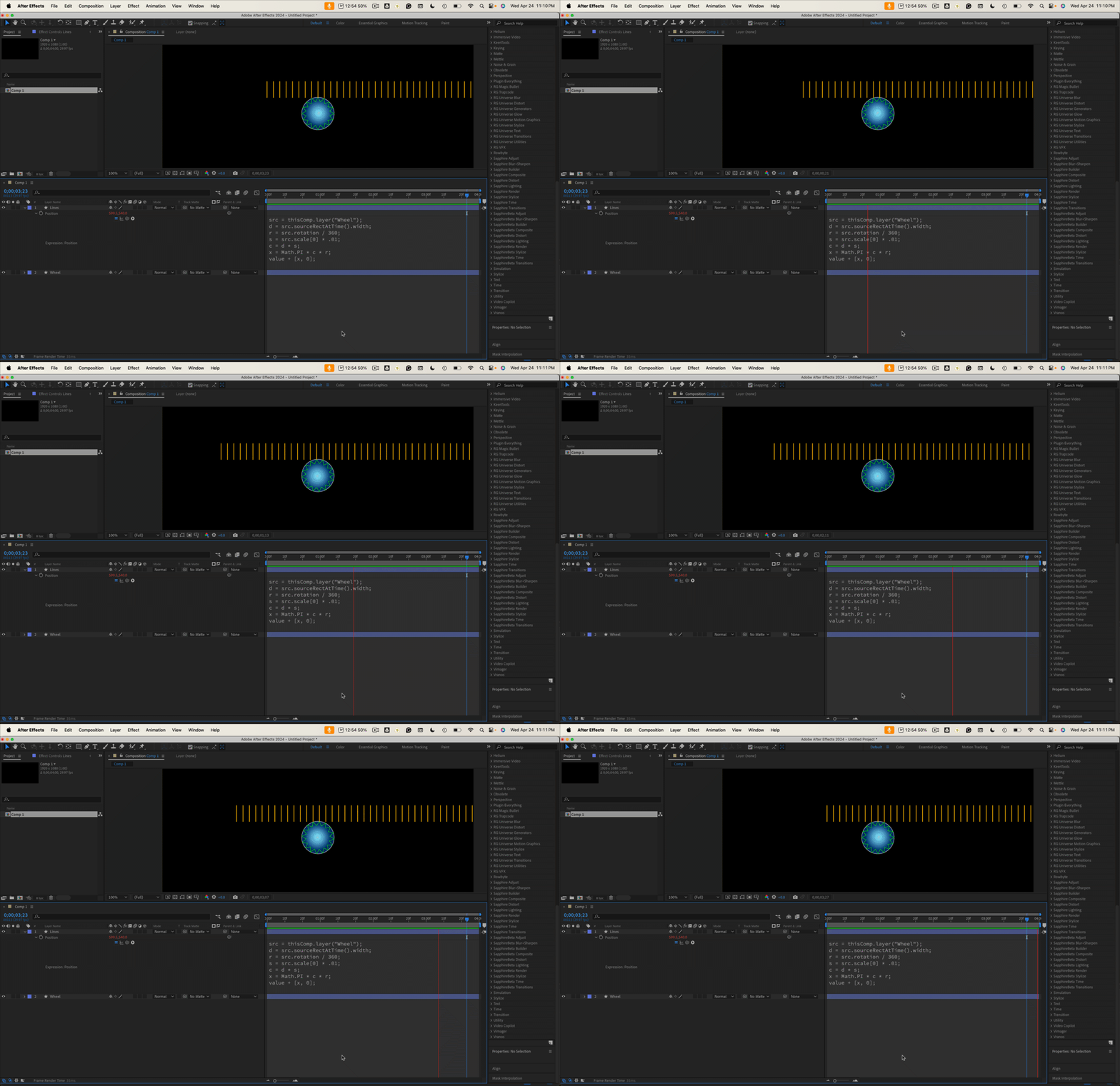
Hi, I'm trying to make an animation with one shape layer that rotates, and another layer that moves with the rotation, but horizontally. Is there any way to parent the rotation property to the other shape layers horizontal position? To explain the attached photo: I want the lines under the round shape to move when I rotate the round shape, like a scroll effect horizontally. 
Thanks!
/Jo 
This topic has been closed for replies.
Correct answer Rick Gerard

If you wanted Layer 1's rotation from -90 to +90 to correspond to a horizontal movement of 0 to 100 for Layer 2, you could use a position expression like this:

r = thisComp.layer("Layer 1").transform.rotation;
rMin= -90;
rMax = 90;
xMin = 0;
xMax = 100;
x = linear(r,rMin,rMax,xMin,xMax);
value + [x,0]


I would use the diameter of the wheel to calculate the circumference (C = π D) and use that to move the layer in x. This expression would do that and also compensate for any scale changes in the Wheel layer.


src=thisComp.layer("Wheel");
d = src.sourceRectAtTime().width;
r = src.rotation / 360;
s = src.scale[0] * .01;
c = d * s;
x = Math.PI * c * r;
value + [x, 0];


1 reply

Mylenium
Legend
April 24, 2024

A simple linear() expression will do with this pattern:


linear(refValue, refStart, refEnd, start, end)


All that's required is to fill in the links to the properties and set the values.


Mylenium 

Participating Frequently
April 24, 2024

Thank you so much! When you say "fill in the links", what do you mean? I'm a total beginner when it comes to expressions, should have written that in the post, sorry! 

Dan Ebberts
Community Expert
Community Expert
April 24, 2024

If you wanted Layer 1's rotation from -90 to +90 to correspond to a horizontal movement of 0 to 100 for Layer 2, you could use a position expression like this:

r = thisComp.layer("Layer 1").transform.rotation;
rMin= -90;
rMax = 90;
xMin = 0;
xMax = 100;
x = linear(r,rMin,rMax,xMin,xMax);
value + [x,0]