


Doncaedit
Inspiring
October 26, 2026
Question

How to place the images inside the fire
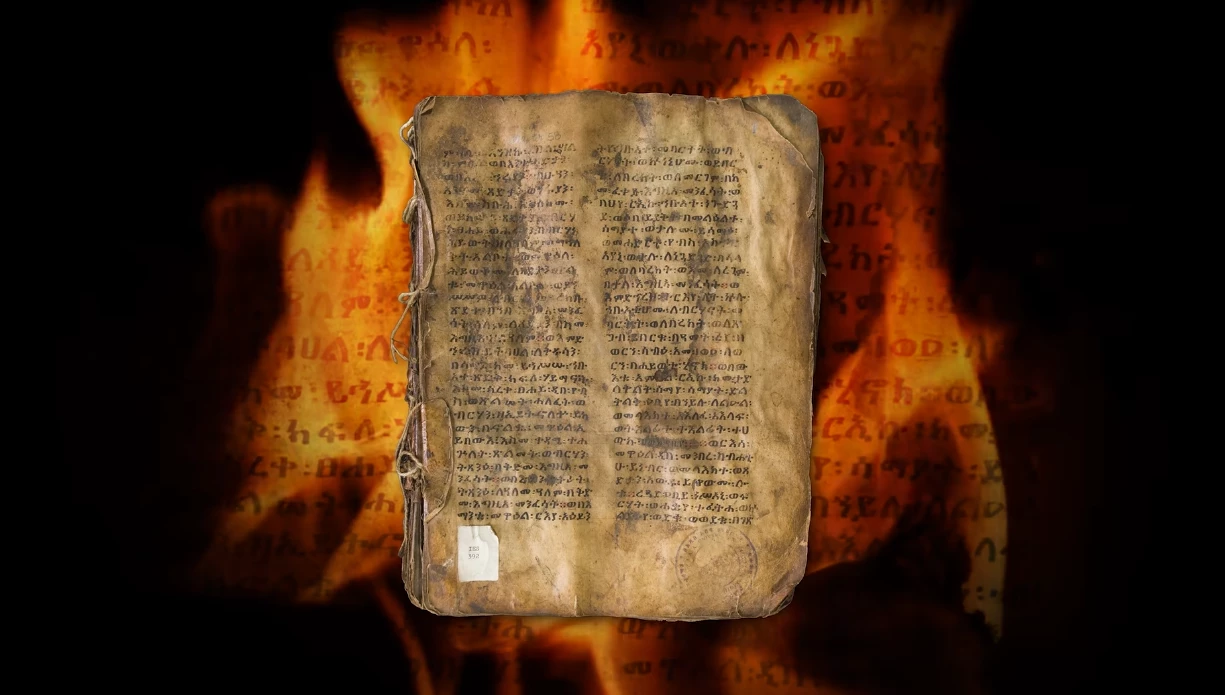
I'm trying to recreate this video with transparent fire and an image with letters in the background that looks like where the fire appears. How can I do that?
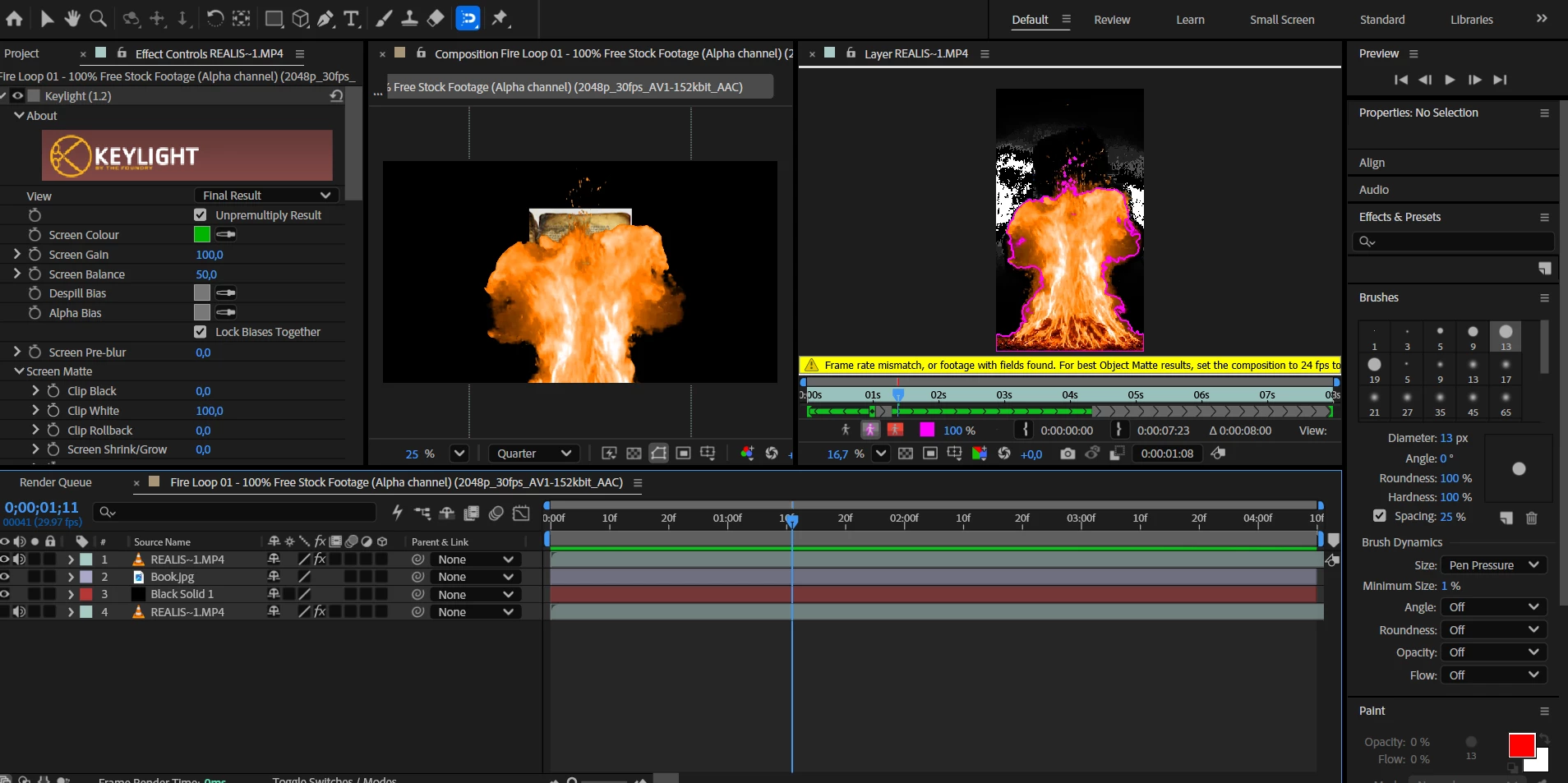

 

    1 reply

    CORCTON34033231
    Community Expert
    Community Expert
    October 26, 2026

    Hi! You can do this with a Track Matte: put the fire footage directly above the letter image in the Timeline, then on the image layer, in the Modes column, use the Layer List dropdown to pick the fire layer as the Track Matte and set it to Luma Matte. That way the image only shows through the bright fire areas. If the fire footage has a black background, Luma Matte works well, since the bright fire stays opaque and the black areas become transparent. If you do not see the Modes column, right-click the timeline header area, then choose Columns, then Modes. Details: https://helpx.adobe.com/after-effects/desktop/work-with-transparency-and-compositing/work-with-track-mattes-and-traveling-mattes/track-mattes-and-traveling-mattes.html

    Translate