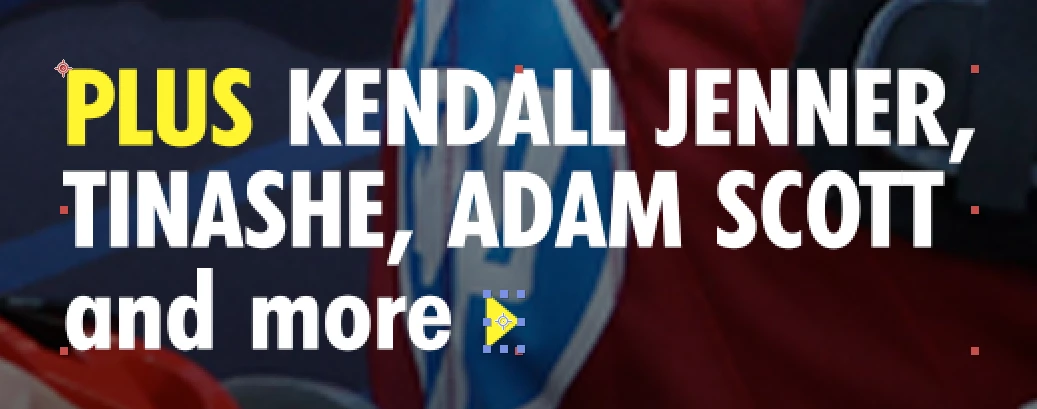
For a simple shape like the triangle in your screenshot, there's a preset called "Blinking Cursor Typewriter Console".
Apply that to your text and then expand the expressions area on the source text.
You'll see this code:
var t = text.sourceText;
var l = t.length;
var a = effect("Animation")(1);
var c = ["|","_","—","<",">","«","»","^"];
var d = effect("Cursor Shape")(1).value;
var reveal = t.slice(0, l*linear(a,0,100,0,1));
reveal + c[d-1];
In the effects panel, there are some settings you can alter. The blink speed set to 0 will prevent the cursor from blinking.
And you can choose the shape of the cursor you want. If you visit a website like copychar.cc and search for triangle, you can then find the character : ‣
If you edit the above expression, to replace the "|" with "‣" you'll get your arrow:
var t = text.sourceText;
var l = t.length;
var a = effect("Animation")(1);
var c = ["‣","_","—","<",">","«","»","^"];
var d = effect("Cursor Shape")(1).value;
var reveal = t.slice(0, l*linear(a,0,100,0,1));
reveal + c[d-1];
Then you could add a text animator for Fill Colour and expand its range advanced settings to set the end point to be yellow. Ideally you'd do that in Per Character styling in the expression, but it's quite tricky to get right.




 AdChoices