
Known Participant
July 6, 2023
Answered

How to prevent number rounding [0.6 to 1]?

  • July 6, 2023
  • 2 replies
  • 960 views

Hi,


How can I prevent the numbers effect from rounding numbers like 0.6 to 1? I need it to show value of 1 only when it reaches 1.0 and not before. Currently as soon as the number reaches 0.6 it changes to 1, and since I'm making a sort of slideshow of photos, where I need to show each image in order with the image number above it, it is completely in a desync - since it changes to the next number before the next image shows.


Thanks!
This topic has been closed for replies.
Correct answer Andrew Yoole

Add Math.floor() to your Numbers value expression.  


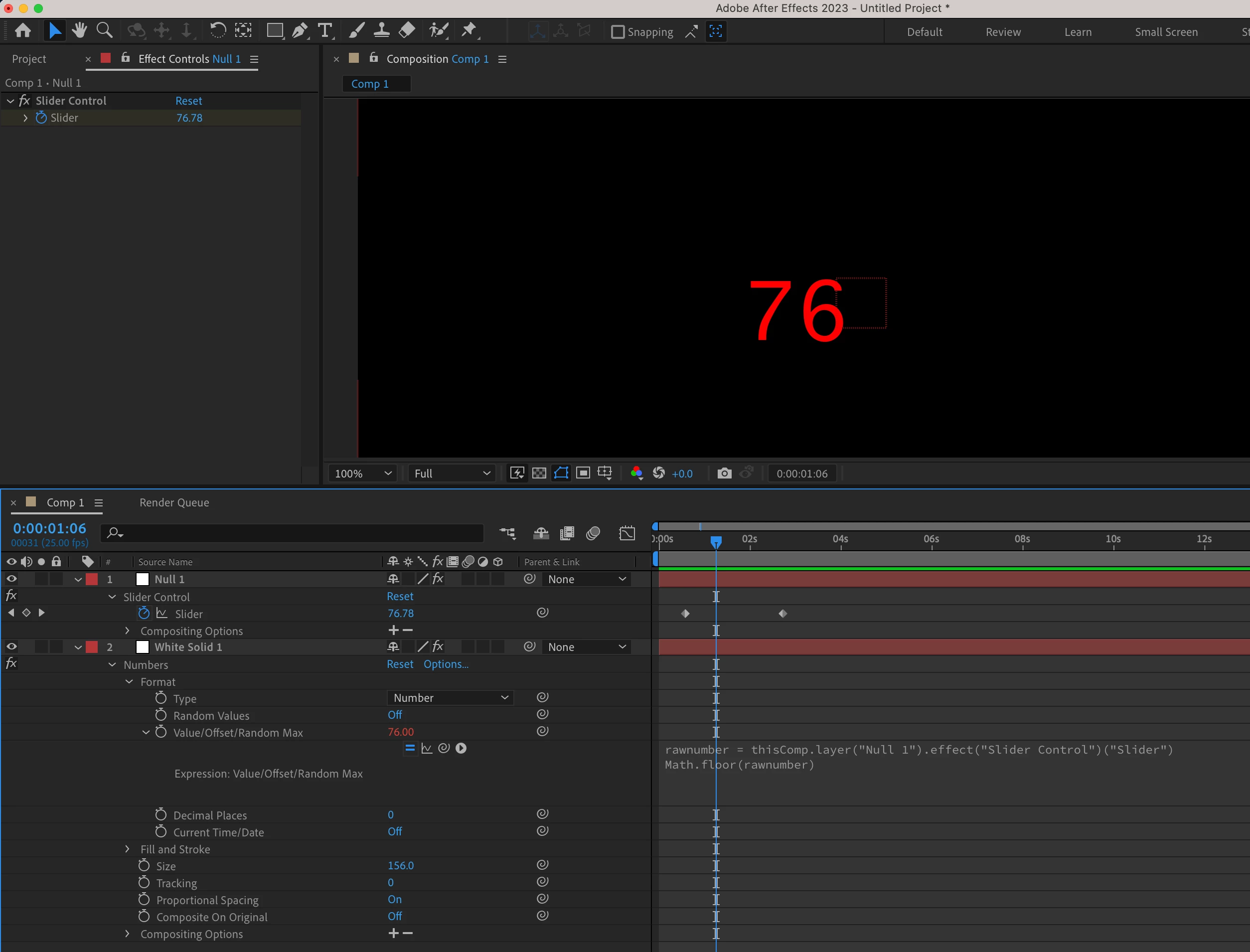
This example takes the value of an expression slider on Null 1, then uses Math.floor to round that value down.


rawnumber = thisComp.layer("Null 1").effect("Slider Control")("Slider")

Math.floor(rawnumber)


2 replies

Mylenium
Legend
July 7, 2023

That behavior is simply built-in. Split the layer and have the lead-in instance's Numbers effect use different settings for decimals.


Mylenium

Andrew Yoole
Andrew YooleCorrect answer
Inspiring
July 7, 2023

Add Math.floor() to your Numbers value expression.  


This example takes the value of an expression slider on Null 1, then uses Math.floor to round that value down.


rawnumber = thisComp.layer("Null 1").effect("Slider Control")("Slider")

Math.floor(rawnumber)


Known Participant
July 7, 2023

Bless you sir, that has indeed solved it.