
Participating Frequently
July 13, 2019
Question

How to render composition for instagram stories?

  • July 13, 2019
  • 2 replies
  • 1907 views

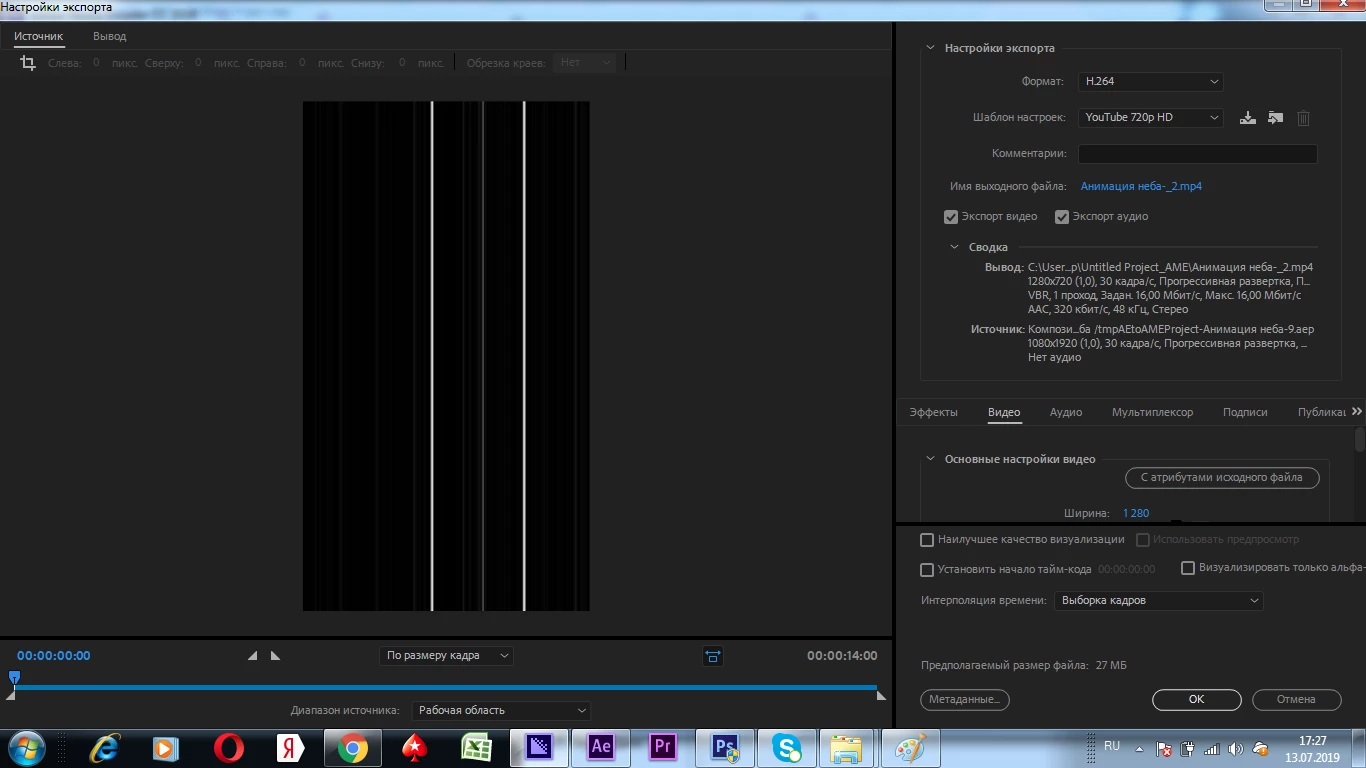
Hello everyone,  i made a video for instagram story with resolution of 1080 x 1920, when i try to render it in Media Encoder output file is always currupted like on the picture,same happens after rendering, BUT if i put resolution of the video in 1920x1080 (opposite) it seems to work fine without currupting the composition
    This topic has been closed for replies.

    2 replies

    Community Expert
    July 15, 2019

    Send to File / Export / Media ... but do not touch the "Format" or "Preset" options, leave them there as they appear, just give them a location and send them to export.

    Byron.
    Participating Frequently
    July 17, 2019

    Do u mean i should just send it to media encoder without changing any settings? If so, i tried it and it didn't work

    Community Expert
    July 17, 2019

    Until you are an expert in video compression and formats do not create custom settings. Use the default settings. They work whether you are using the Adobe Media Encoder, Premiere Pros's embedded AME or the Output Module and Render Cue. Tinkering with the settings without knowing exactly what you are doing is what is causing your problem.

    Martin_Ritter
    Legend
    July 13, 2019

    One issue visible in the screenshot: the settings of your output file are not the same as your composition (1280x720 for output, 1080x1920 for comp).

    Let us know, if this helps.

    *Martin

    Participating Frequently
    July 13, 2019

    I've changed it, but nothing happens(

    Martin_Ritter
    Legend
    July 13, 2019

    meh!

    Then let's troubleshoot this:

    - What about the preview render in AE on full resolution with motion blur enabled (if you use it anywhere) - does this render?

    - Can you export an image sequence (PNG, for example) out of AE?

    - What are the detailed export settings in AME? With H264 where are profiles and levels - have you selected the correct one for this unusual non standard framesize? (H.264/MPEG-4 AVC - Wikipedia)

    Report back!

    *Martin