


Inspiring
March 16, 2023
Question

How to reopen Timeline Panel in After Effects?

  • March 16, 2023
  • 2 replies
  • 11219 views

I feel like I may be losing my mind...


So I closed the timeline panel when rearranging a workspace and now I can't find any way to re-open it. I've been using this program for 10+ years. I know I can switch workspaces and get it back but shouldn't there be an option to get it to open again? 
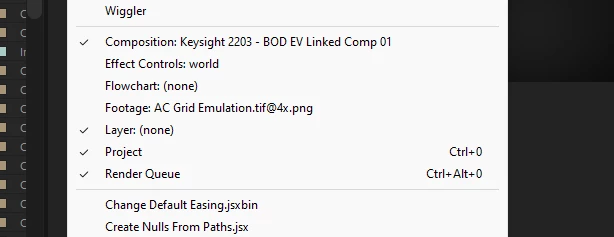
 

Under window there is no option to bring back the timeline panel once it is closed as far as I can see!
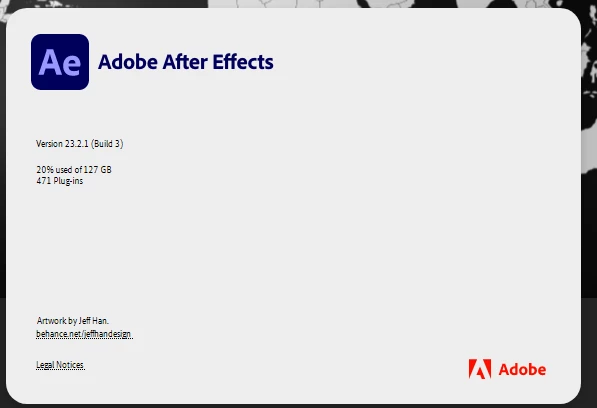


Steps:


1. Close all timeline panels including panel group. 

2. Try to reopen it from the window menu.

3. Where is the timeline option?

4. Feel like you are taking crazy pills. 


Title edited by Mod.

2 replies

nishu_kush
Community Manager
Community Manager
March 17, 2023

Hi scrozier,


Thanks for writing in.

Double-clicking one of the compositions in the Project panel and pressing the "\" key brings it back for me. Could you give it a try? Also, are you able to reproduce the crash with the "\" key? What are your system specifications (CPU, GPU, RAM, OS version)?

Moving this thread from Bugs to Discussions for troubleshooting.


Thanks,

Nishu

Community Expert
March 19, 2023

Resetting a workspace or changing a workspace should also bring back the Timeline panel. The Timeline panel can be found under the Window menu. If it is not there, re-install AE or roll back a version and then roll forward. You can also try holding done Shift + Alt/Option + Ctrl/Cmnd when you launch AE and reset your preferences. 

Scott.C.Author
Inspiring
March 16, 2023

Well AE crashed after I tried to hit "\" to switch to the timeline panel and then it came back so maybe just a weird fluke but I was losing my actual mind.