
How to replace a media placeholder with a dynamic link Premiere timeline part?
I have fiddled around with Premiere Pro for some years, but I have to admit that I am new to After Effects, so maybe some kind soul can guide me on how to do what I want?
OK, so I have some drone shots, 15 minutes shot in one take.
I also bought from Videohive.net an AE ready project for making a promo. It has these placeholders where I just have to replace ready made photos/videos, so quick and easy.
Here is my problem: I want to do the color correcting in Premiere Pro. (I am sure that it can be done as easily within AE but I just feel more comfortable doing so in PP).
I opened the PP project inside AE and that is really cool, I can see all I am doing in the timeline in PP updated in real-time in AE.
So I open the sequence and I mark an IN and OUT, but how do I replace the placeholder image with that part of the PP linked sequence?
Maybe I can explain better with a picture:
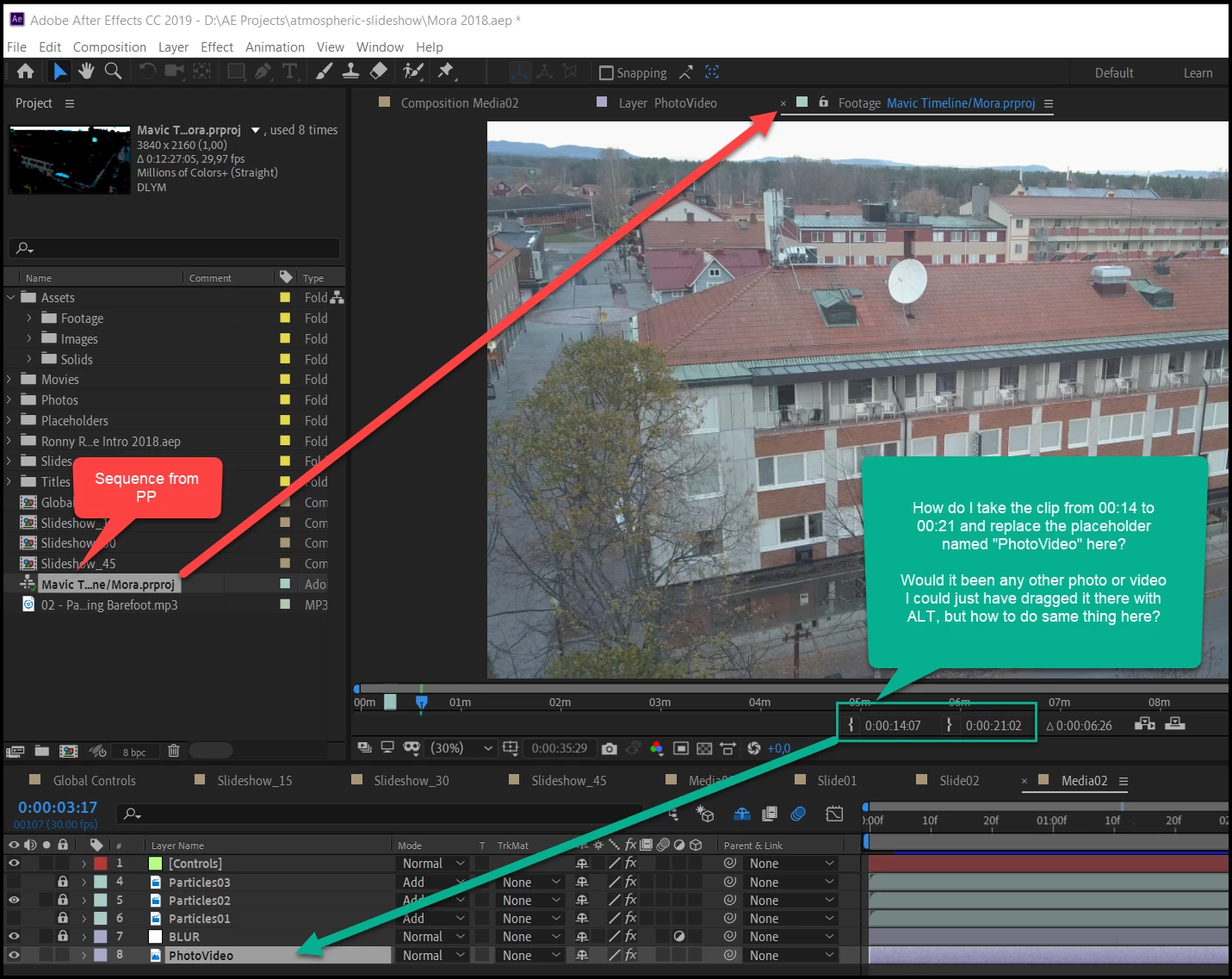
As you can see I have the sequence opened from PP, I marked it with in and out-points for the part of the sequence that I want to replace the placeholder called "PhotoVideo".
I can't find how to do that. Of course I could export clips in PP, then I would simply ALT-drag them over the place-holder, but I guess the smart way should be to make a dynamic link, make the color correcting in PP and then just pick portions of the timeline and have them replace each placeholder?
Or should I do this totally different? Please help an absolute beginner with AE.
 AdChoices