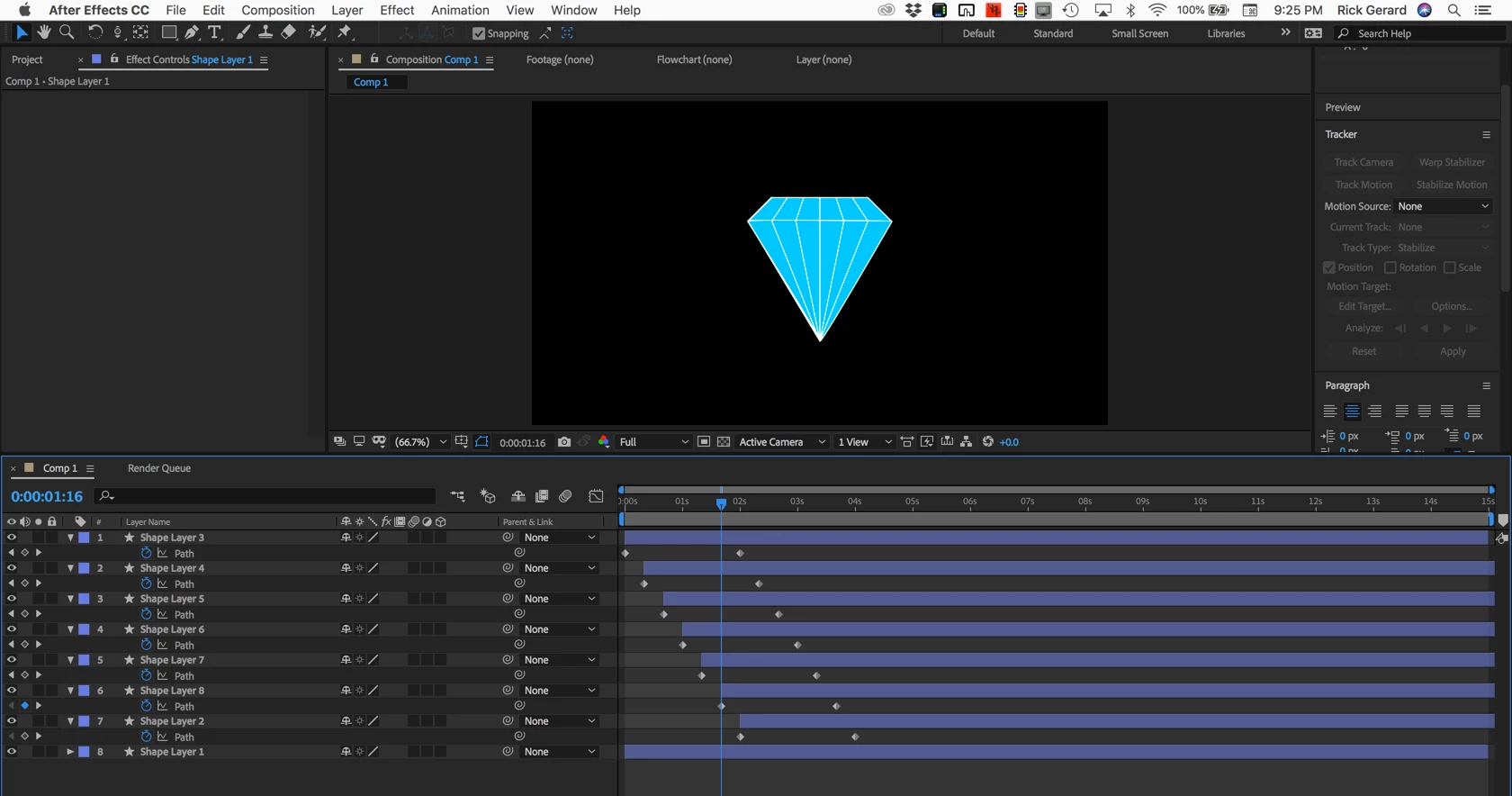
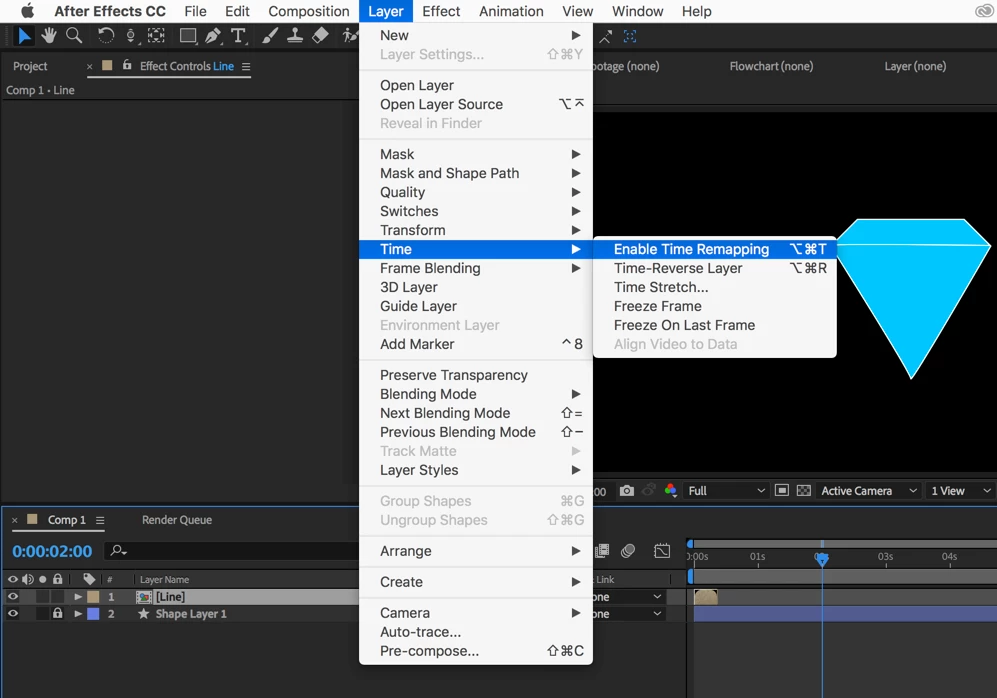
I would animate one vector shape layer for the inset diamonds and have it complete one cycle. Then I would duplicate that layer and offset it in time to fill in the holes. Duplicate it again, then when you have one complete cycle trim the layers, pre-compose, and add time remapping. When you add time remapping to the pre-composed layer you will see two keyframes. Go to the end keyframe and you should not see anything. Move back one frame and set a new keyframe, then delete the last keyframe and add this expression to Time Remapping: loopOut();
Then you can extend the out point of the pre-comp (nested composition) and let the diamond loop as long as you want it to.
Just for fun I took about 10 minutes and made this project: Dropbox - Fake Diamond.aep
Note: your browser may add a .txt extension to the AEP file when it is downloaded. Just delete it)
I started with a diamond shape layer created with a few straight lines, then I added a new shape layer that contained only a single animated line that looked like this:
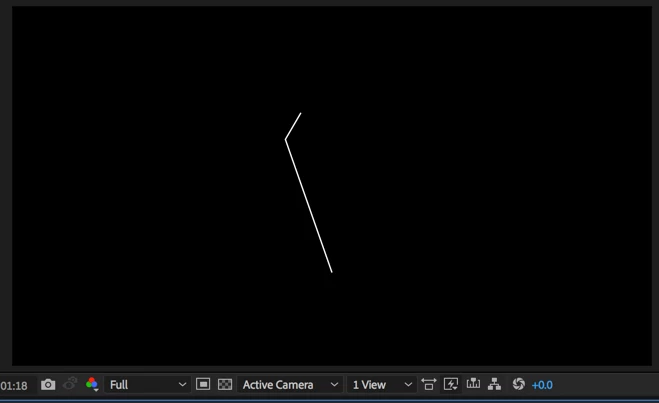
I offset each line until I had the complete diamond and all the facets created:
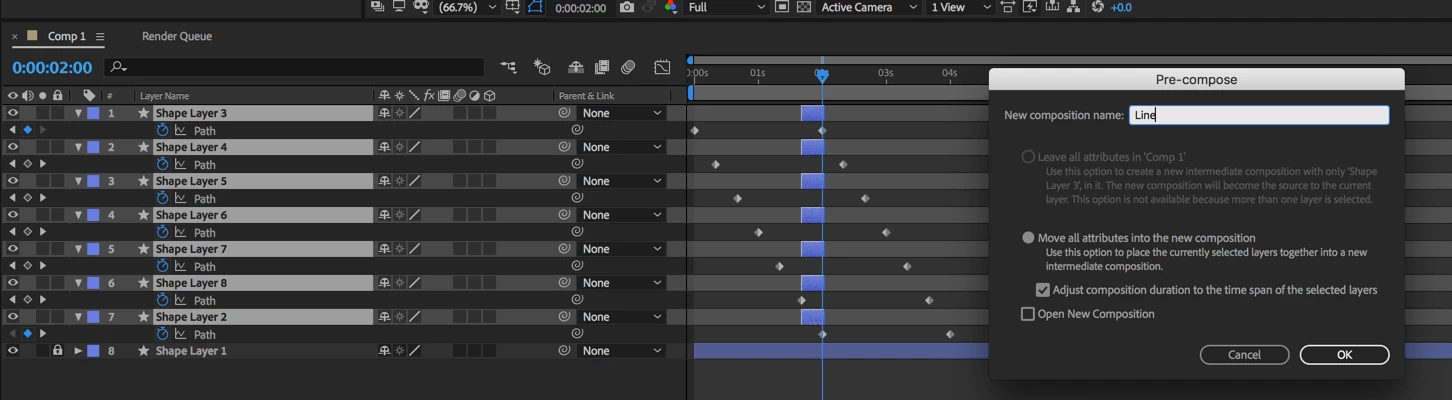
The next step was to trim the layers and create a pre-comp. I only needed to include the frames required for the line to move from the edge to the first position. Setting up the pre-comp looks like this:
The next step is to move the pre-comp to the first frame and add time remapping:
You move in on the timeline and use the K key to move to the last TR keyframe, use Ctrl/Cmnd + left arrow to move back one frame, add a new keyframe, then delete the last keyframe:

The last step is to add the loopOut(); expression:
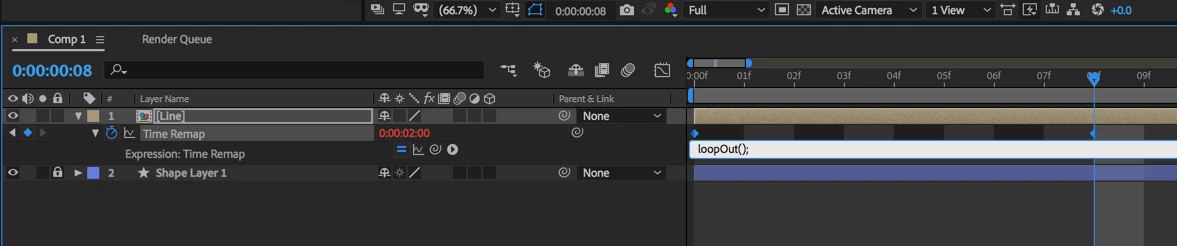
All done:
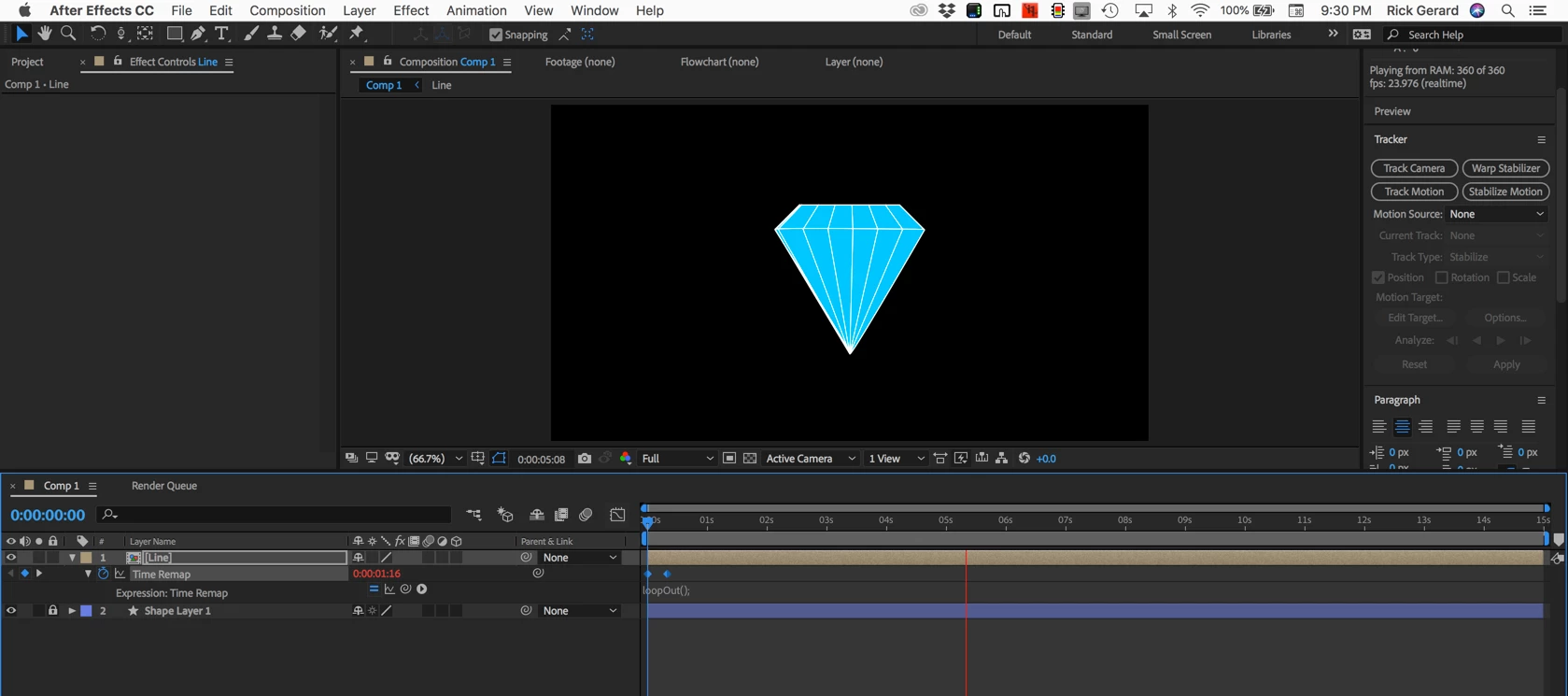
This is how you take a very simple animated line layered on an illustration and make it look like the object is rotating using a loop. This is a good principal of animation for you to use in all kinds of situations. Adding a little curve to the equator line and putting a little crown on the top of the jewel would improve the artwork and only take a few more minutes.
I hope this helps. The trick to becoming an efficient animator is to learn to look at a problem and break it down into the simplest components. The only thing that really needed to move was the vertical line and it only needed to move far enough to line up with the next longitudinal line.

 AdChoices