
How to rotate a layer 90°?
Please note: I am aware of the Transform > Rotation on every layer but that simply doesn't work in this instance.
I am trying to make two formats [Landscape and Portrait] for export. To achieve the Portrait format, I am trying to rotate the background layer 90°. It should be simple to do- right?? But I cannot rotate the layer 90° to work in Portrait mode and I can use some help. ***I can do this for all the other layers though- just not the 'star'
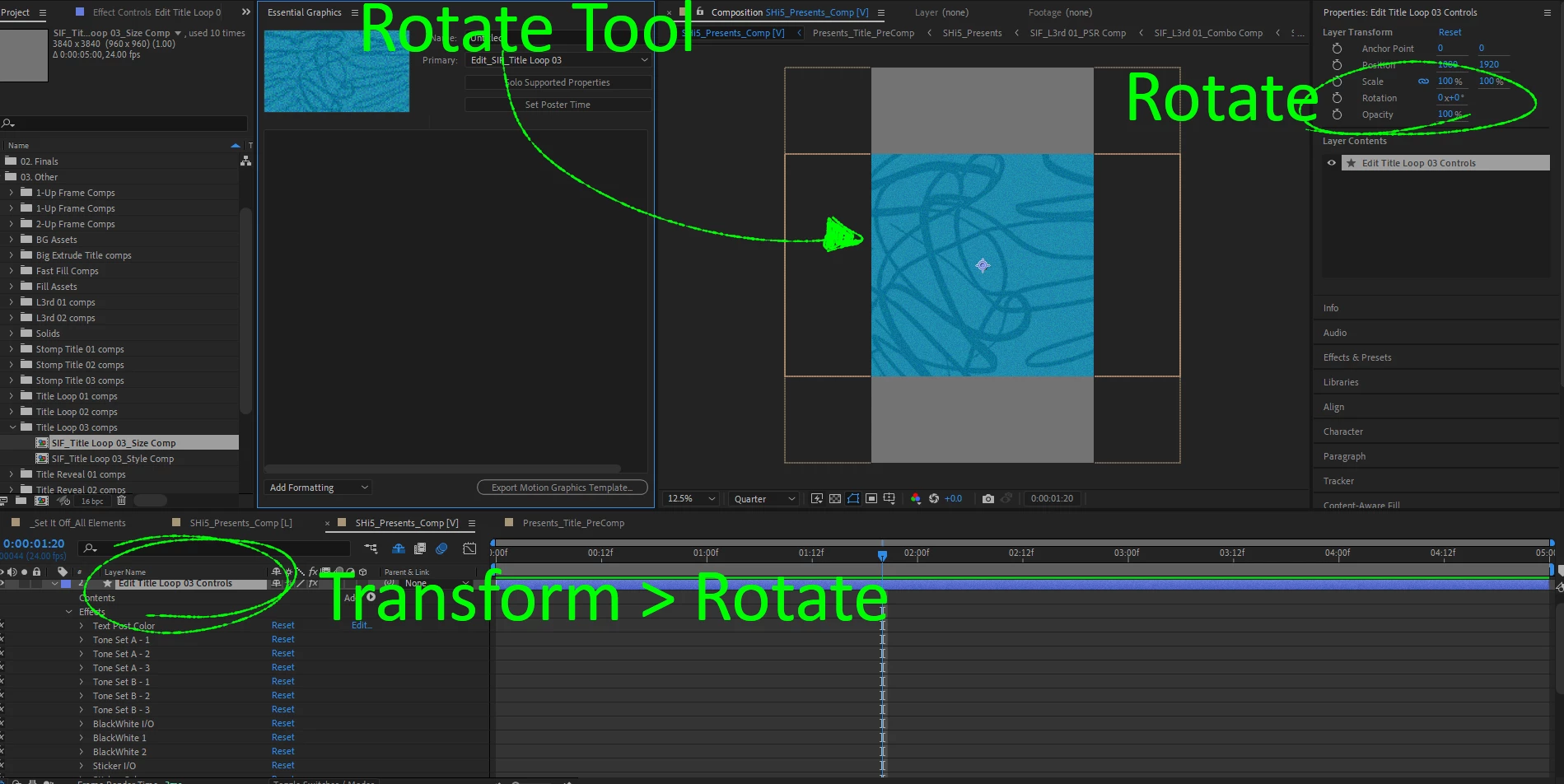
I bought an After Effects template from Motion Array and the layer appears to have been made procedurally [see attached] and therefore cannot be rotated 90°. In the Layer Transform tab, I'll rotate it 90° and nothing happens. I've also tried the Rotation Tool [W] and that doesn't work. How do I do a simple rotation??
Below is a snapshot of the layer I am trying to rotate 90° to work in Vertical format. I tried 3 different ways to rotate this layer without any success. Whats happening?? Thanks in advance for your help!


 AdChoices