Answered
How to "rove across time" with trim path
I'm trying to animate a complex line's end going back and forward. I need it to have a logical, constant speed, but the "rove accross time" function is greyed out...
Does anybody know how to do this?
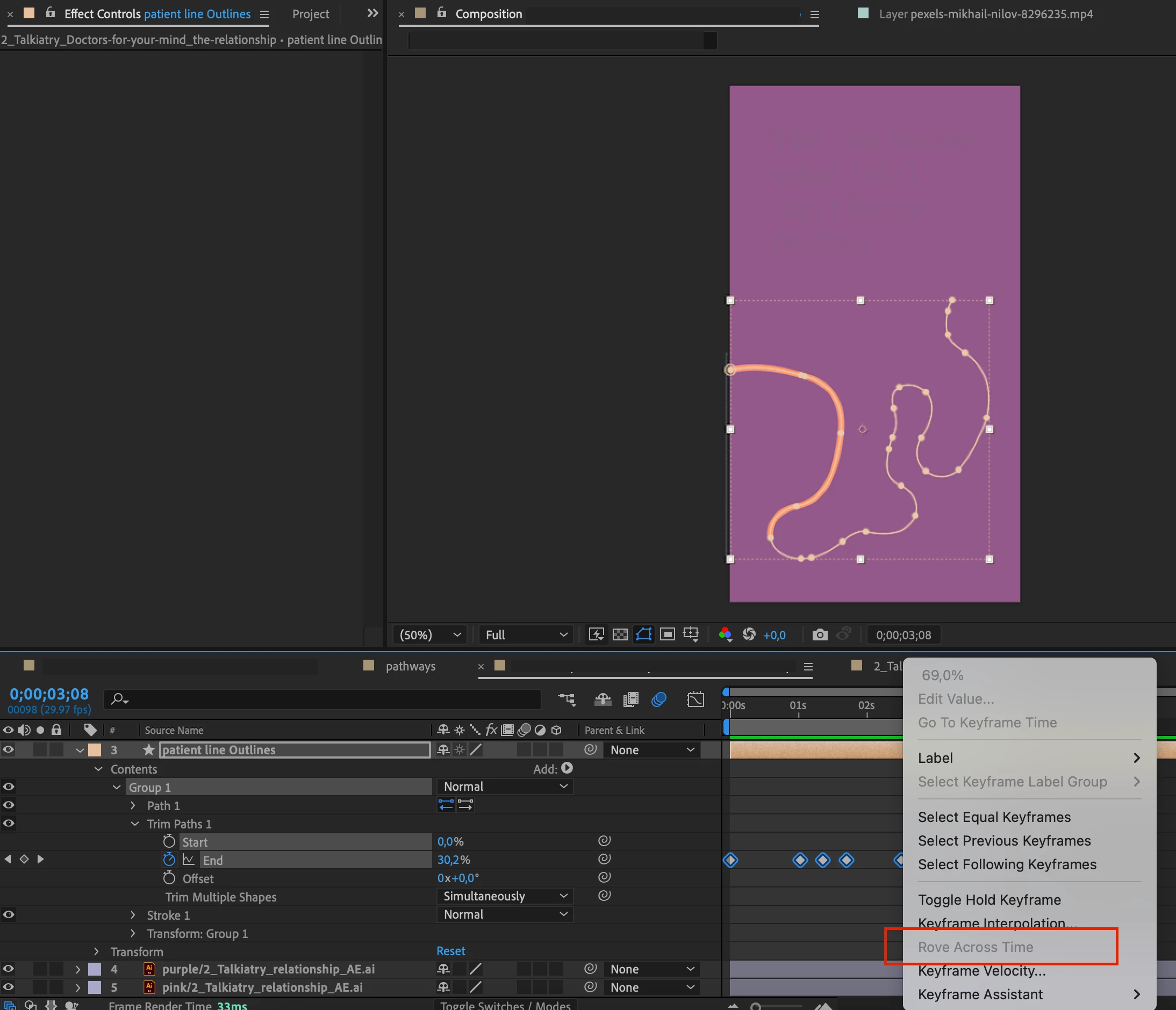

I'm trying to animate a complex line's end going back and forward. I need it to have a logical, constant speed, but the "rove accross time" function is greyed out...
Does anybody know how to do this?
I still don't undersand how I can trim a path from 200 to 0 then 200 then 400 then 200 then 900 adjusting the keyframes in the timeline so there is constant speed (I cannot use just two keyframe for this)
I think this expression for the End property will level out the speed:
val = value;
if (numKeys > 2){
  if (time < key(1).time){
    val = key(1).value;
  }else if (time > key(numKeys).time){
    val = key(numKeys).value;
  }else{
    dTot = 0;
    for (i = 2; i <= numKeys; i++){
      dTot += Math.abs(key(i).value - key(i-1).value);
    }
    tTot = key(numKeys).time - key(1).time;
    tCur = key(1).time;
    i = 2;
    while(tCur <= time && i <= numKeys){
      tPrev = tCur;
      tCur += (Math.abs(key(i).value - key(i-1).value)/dTot)*tTot;
      i++;
    }
    i--;
    val = linear(time,tPrev,tCur,key(i-1).value,key(i).value);
  }
}
valAlready have an account? Login
No account yet? Create an account
Enter your E-mail address. We'll send you an e-mail with instructions to reset your password.


 AdChoices