Known Participant
November 2, 2022
Answered

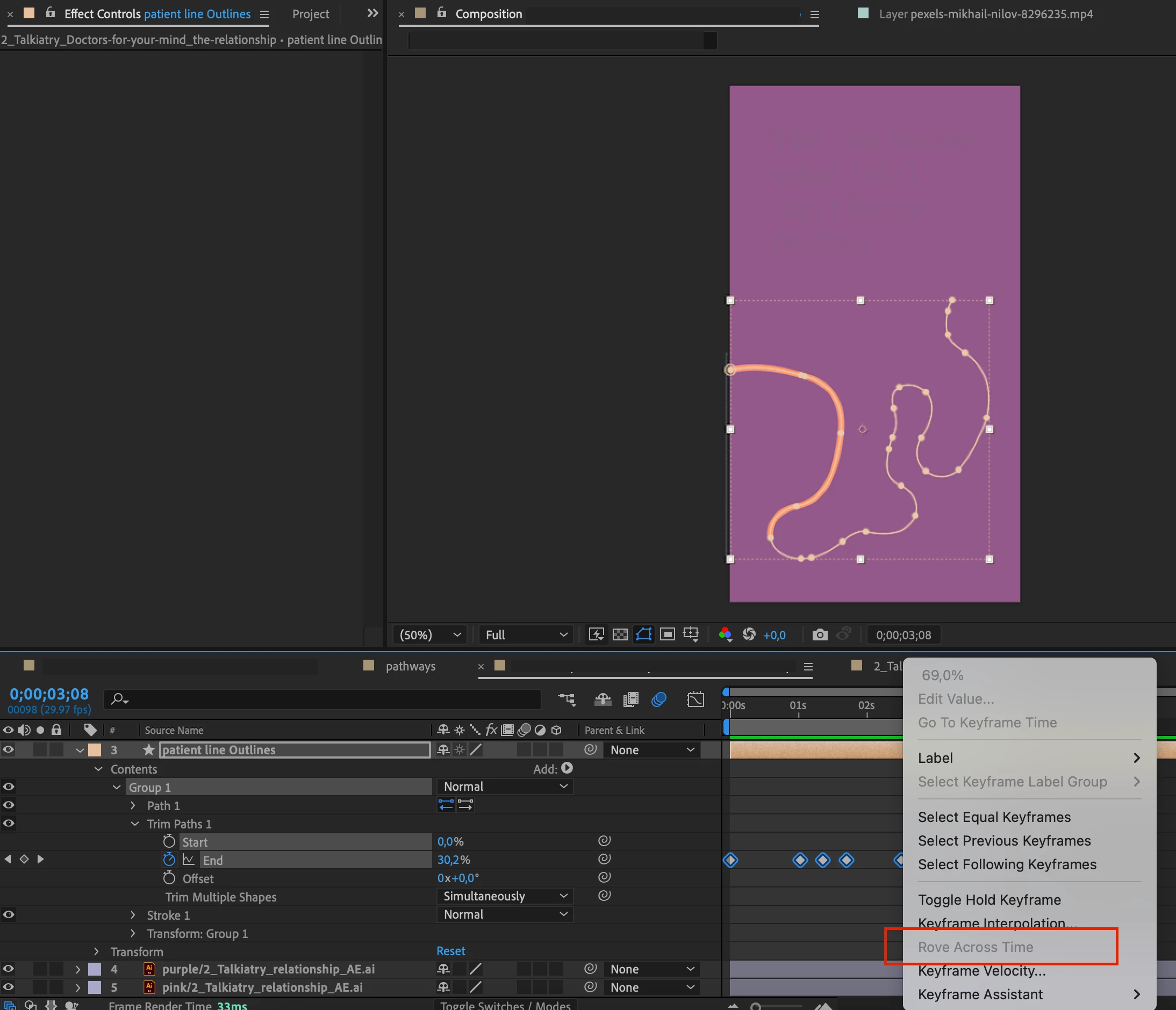
How to "rove across time" with trim path

  • November 2, 2022
  • 3 replies
  • 3232 views

I'm trying to animate a complex line's end going back and forward. I need it to have a logical, constant speed, but the "rove accross time" function is greyed out...

Does anybody know how to do this?


This topic has been closed for replies.
Correct answer Dan Ebberts

I still don't undersand how I can trim a path from 200 to 0 then 200 then 400 then 200 then 900 adjusting the keyframes in the timeline so there is constant speed (I cannot use just two keyframe for this)


I think this expression for the End property will level out the speed:

val = value;
if (numKeys > 2){
  if (time < key(1).time){
    val = key(1).value;
  }else if (time > key(numKeys).time){
    val = key(numKeys).value;
  }else{
    dTot = 0;
    for (i = 2; i <= numKeys; i++){
      dTot += Math.abs(key(i).value - key(i-1).value);
    }
    tTot = key(numKeys).time - key(1).time;
    tCur = key(1).time;
    i = 2;
    while(tCur <= time && i <= numKeys){
      tPrev = tCur;
      tCur += (Math.abs(key(i).value - key(i-1).value)/dTot)*tTot;
      i++;
    }
    i--;
    val = linear(time,tPrev,tCur,key(i-1).value,key(i).value);
  } 
}
val

3 replies

Community Expert
November 3, 2022

Rove Across Time makes the speed between keyframes equal. You get the same thing with Trim Paths if you only have two keyframes. That should be all there is to it. 

lume360Author
Known Participant
November 3, 2022

But you cannot rove across time with trim paths, that's my problem

Dan Ebberts
Community Expert
Dan EbbertsCommunity ExpertCorrect answer
Community Expert
November 3, 2022

I still don't undersand how I can trim a path from 200 to 0 then 200 then 400 then 200 then 900 adjusting the keyframes in the timeline so there is constant speed (I cannot use just two keyframe for this)


I think this expression for the End property will level out the speed:

val = value;
if (numKeys > 2){
  if (time < key(1).time){
    val = key(1).value;
  }else if (time > key(numKeys).time){
    val = key(numKeys).value;
  }else{
    dTot = 0;
    for (i = 2; i <= numKeys; i++){
      dTot += Math.abs(key(i).value - key(i-1).value);
    }
    tTot = key(numKeys).time - key(1).time;
    tCur = key(1).time;
    i = 2;
    while(tCur <= time && i <= numKeys){
      tPrev = tCur;
      tCur += (Math.abs(key(i).value - key(i-1).value)/dTot)*tTot;
      i++;
    }
    i--;
    val = linear(time,tPrev,tCur,key(i-1).value,key(i).value);
  } 
}
val
Mylenium
Legend
November 2, 2022

My mistake. Rove only works for 2D and 3D properties as otherwise there's no way to calculate a speed vector. Refer to this:


https://helpx.adobe.com/after-effects/using/speed.html


That said, there's most definitely some script to even out keyframes and adjust the values, so check AEScripts.com. 


Mylenium 


Mylenium
Legend
November 2, 2022

Select only the inner keyframes, not the start and end.


Mylenium 

lume360Author
Known Participant
November 2, 2022

Still not working... 😞
