Inspiring
October 6, 2017
Answered

How to scale up a layer with black background without affecting the image's size

  • October 6, 2017
  • 1 reply
  • 335 views

I know this sounds like a stupid question, but I wasn't honestly sure how to describe it.  I have  a light bulb jpeg, set to screen mode. which I applied trap code Shine to.  I want the rays to extend beyond the borders of the black solid, but I can't figure out how to scale up the background area without affecting the image size. Both light bulbs need to be the same size, just one with light rays. I included a picture below.  Sorry, I know it seems like a really simple issue, but I'd really like to know how to solve it.  See on the left side, how the rays get cut off by the border of the solid; I need them to extend outward.

Thanks so much!
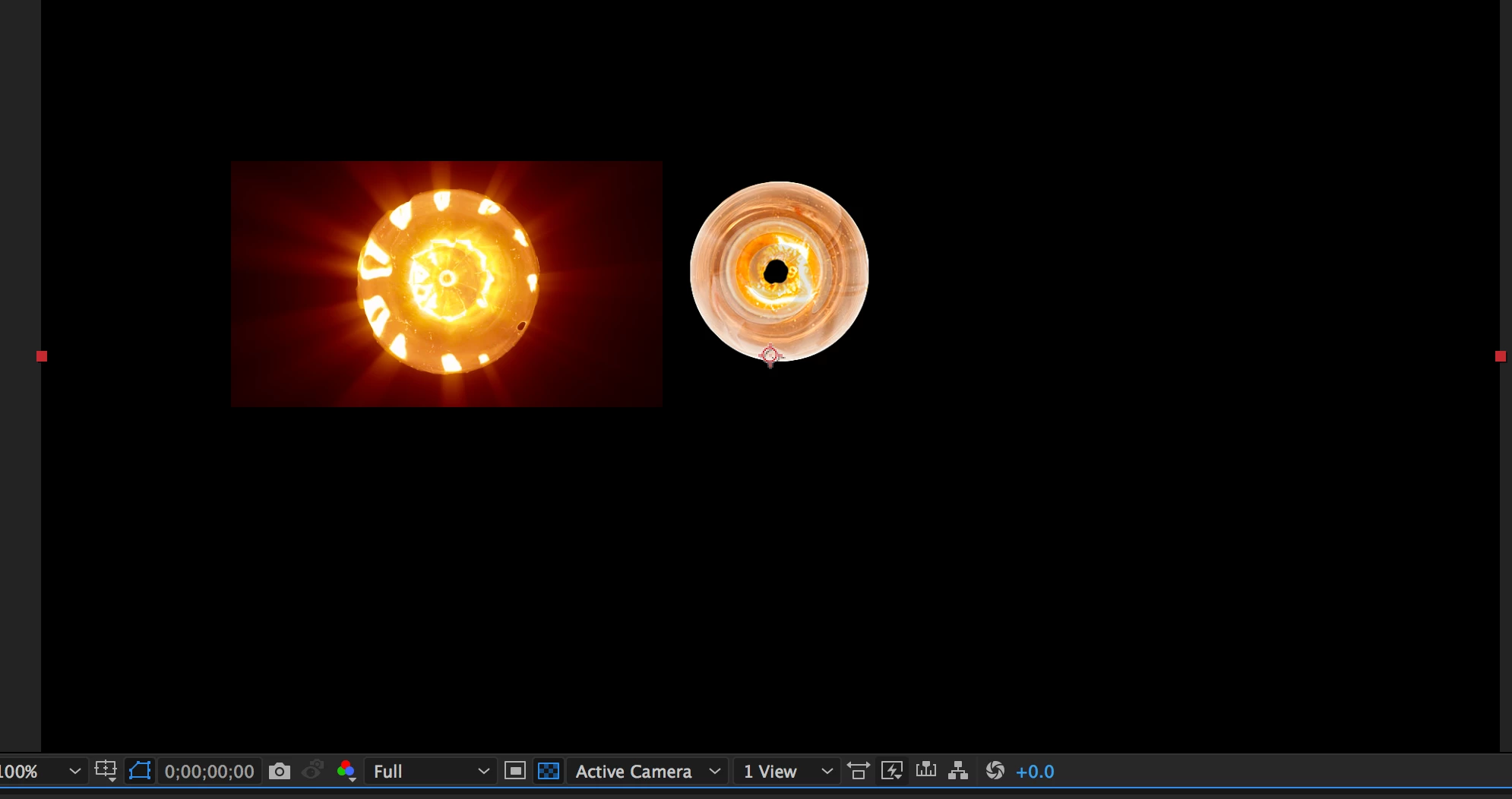
    This topic has been closed for replies.
    Correct answer Rick Gerard

    Pre-compose the light bulb with solid that is exactly the same color as the background behind it and apply Shine to the pre-comp.You can make the solid's color match the background of the lightbulb background by using the Eyedropper.

    1 reply

    Rick GerardCommunity ExpertCorrect answer
    Community Expert
    October 6, 2017

    Pre-compose the light bulb with solid that is exactly the same color as the background behind it and apply Shine to the pre-comp.You can make the solid's color match the background of the lightbulb background by using the Eyedropper.

    Inspiring
    October 6, 2017

    thanks Rick!