Any property that shows up in red has an expression. Pressing the 'u' key twice shows every property you have modified, including layers with expressions. Pressing the 'e' key twice, as Mylenium suggested, will reveal all expressions. If no layers are selected when you use the shortcuts all layers will show the results. If one or more layers are selected when you use the shortcuts only the modified properties or the expressions on the selected layers will show up.
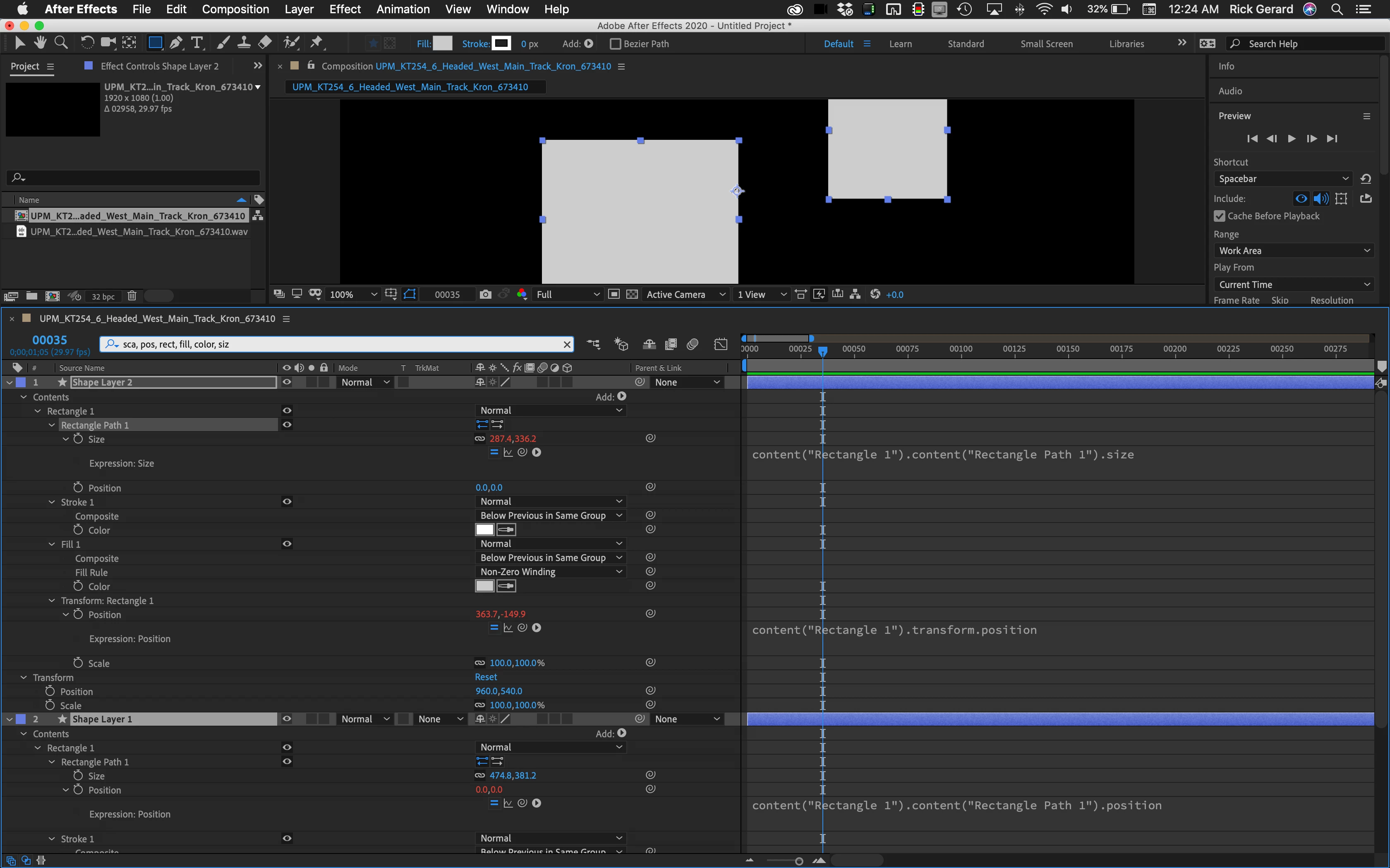
Here is one more hint, and I use this all the time. Let's say that I have several shape layers, some of them have rectangles and some of the rectangles have Rectangle > Transform Rectangle position properties with expressions. I also want to see the scale properties of all selected shape layers. Here's the shortcut:
Click in the Search bar in the timeline and start typing "sca" and by the time you get there all the scale properties in the selected layers should show up, now add a comma and type "rect" and by that time all of the rectangle properties should show up, then keep typing and as each property is named the displayed items appear. The nicest thing about that trick is as soon as the property you want appears you can just add a comma and start typing the name of another property. It will save you hours.

 AdChoices